Notifications
The Notification tab says who hears about an alert or report, through which channels, and what the message says. The email server and the Slack app themselves are configured once per workspace under Workspace settings → Notifications; this tab only chooses where each item sends.
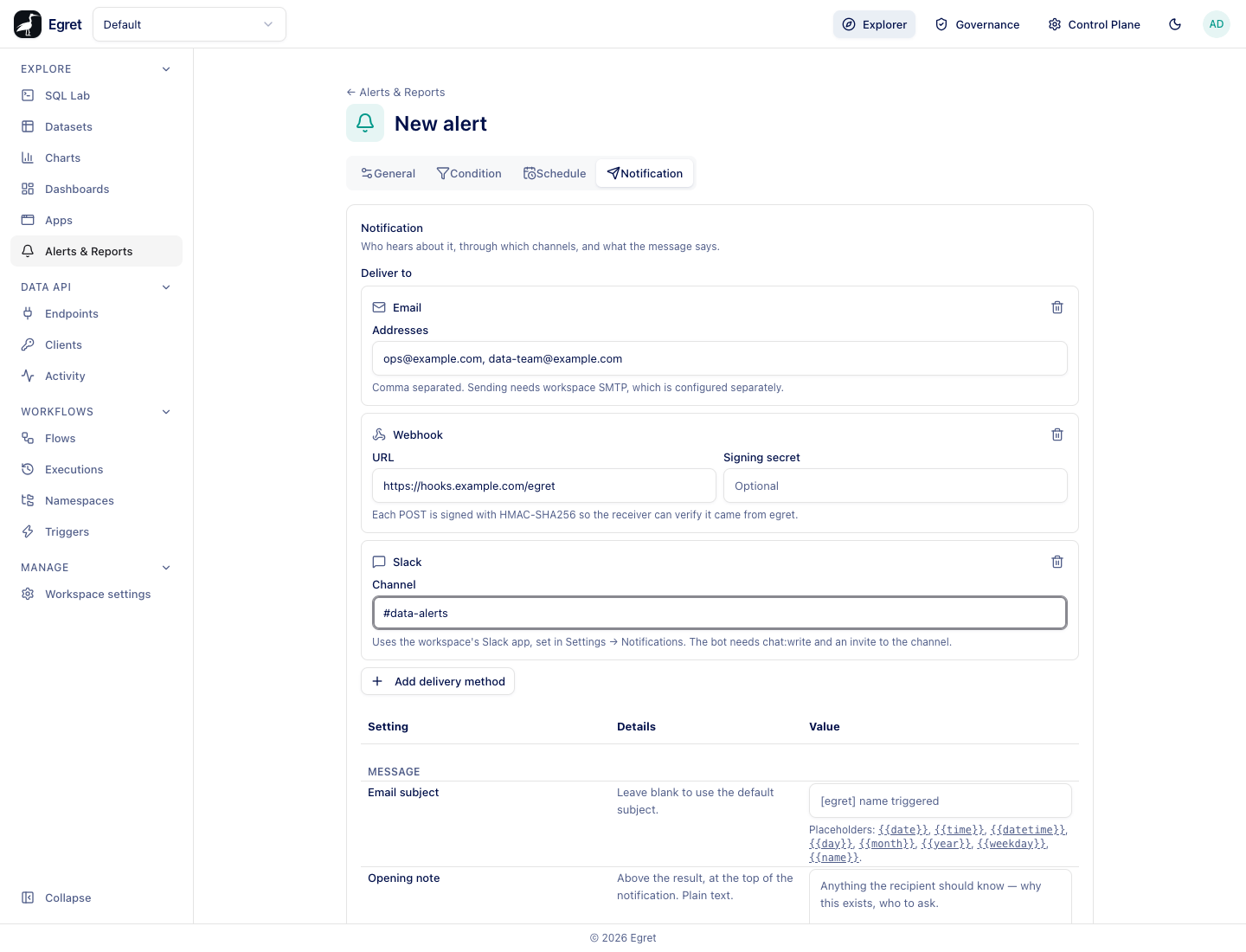
Deliver to
Under Deliver to, press Add delivery method and choose Email, Slack or Webhook. You can add several destinations, including several of the same kind, and remove one with its trash icon. An item with no destination still runs and records its result, but tells nobody.
Email
| Field | What it does |
|---|---|
| Addresses | Comma-separated recipients, for example ops@example.com, data-team@example.com. |
All addresses on one email destination receive a single message. For an alert the triggering rows are attached as a CSV file named after the alert, for example urgent-open-orders-exist.csv. Sending needs SMTP configured for the workspace; without it the run records the error smtp is not configured for this workspace. What an email looks like is shown in Create an alert and Reports.
Slack
| Field | What it does |
|---|---|
| Channel | The channel to post to, for example #data-alerts. |
The credential lives in the workspace's Slack app, set in Workspace settings → Notifications. The bot needs the chat:write permission and an invite to the channel. Slack receives the message text only, not the rows. Without a configured app the run records no slack bot token is configured for this destination, and the run still counts as fired, so the grace period starts.
The demo workspace has no Slack app, because a working one needs a real Slack workspace and bot token. A Slack destination there records the error above; posting to a channel could not be observed.
Webhook
| Field | What it does |
|---|---|
| URL | The endpoint Egret sends a POST to. |
| Signing secret | Optional. When set, each request carries an X-Egret-Signature header with the hex HMAC-SHA256 of the request body, so the receiver can check it came from Egret. A stored secret shows as Unchanged; Remove the stored secret clears it on save. |
The request body is JSON:
{
  "schedule": "Pending orders above 100",
  "schedule_id": "712ee132-5284-4d0f-9534-067005936311",
  "type": "alert",
  "state": "success",
  "value": 363.0,
  "triggered_at": "2026-10-19T16:18:48.753805Z",
  "rows": [{ "n": 363 }]
}
The field names are fixed. type names the kind of item (alert, dataapi_alert or report), state is the run state, value is the measured number, and rows holds the triggering rows as JSON objects. A report sends the same shape with value and rows set to null. The payload shape comes from the source: on the demo stack the only receivers Egret may reach are public hosts, and a public test endpoint (https://example.com/egret-hook) answered 405, so no request body was captured.
Verify a signature by computing the HMAC-SHA256 of the raw body with your secret and comparing it, in constant time, with the header:
printf '%s' "$BODY" | openssl dgst -sha256 -hmac "$SECRET"
Webhook delivery has guard rails:
- The request times out after 10 seconds, and redirects are not followed, because a redirect would be a second destination that bypasses the checks.
- A destination that resolves to a private, loopback or link-local address is refused before any request is sent:
webhook host resolves to a blocked address (127.0.0.1): loopback, or for a container on the same Docker networkwebhook host resolves to a blocked address (172.24.0.5): private. An operator can allow specific in-cluster hosts with theautomation.webhook_allow_hostssetting. - A response that is not
2xxis recorded with its status, for examplewebhook returned 405.
Message
| Setting | What it does | Default |
|---|---|---|
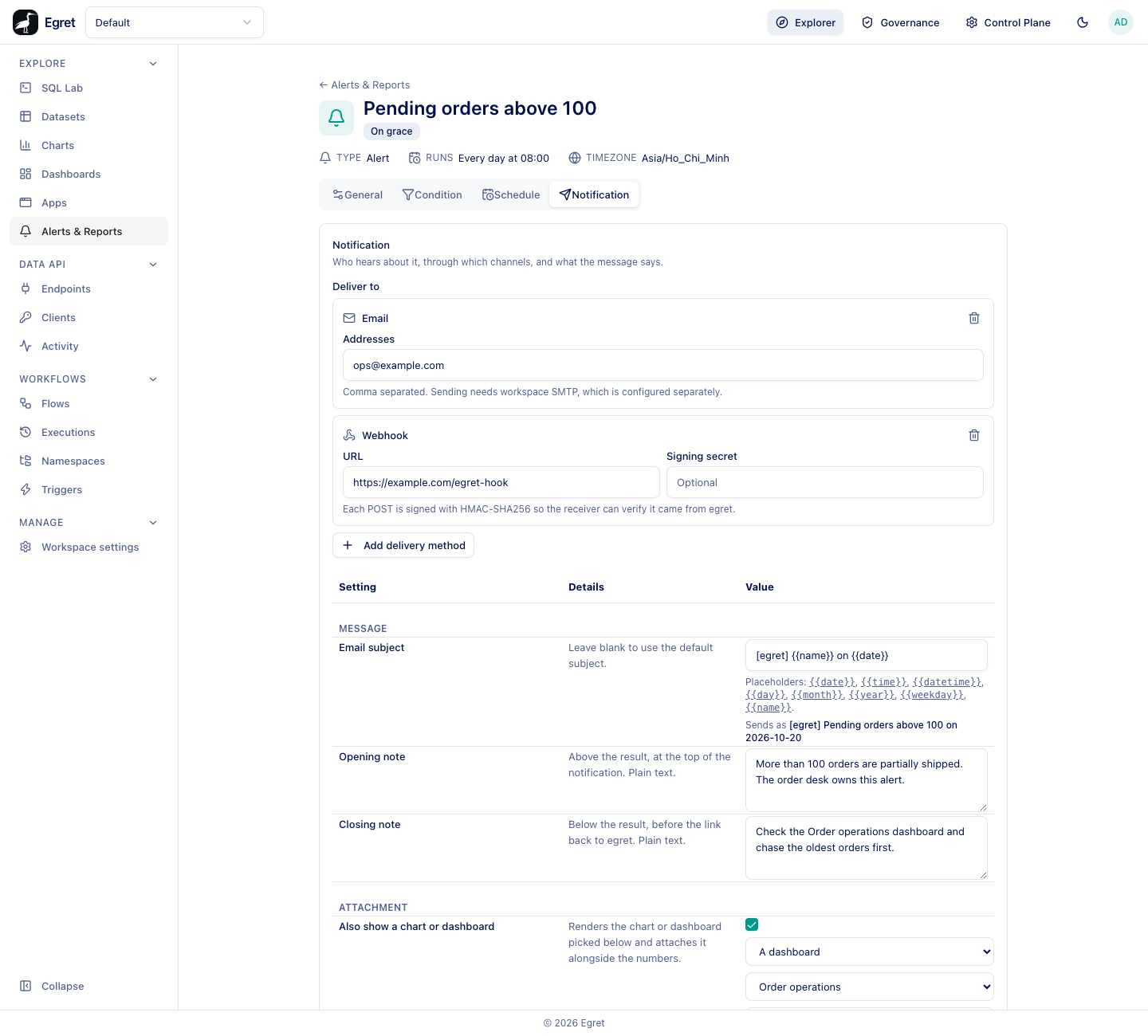
| Email subject | The subject line. Placeholders: {{date}}, {{time}}, {{datetime}}, {{day}}, {{month}}, {{year}}, {{weekday}}, {{name}}. Dates and times use the schedule's timezone. Under the box, Sends as previews the subject with today's values. | [egret] name triggered for an alert, [egret] name report for a report |
| Opening note | Plain text above the result, at the top of the notification. Say why the alert exists and who to ask. | Empty |
| Closing note | Plain text below the result, before the Open in egret button. Say what to do about it. | Empty |
The notes appear in the HTML part of the email. The plain-text part, which some mail clients show, carries only the result line (KI-170).
Attachment
For an alert, Also show a chart or dashboard attaches a rendering of a chart or dashboard next to the numbers.
| Setting | What it does |
|---|---|
| Attachment object type | A dashboard or A chart. |
| Attachment object | Which one. |
| Attachment format | PNG image, shown here in the message or PDF, as a file. |
| Image width (px), Image height (px) | Override the rendered size. They take effect only when both are set; leave either blank and both fall back to the default size. |
A PNG attachment is shown inside the message between the opening note and the result, as in the example on Create an alert; a PDF arrives as a file. Rendering a chart or dashboard needs the rendering service and adds the render time to the run (about 25 seconds for the four-card Order operations dashboard on the demo stack); see Reports.
Delivery
Don't send when there are no rows
For an alert, tick this to skip the notification when the query returned no rows. The run still happens and is recorded as Not triggered; only the message is skipped. Reports and Data API alerts do not read this setting.
When delivery fails
A failed delivery does not fail the run. The alert already fired, so the run is recorded as Success and the grace period starts, and the delivery error is shown in the run log's Detail column. When an item has several destinations, only the first error is recorded. See Run history.
Limits and known issues
- Webhooks to loopback and private addresses are blocked unless an operator allow-lists the host, so a local receiver cannot be used for testing without that setting (KI-035). The demo stack does not set it.
- Slack messages do not carry the rows. Slack delivery was not observed on the demo stack (no Slack app).
- When several destinations fail, only the first error is recorded (KI-034).