Data API alerts
A Data API alert watches the traffic of your Data API endpoints and notifies you when a measurement crosses a threshold: the error rate goes up, a consumer starts hitting its rate limit, or the slowest calls get slower. It reads the same access log as the Activity page, so you do not write any SQL.
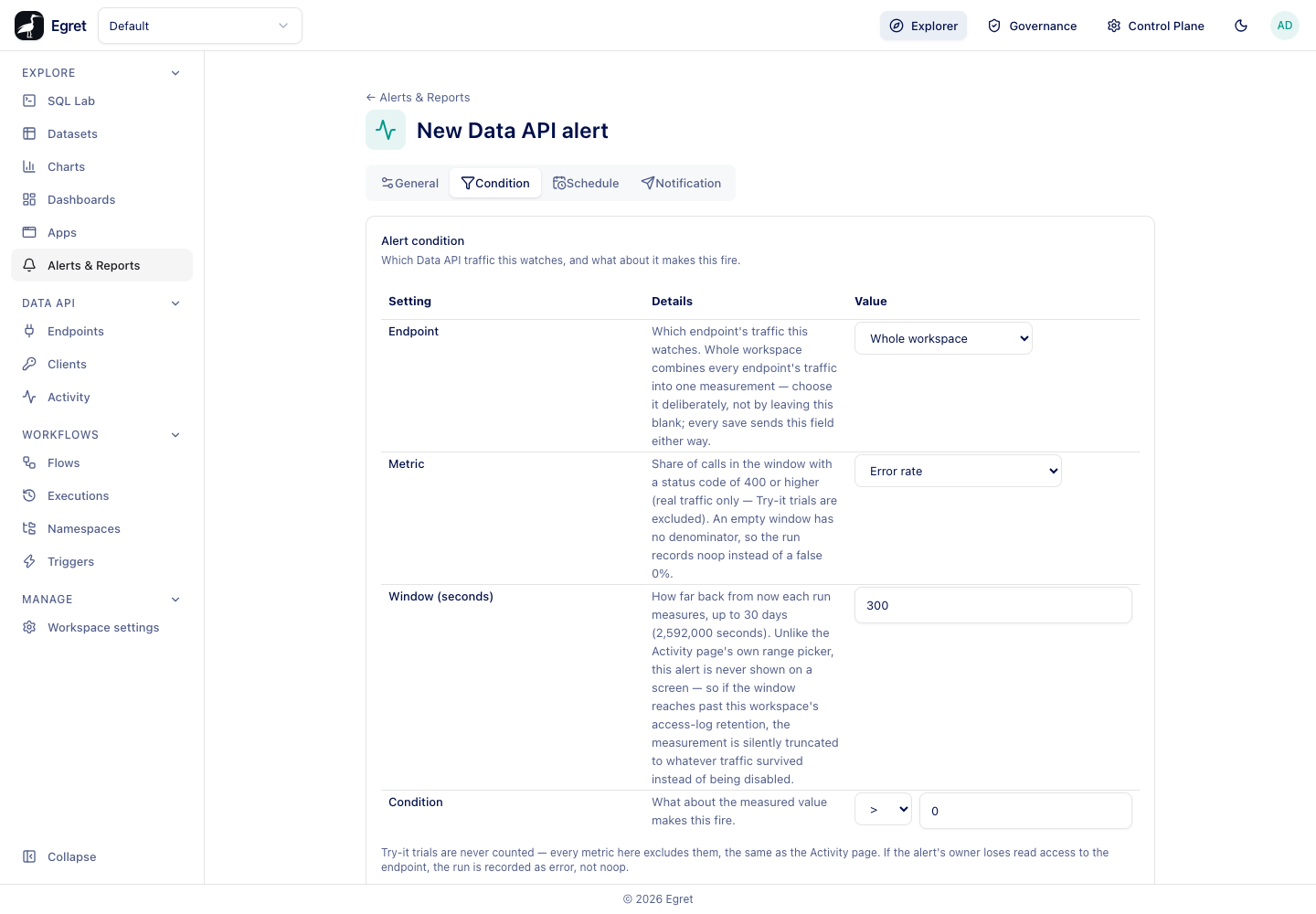
Create a Data API alert
- Go to Explore → Alerts & Reports and press + Data API alert.
- On General, name the alert and choose its owners, as for any alert.
- On Condition, choose the Endpoint, the Metric, the Window (seconds) and the Condition.
- On Schedule and Notification, set when it runs and who is told. See Schedules and limits and Notifications.
- Press Create.
A Data API alert appears on the Alerts tab with a Data API tag.
Condition
| Setting | What it does | Default |
|---|---|---|
| Endpoint | The endpoint whose traffic this watches, or Whole workspace, which combines every endpoint's traffic into one measurement. Choose it deliberately; leaving it as Whole workspace is a decision, not an unset field. | Whole workspace |
| Metric | What to measure. See the table below. | Error rate |
| Error code | Shown for Count of a specific error code. Matched exactly against the error_code of each call, for example rate_limited. Required for that metric and refused for any other. | none |
| Window (seconds) | How far back from now each run measures, up to 30 days (2,592,000 seconds). | 300 |
| Condition | An operator (<, <=, >, >=, ==, !=) and a Threshold compared with the measured value. | > and 0 |
Metrics
| Metric | Measures | An empty window |
|---|---|---|
| Error rate | The share of calls in the window with a status code of 400 or higher, as a fraction between 0 and 1. A threshold of 0.05 means 5%. | Has no denominator: the run is recorded as Not triggered, not as a false 0%. |
| Error count | The number of calls with a status code of 400 or higher. | A real 0. |
| Call count | The total number of calls. | A real 0, so it can fire on "too few calls" with <. |
| p50 latency | Median response time in milliseconds, of successful calls (status 200 to 299) only. | No successful calls: Not triggered. |
| p95 latency | 95th percentile response time in milliseconds, of successful calls only. | No successful calls: Not triggered. |
| Count of a specific error code | The number of calls whose error code matches. | A real 0. |
Latency uses successful calls only, so a burst of failures cannot pull it down. Pair a latency alert with an error-rate alert to cover both.
Try it trials in the endpoint editor are never counted. Every metric excludes them, as the Activity page does by default.
If the window reaches back further than the workspace keeps its access log (90 days by default), the measurement is truncated to the traffic that survived. A window of up to 30 days is within the default retention.
Examples
These alerts ran on the Docker demo stack, against the traffic that the Data API walk-through had generated in the hour before (including refused and throttled calls).
| Alert | Settings | Run now result |
|---|---|---|
| Orders by status error rate | Endpoint Orders by status, metric Error rate, window 3600, condition > 0.05, every 5 minutes | Success, value 0.27: 27% of the calls in the last hour had failed. The scheduled runs that followed were On grace. |
| Throttled calls in the last hour | Whole workspace, metric Count of a specific error code with rate_limited, window 3600, condition > 0 | Success, value 20: the number of 429 responses in the hour. The Activity page filtered on error code rate_limited shows the same calls. |
Both emailed api-owners@example.com (the demo stack's Mailpit received [egret] Orders by status error rate triggered), and the run log shows Notification sent. Earlier, on another instance, a p95 latency alert on the same endpoint with condition > 1000 was Not triggered with value 430.5.
Permissions
A Data API alert runs as its owner. If the owner loses read access to the endpoint, the run is recorded as Error, not Not triggered, so a lost permission is not mistaken for a healthy endpoint.
Limits and known issues
- The measurement is over the whole window each time; it is not a rolling comparison against a previous period.
- A deleted endpoint appears in the editor as (not visible — trashed or inaccessible).
- The Don't send when there are no rows setting does not apply: an empty measurement already records Not triggered on its own.