Users
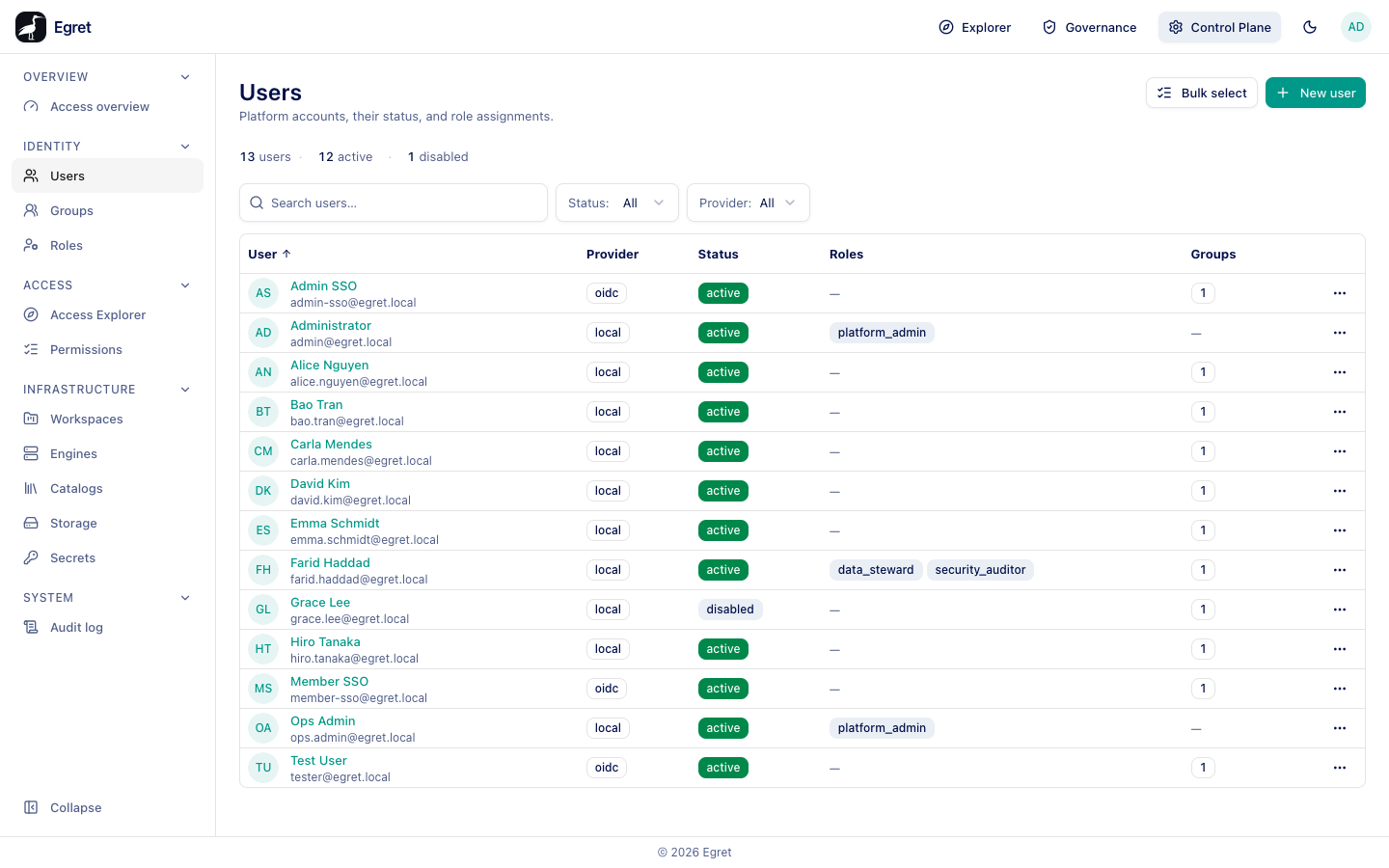
Control Plane → Identity → Users lists every account on the platform and lets you create local accounts, disable or enable people, and give them platform roles. People who sign in through SSO are created automatically on their first sign-in.
You need user:read to open the page. Creating, updating, disabling and deleting need the matching permissions.
The user list
A summary strip counts users, active and disabled. Two filters narrow the list:
| Filter | Options |
|---|---|
| Status | All, Active, Disabled |
| Provider | All, plus the providers present: local, oidc |
| Column | Meaning |
|---|---|
| User | Avatar, display name and email. |
| Provider | local for accounts created in egret, oidc for people who sign in through SSO. |
| Status | active or disabled. A disabled user cannot sign in. |
| Roles | Platform roles the user holds, or a dash. |
| Groups | How many groups the user belongs to. |
The ⋯ menu on a row offers View access (the Access Explorer for that person), Assign roles, Edit, Impersonate and Delete.
Create a local account
Use this for break-glass accounts and for installations without SSO.
- Press New user.
- Enter the Email, Name and Password. All are required.
- Press Create.
The dialog says Create a local account with an email and password. The new user appears with provider local.
Prefer SSO for people. A local account has its own password and does not follow the identity provider's group membership.
Bulk select
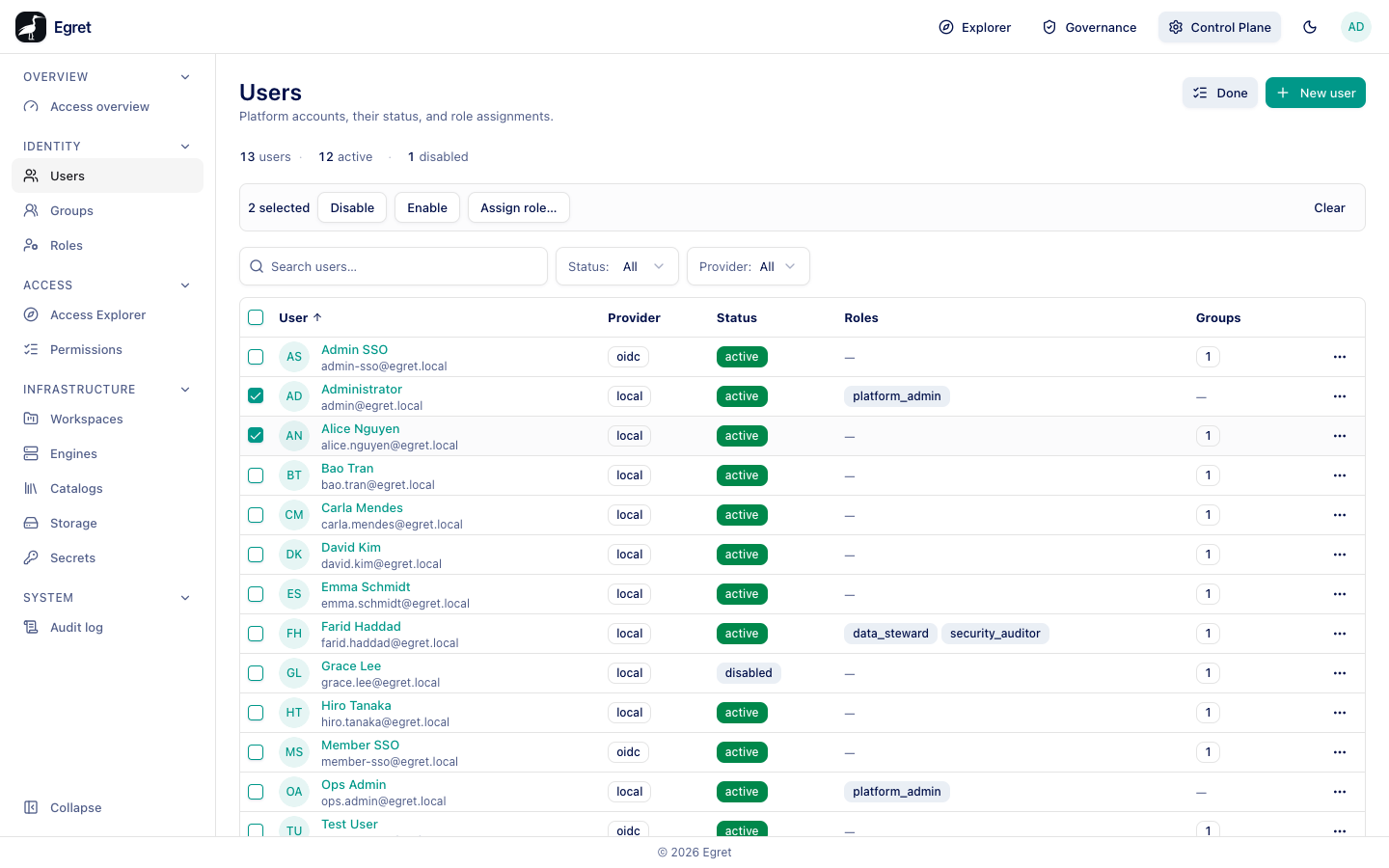
Bulk select adds checkboxes. After you tick users, a bar shows N selected with Disable, Enable, Assign role… and Clear. Done leaves bulk mode.
The user page
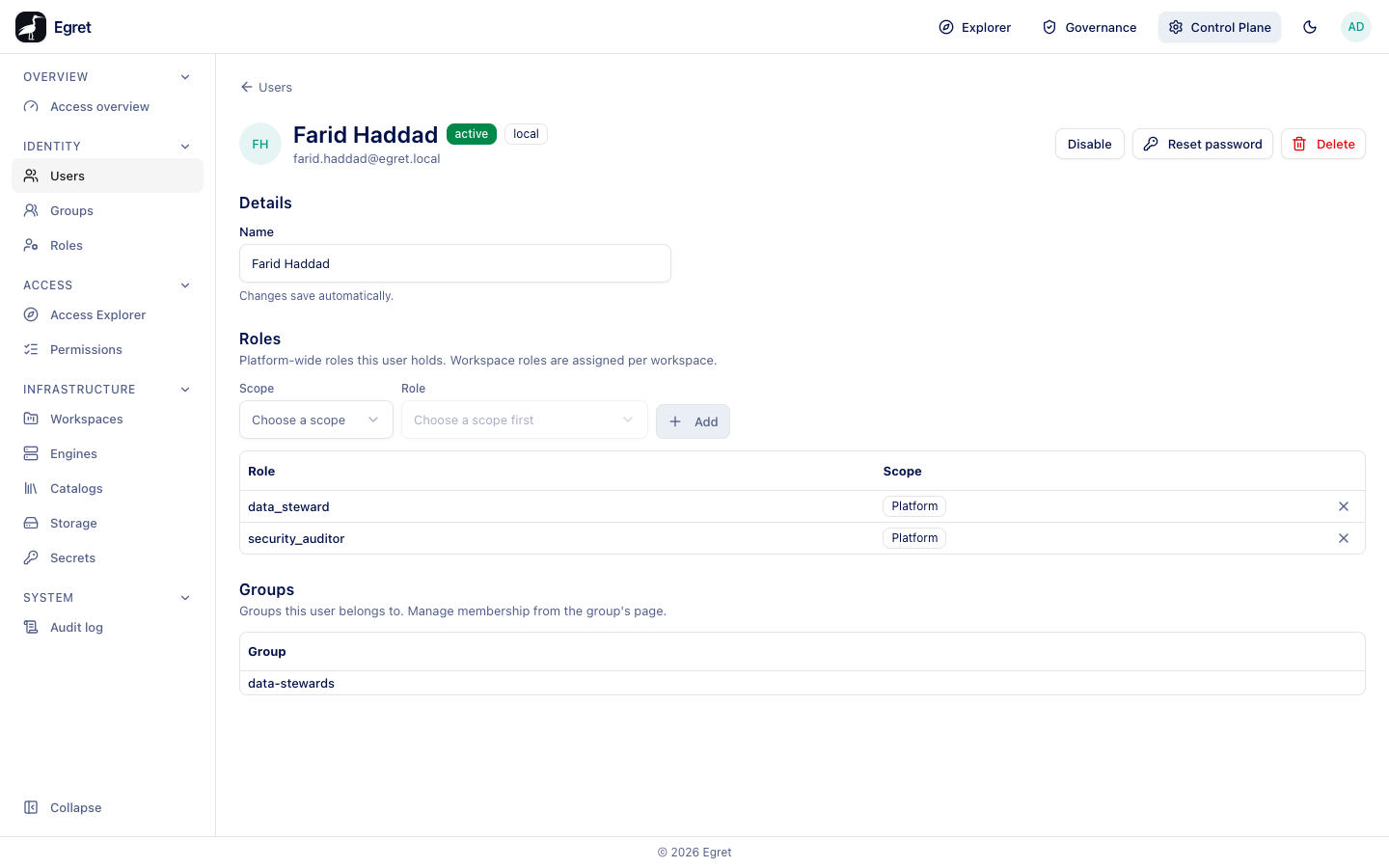
Select a user to open their page. The header shows the avatar, name, status, provider and email, with Disable (or Enable) and Delete. A local account also has Reset password: Set a new password for this local account. Their existing sessions are signed out immediately.
Details
Name is editable and saves automatically (Changes save automatically.). The group memberships of an SSO user come from the identity provider and change when they sign in.
Roles
Platform-wide roles this user holds. Workspace roles are assigned per workspace.
- Under Scope, choose Platform or Workspace.
- For Platform, choose a Role (for example
data_stewardorplatform_admin). For Workspace, pick the workspace first. - Press Add.
The table lists Role and Scope with a remove button. With none it reads No roles assigned yet. Pick a scope above to grant one. Platform admins can do anything everywhere, so grant platform_admin sparingly; the Access overview flags a high share.
Groups
Groups this user belongs to. Manage membership from the group's page. The user's current groups are listed.
Disable and delete
Disable blocks sign-in without removing anything and signs the user out; it applies at once, without a confirmation. The status becomes disabled and Enable reverses it. Delete asks Delete "<email>"? (This user, their sessions, group memberships, and role grants will be permanently removed. This cannot be undone.) and needs you to type delete. Prefer disabling: grants and shares that name a deleted user become unmatched names (see People & groups).
Limits and known issues
- Roles are assigned here at platform or workspace scope. Workspace membership itself is managed on the workspace's Members page.