People & groups
Governance → People & groups answers "what reaches this person?" It lists the users, groups and roles that egret knows, and for each one shows the grants, rules, clearances and engine permissions that apply to them.
The area needs the policy:read permission. A steward who holds only tag:read is refused. Editing a grant or rule from a person's page needs policy:update.
The four tabs
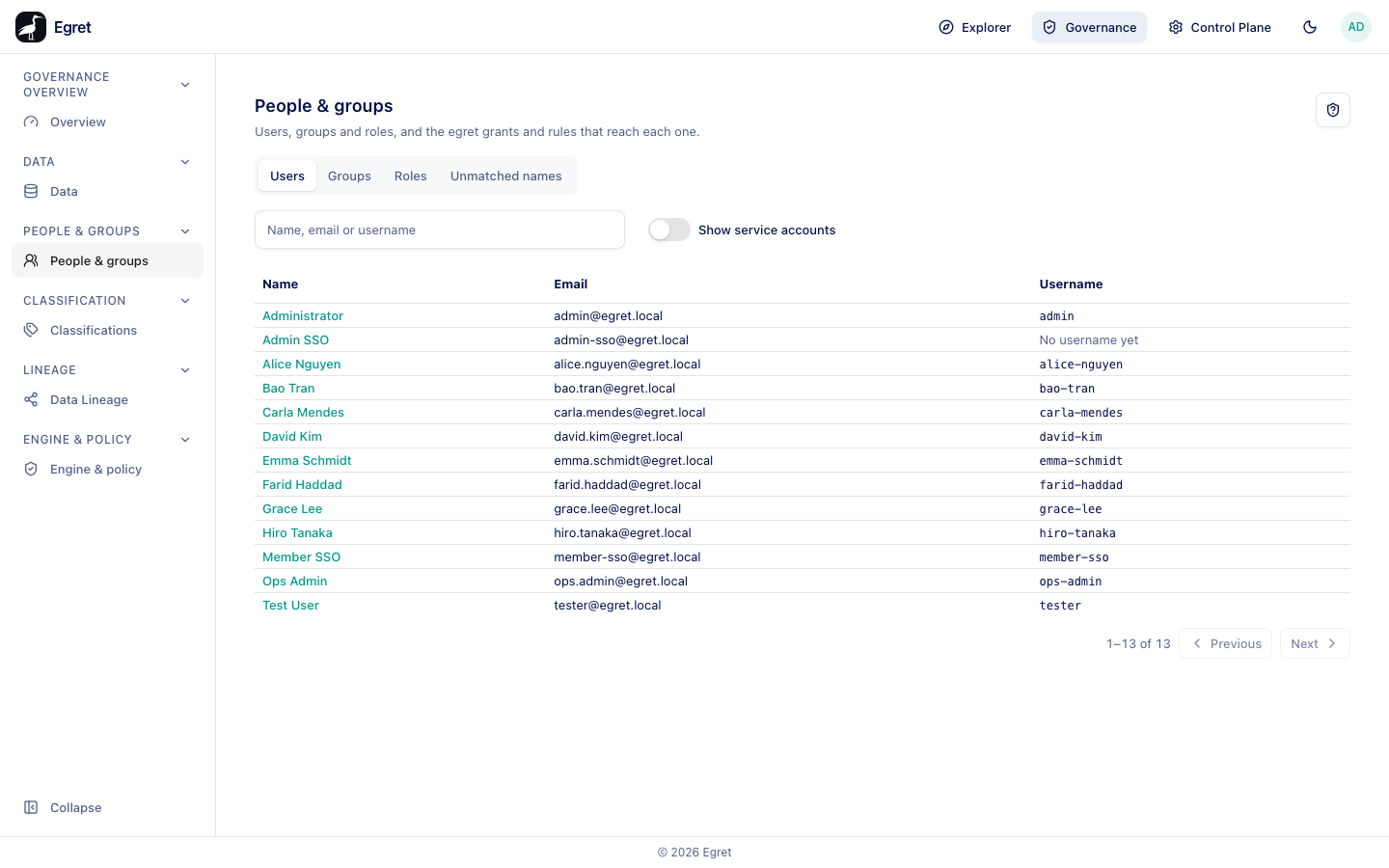
The page has four tabs, kept in the address as ?kind=: users (the default), group, role and unmatched. Each list has a Search box and is paged.
Users
| Column | Meaning |
|---|---|
| Name | The display name. A Service account badge marks machine accounts. |
| The sign-in email. | |
| Username | The name the query engines know the person by, or No username yet. |
Show service accounts adds machine accounts to the list; they are hidden by default. People appear here once they have signed in; SSO users come with the groups the identity provider reports.
No username yet is normal for a new user. Egret allocates one at their first query, notebook or engine token, or when a grant naming them, one of their groups or one of their workspaces is compiled. A grant created from the Data page can allocate it for you (see Grants).
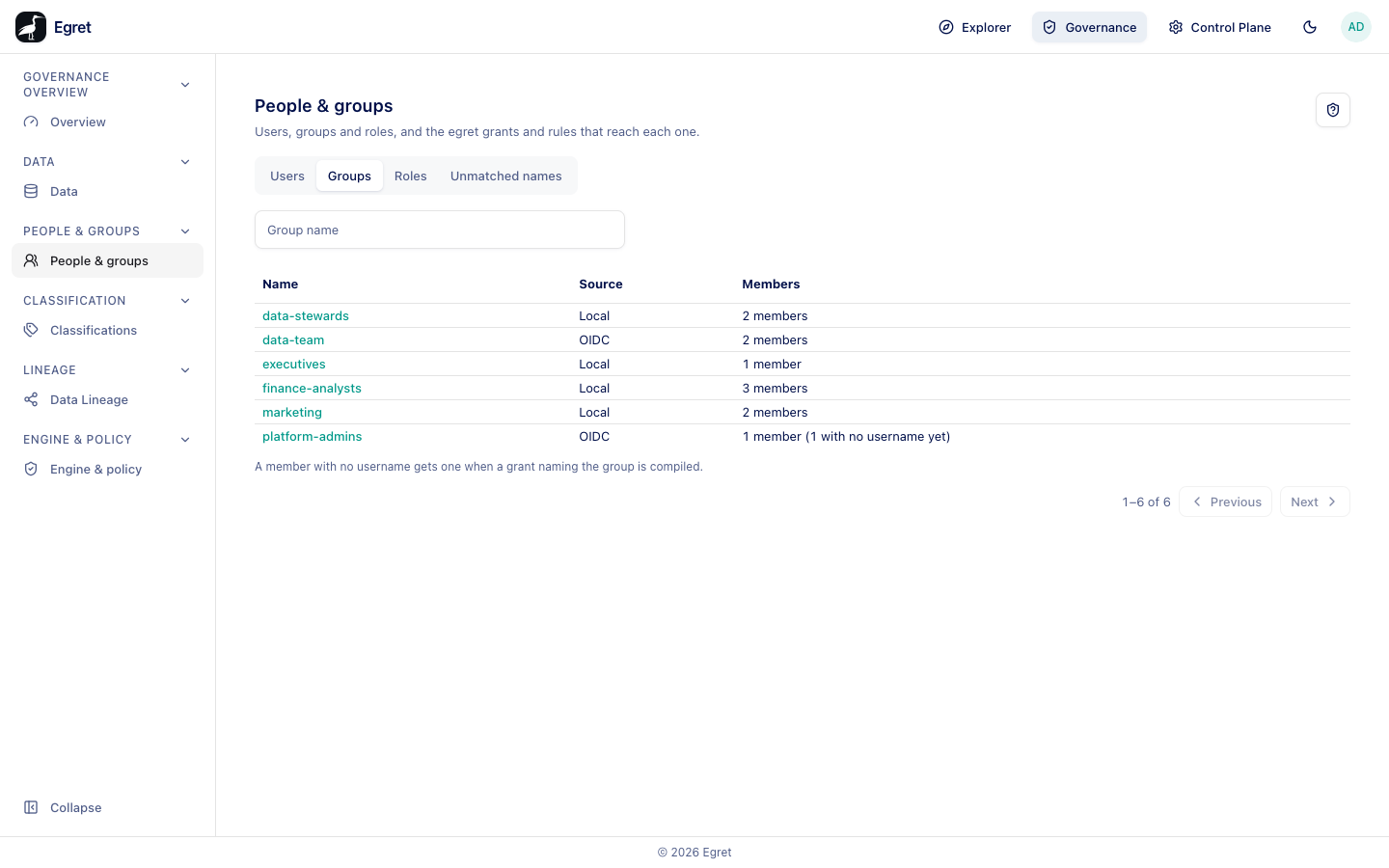
Groups
| Column | Meaning |
|---|---|
| Name | The group name. |
| Source | OIDC for groups synced from the identity provider, or local. |
| Members | The member count, with how many have no username yet, for example 2 members (1 with no username yet). |
A footnote reads A member with no username gets one when a grant naming the group is compiled. OIDC group membership changes at login.
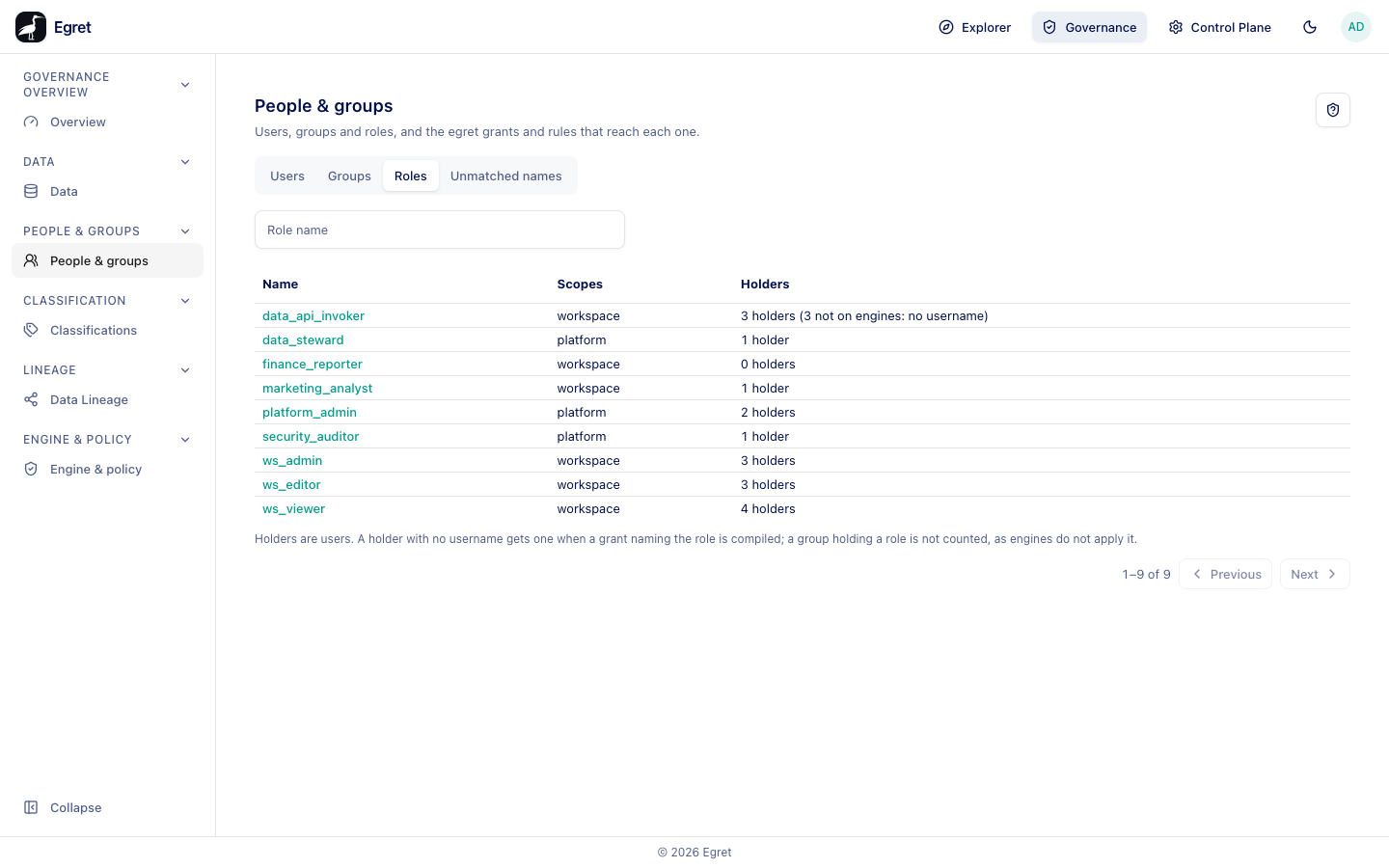
Roles
| Column | Meaning |
|---|---|
| Name | The role, for example platform_admin or ws_editor. |
| Scopes | platform or workspace. |
| Holders | How many users hold it, with how many are not on engines: no username. |
The footnote says Holders are users. A holder with no username gets one when a grant naming the role is compiled; a group holding a role is not counted, as engines do not apply it. On the demo stack data_steward shows 1 holder: Farid Haddad, who holds it directly. The group data-stewards also holds the role, but its members are not counted.
Unmatched names
This tab lists grant principals and rule exemptions that name someone egret does not know. When there are none it shows Every grant principal and rule exemption names someone egret knows. For each unmatched name the table shows what the reference is (a group with no members, an empty role, or a name that no longer exists), and whether it Narrows access.
Egret refuses to write a name it cannot resolve. A grant naming a role that does not exist is rejected with no role has this name — a role is expanded into its holders at compile time, and a name with no role expands to nobody. Unmatched names therefore appear only when someone is deleted or a group is emptied after the grant was written.
An unmatched name is not harmless. A name that matches nobody grants nobody as an allow, but in a deny's exception or an allow's exclude it silently allows more than the model states. The Governance overview lists such findings as unresolved principal references.
Open a person, group or role
Select a row to open its page. The header shows the name, the kind (USER, GROUP or ROLE), and two buttons:
- Grant access opens the grant dialog with this principal already included.
- Manage in Control Plane opens the matching user, group or role page in the Control Plane.
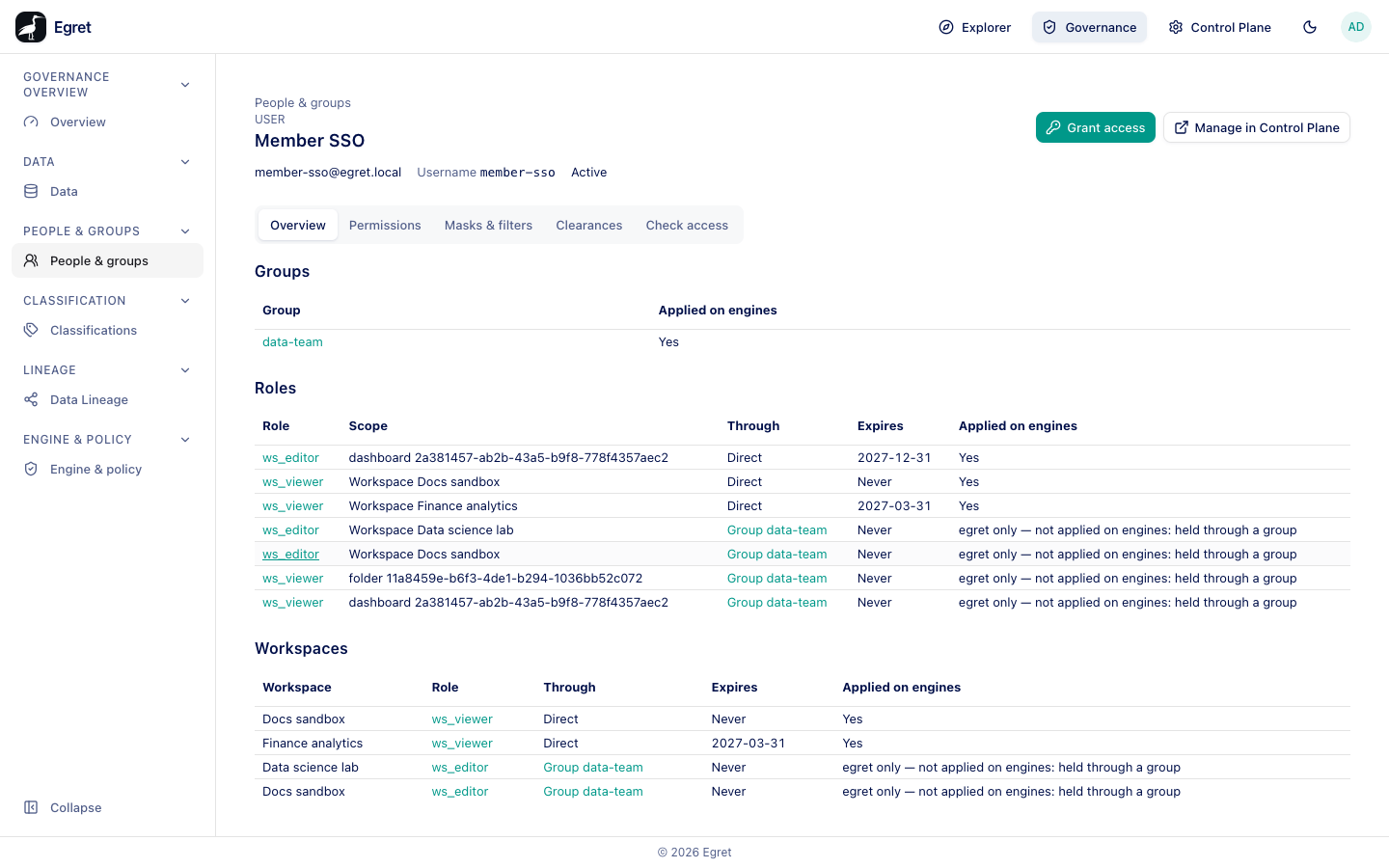
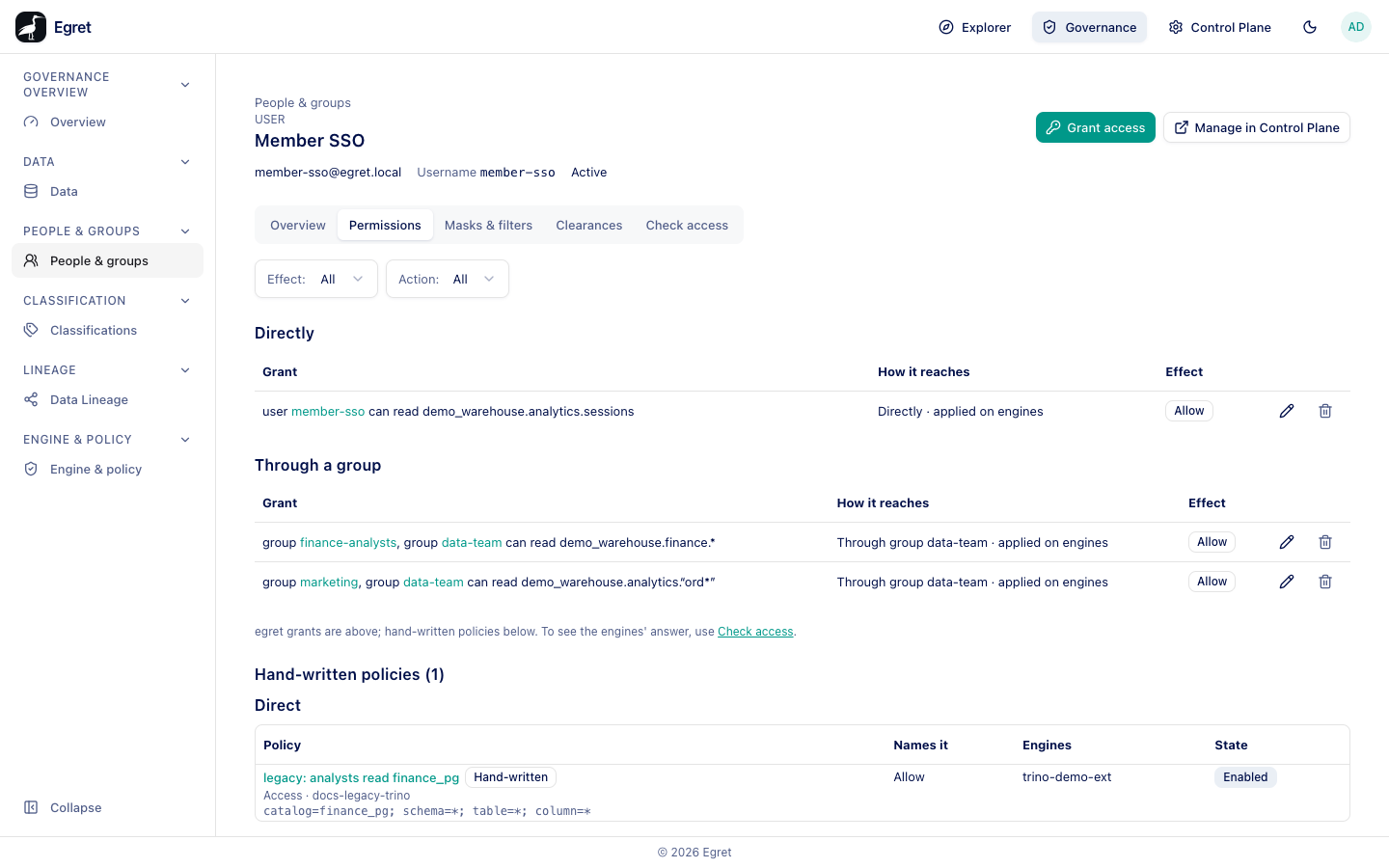
A user's header also shows the email, Username and the status (for example Active). A group's header shows its source (OIDC: memberships change at login) and member count. A role's header shows Exists in platform and the number of holders.
A user, a group and a role each have these tabs. A role has no Masks & filters tab.
Overview
- User: Groups (with an Applied on engines column), Roles and Workspaces, each with Through (Direct or the group), Expires and Applied on engines. Roles include object-level grants, for example a
ws_vieweron one dashboard. A membership approved with an expiry shows its date, for example 2027-03-31. No roles. and No workspaces. show when empty. - Group: Members (name and username; a member without one reads No username yet: a grant naming this group allocates one at compile), Roles held and Workspaces held, each with Scope, Expires and Applied on engines.
- Role: Holders and Groups holding this role.
Applied on engines says whether the engines see the relationship. egret only — not applied on engines: held through a group means egret knows the person holds the role through their group, but engines count only roles held directly, so grants naming the role do not reach them through that group.
Permissions
The egret grants that reach the principal, with filters for Effect and Action. Grants are grouped by how they reach the principal: Directly, or through a group or role they hold. Each row shows the grant, How it reaches (for example Directly · applied on engines) and the Effect. Below them, Engine permissions lists engine permissions granted to the principal; No engine permission reaches this user. when none.
Masks & filters
Rules that exempt the principal. No egret rule exempts Member SSO is followed by 3 other rules apply to everyone they do not exempt; each object's Masks & filters tab lists them.
Clearances
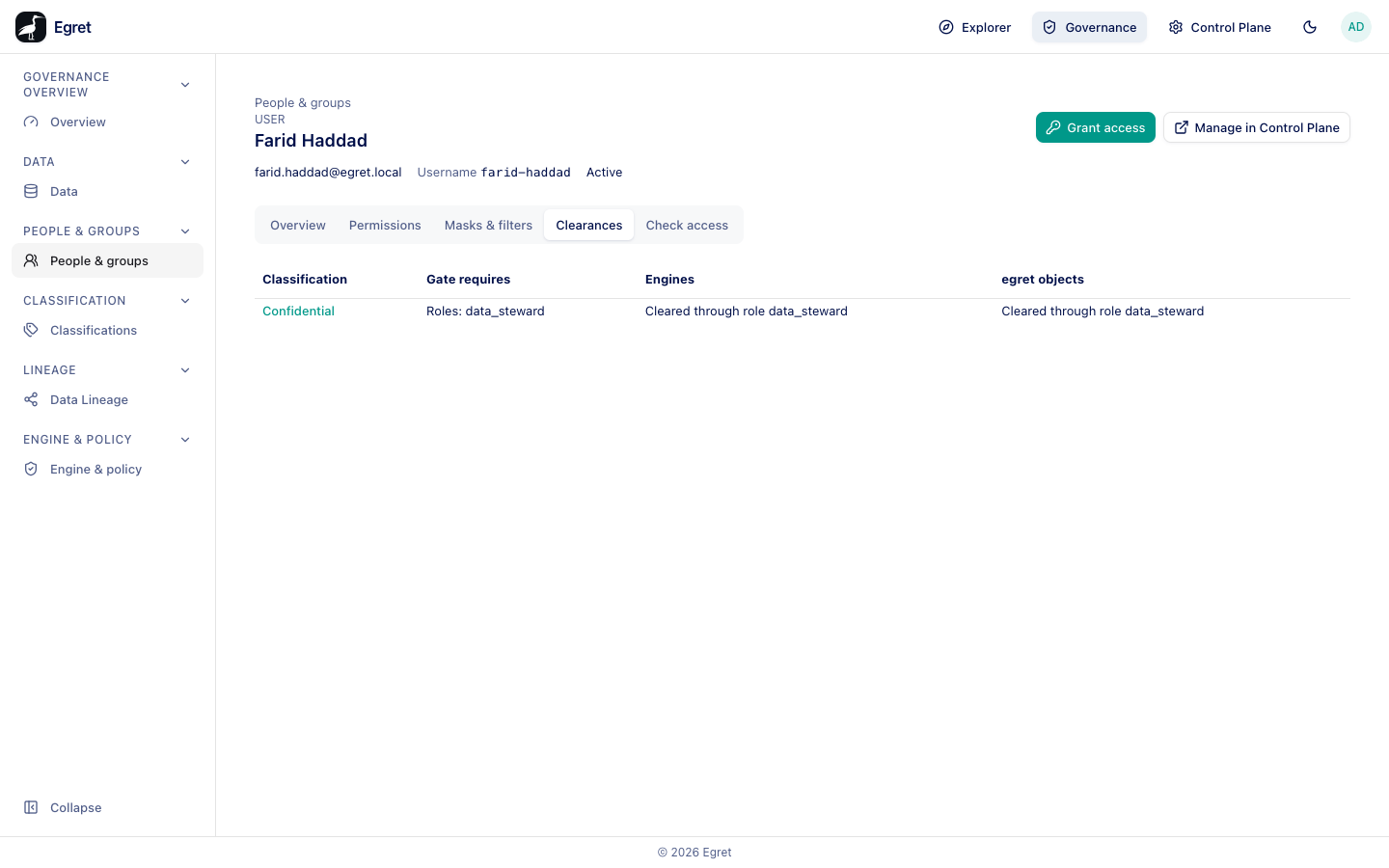
For each gated classification, whether the principal is cleared. Without any gated tag the tab says No classification is gated. The table columns are Classification, Gate requires, and two verdicts: Engines (what the query engines enforce) and egret objects (what egret enforces on datasets, charts and dashboards). A verdict is Cleared (for example Cleared through role data_steward), Cleared through public, or Not cleared with a reason, such as:
- no username yet
- the required role is held through a group, and engines count only roles held directly
- the required role has expired. Engines may apply it until the next recompile.
- engines enforce only the gate's roles, not its groups
For example, Farid Haddad is Cleared through role data_steward for Confidential, because the role is given to him directly.
See Clearance.
Check access
Asks the engines whether the principal can read or write a target. See Check access.
Examples
- Why can't a new colleague query? Open them under Users. If Username is empty, create a grant that names them or their group; the grant allocates the username.
- Who holds
platform_admin? Open the role on the Roles tab and read Holders. - What does the data team reach? Open the group and read Permissions.
Limits and known issues
- The public group
publichas no members to list: Everyone. Engines resolve public themselves.