Groups
A group is a set of users you can give roles and grants to once instead of person by person. Control Plane → Identity → Groups lists local groups you create in egret and groups synced from your identity provider.
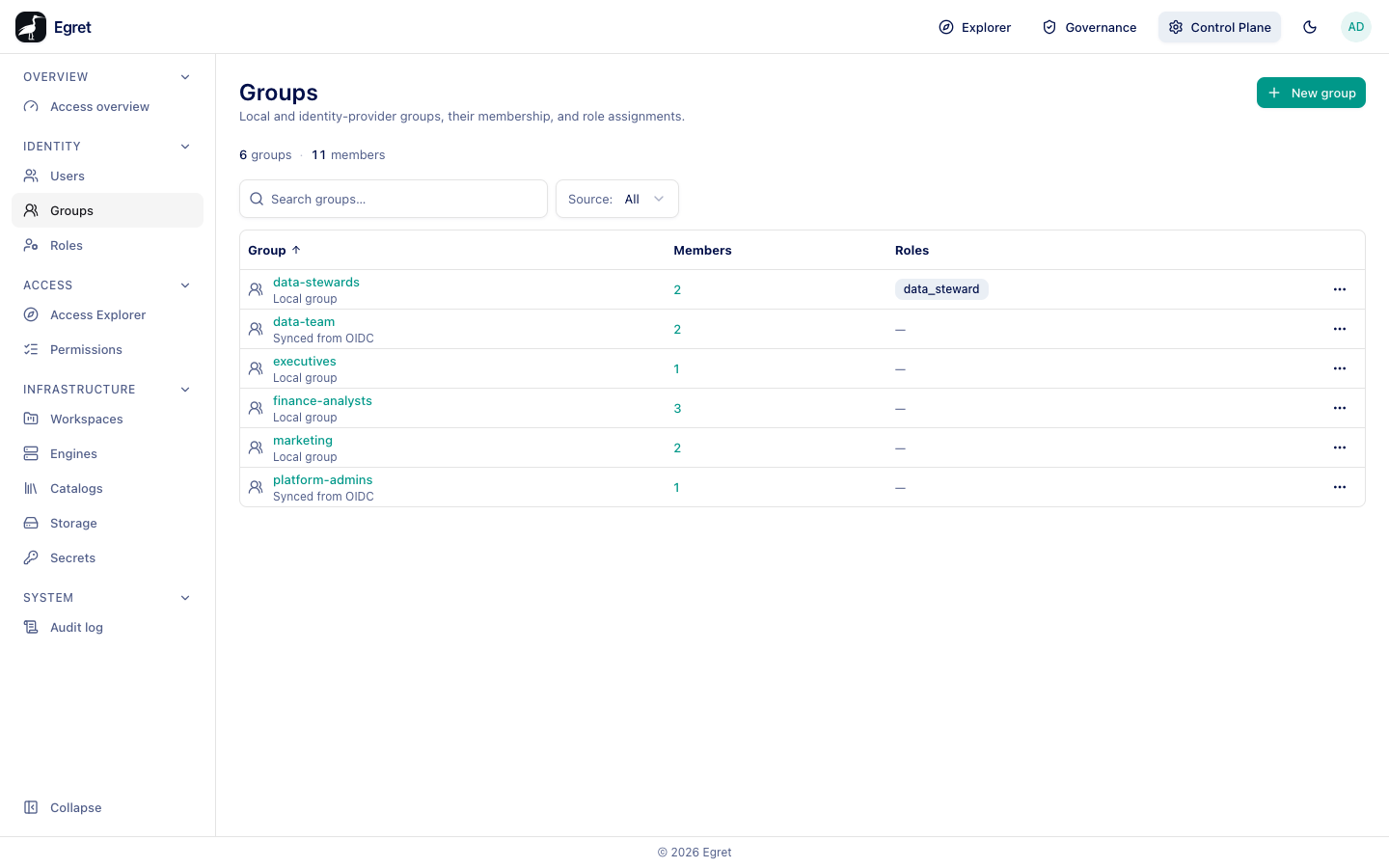
You need group:read to open the page.
The group list
The strip counts groups and members. Source filters the list: All, or one of the sources present (local, OIDC).
| Column | Meaning |
|---|---|
| Group | The group name, with a label Synced from OIDC for synced groups. |
| Members | The member count. |
| Roles | Platform roles granted to the group, or a dash. |
Synced groups
Groups synced from OIDC are created at sign-in from the groups claim of the identity provider. Their name and membership are managed in the provider and cannot be changed in egret. The group page says This group is synced from your identity provider — its name and membership are managed there and can't be changed here. You can still assign roles to it. Membership changes when a member next signs in.
Create a local group
- Press New group.
- Type the Name. It is required.
- Press Create.
The dialog says Create a local group. After creating it, open the group to add members.
The group page
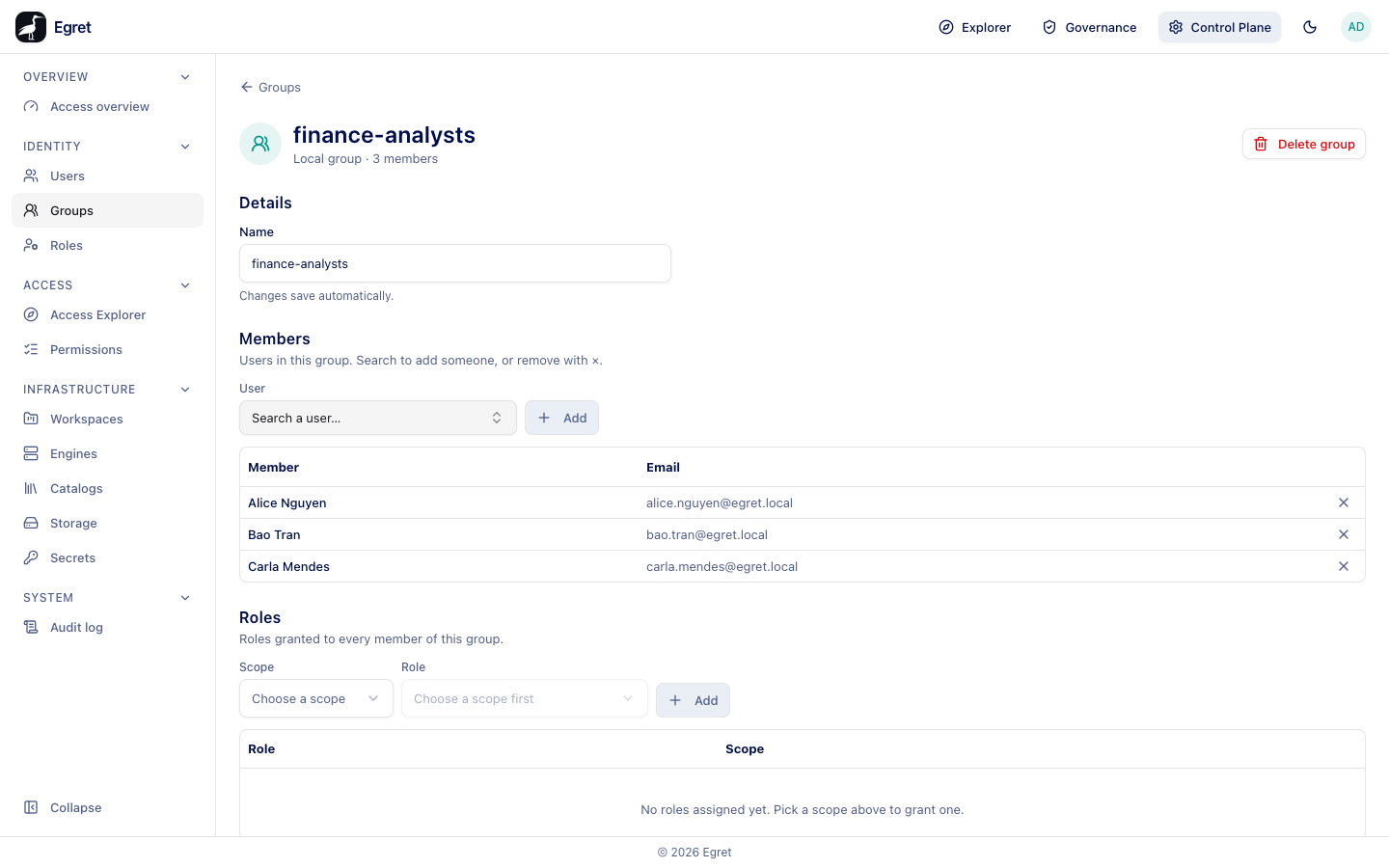
| Section | What it holds |
|---|---|
| Details | The Name (editable for local groups). |
| Members | For a local group: Users in this group. Search to add someone, or remove with ×., a User search with Add, and the Member and Email of each member with a remove button. For a synced group: Members are synced from your identity provider. |
| Roles | Roles granted to every member of this group. Choose Scope (Platform or Workspace) and Role, then Add. |
When a group holds a role, every member gets it. In the platform a role held through a group works as expected. In the query engine, however, a group name never reaches Trino or StarRocks: engines count only roles a user holds directly, which the Applied on engines column of People & groups shows as egret only — not applied on engines: held through a group.
A platform role assigned to a group does not give its members engine permissions. If someone needs a role in the engine, give it to them directly.
Give a group access to a workspace
Add the group as a member of the workspace with a workspace role (see Members). Everyone in the group gets that role in the workspace. You can also share individual objects with a group.
Limits and known issues
- Synced groups cannot be renamed, emptied or deleted here.
- Empty groups are allowed; a grant naming one matches nobody.