Roles
A role is a named set of permissions. Control Plane → Identity → Roles lists the roles, lets you create custom ones, and edits the permissions of each. Roles are defined once for the platform; platform roles apply across all of egret, and workspace roles apply inside one workspace, where they are assigned on the workspace's Members page.
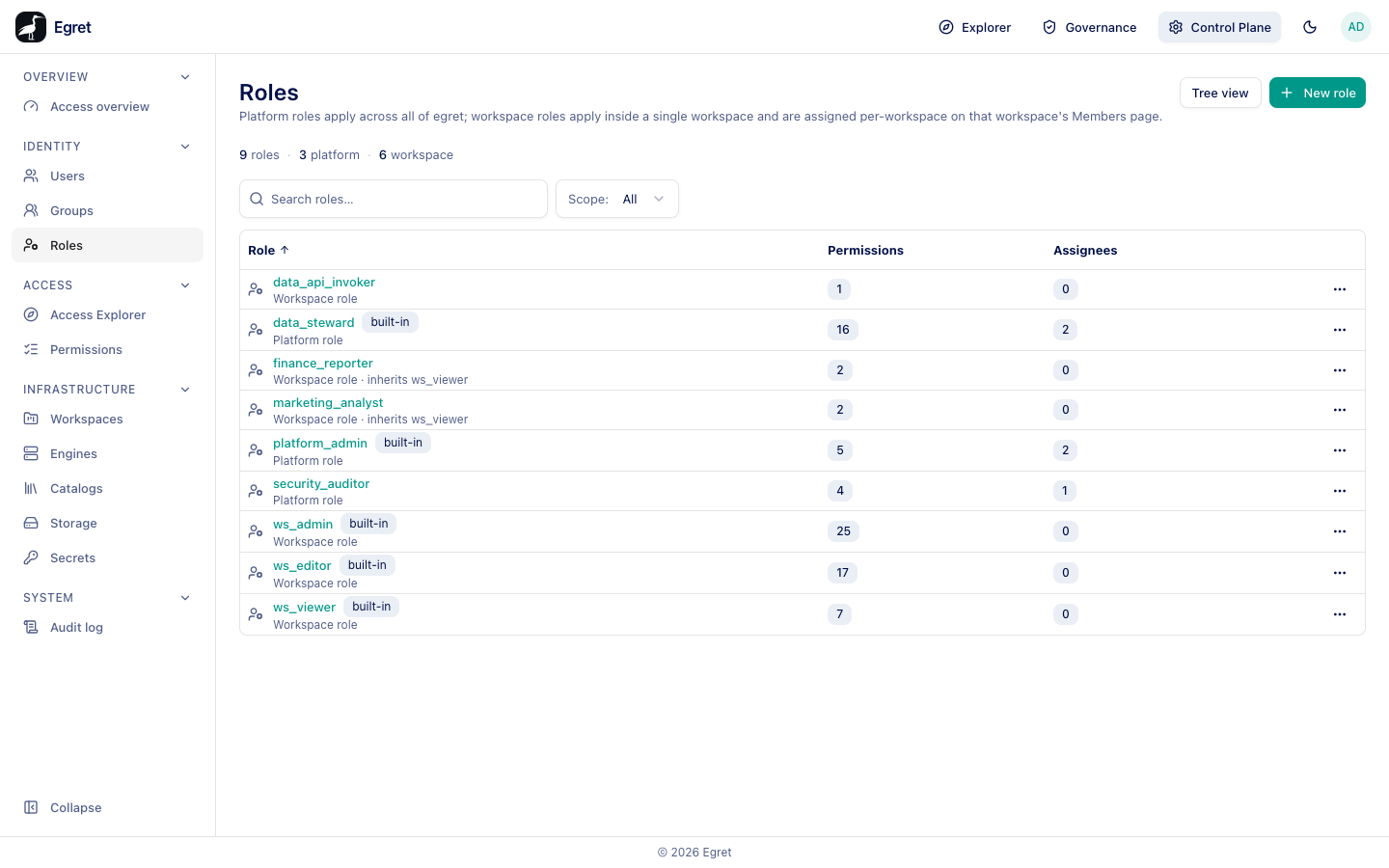
You need role:read to open the page; creating, editing and deleting need the matching permissions.
The built-in roles
| Role | Scope | Purpose |
|---|---|---|
platform_admin | Platform | Administration of the whole platform. |
data_steward | Platform | Governance work: create and edit policies (policy:*), manage classification tags, certify datasets and dashboards, and read engines, catalogs, storage, users, groups and roles. |
ws_admin | Workspace | The widest workspace role (25 permissions), including managing members. |
ws_editor | Workspace | Builds and edits content (17 permissions). |
ws_viewer | Workspace | Reads content (7 read permissions). |
data_api_invoker | Workspace | One permission: call published Data API endpoints. |
Built-in roles are labelled built-in. The permission counts on the demo instance are data_steward 16, ws_admin 25, ws_editor 17 and ws_viewer 7.
The role list
A strip counts roles, platform and workspace. Scope filters All, platform or workspace roles. Tree view shows the hierarchy by scope and parent; switch back with List view.
| Column | Meaning |
|---|---|
| Role | Name, with built-in and Platform role or Workspace role labels. |
| Permissions | How many permissions the role grants, including inherited ones. |
| Assignees | How many users or groups hold it. |
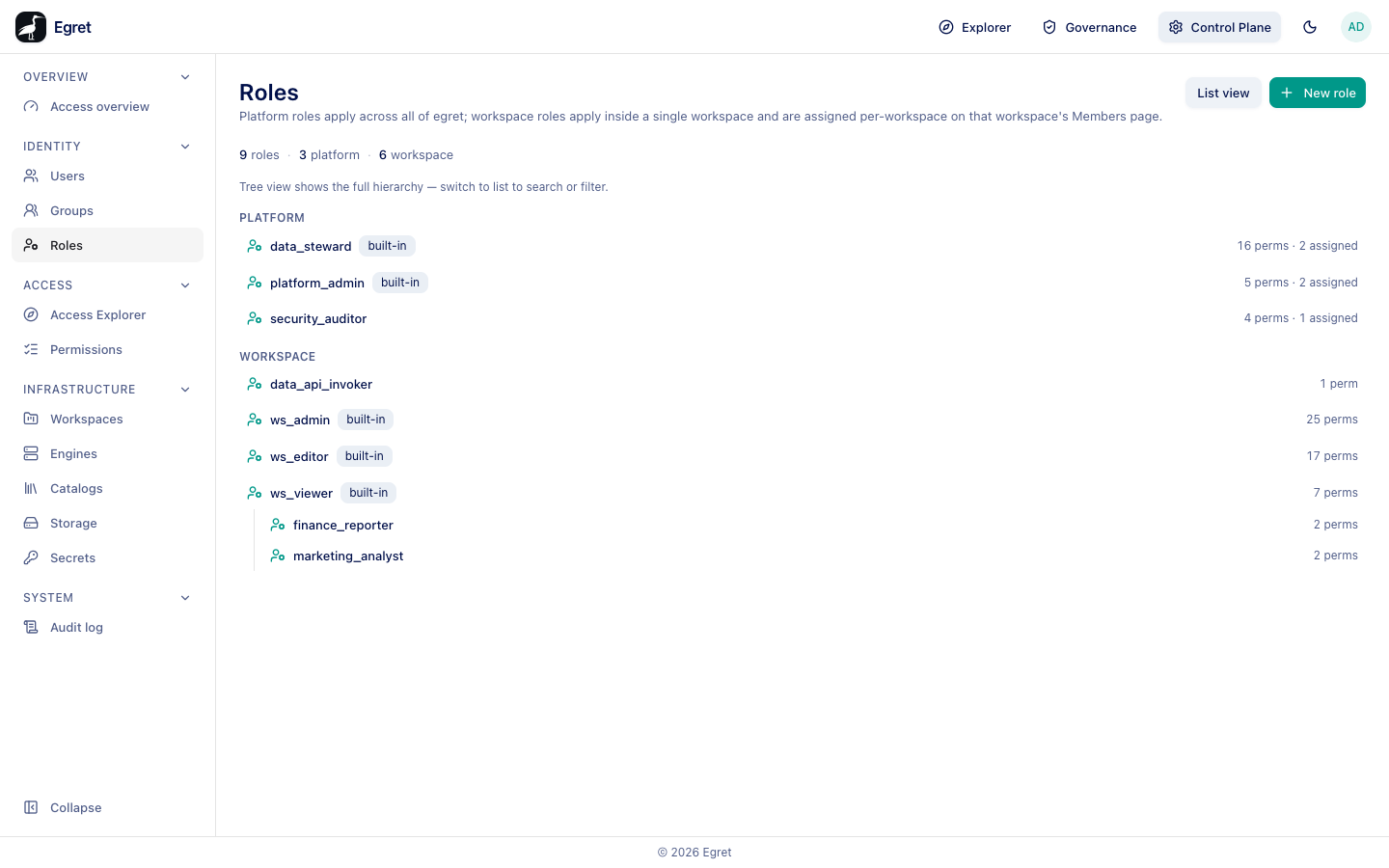
Create a custom role
- Press New role.
- Choose the Scope: Platform or Workspace. It cannot be changed later.
- Type the Name (required) and an optional Description.
- Press Create. The dialog says Create a role, then edit its permissions afterwards.
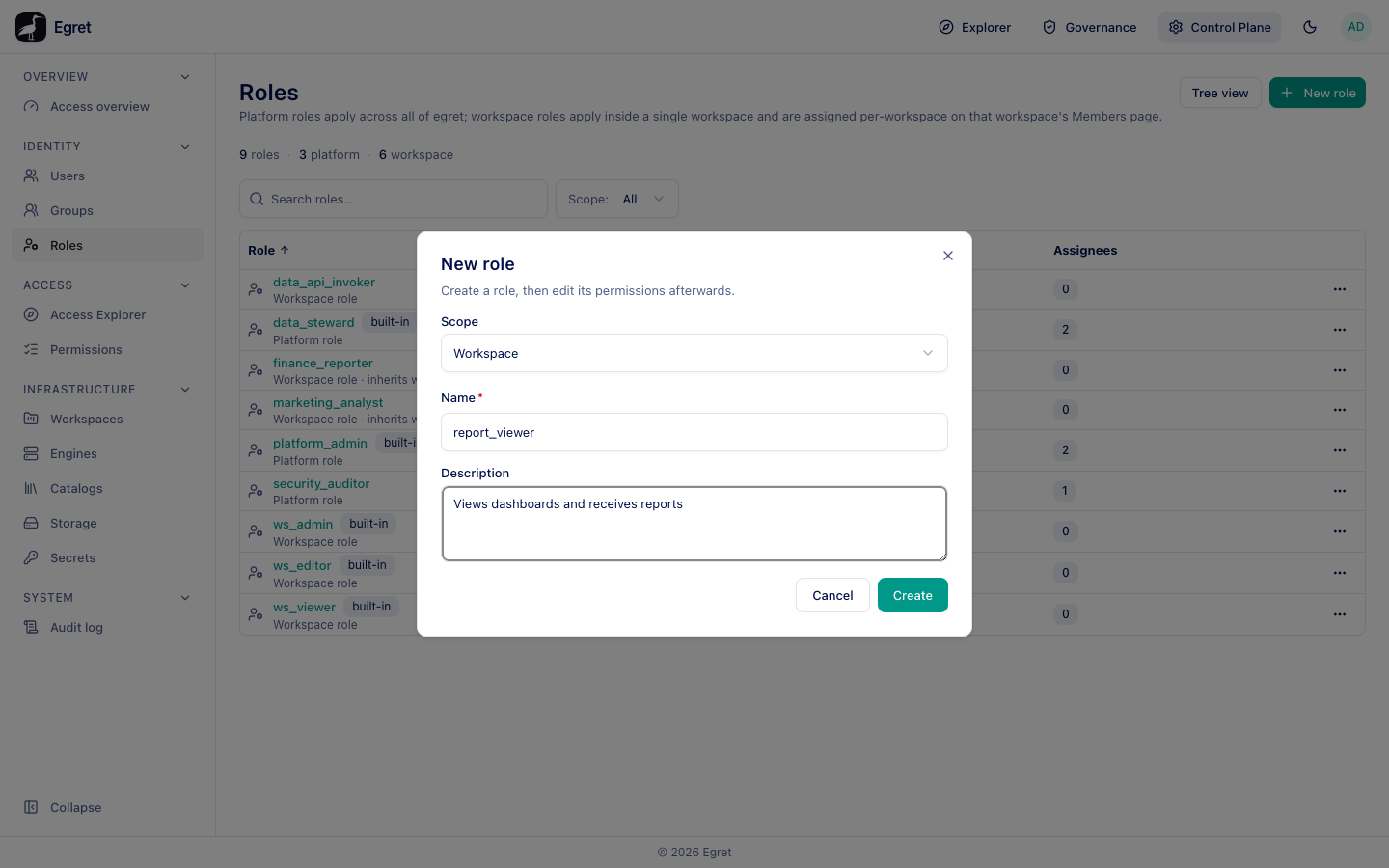
The new role has no permissions. Open it to add some.
Edit a role
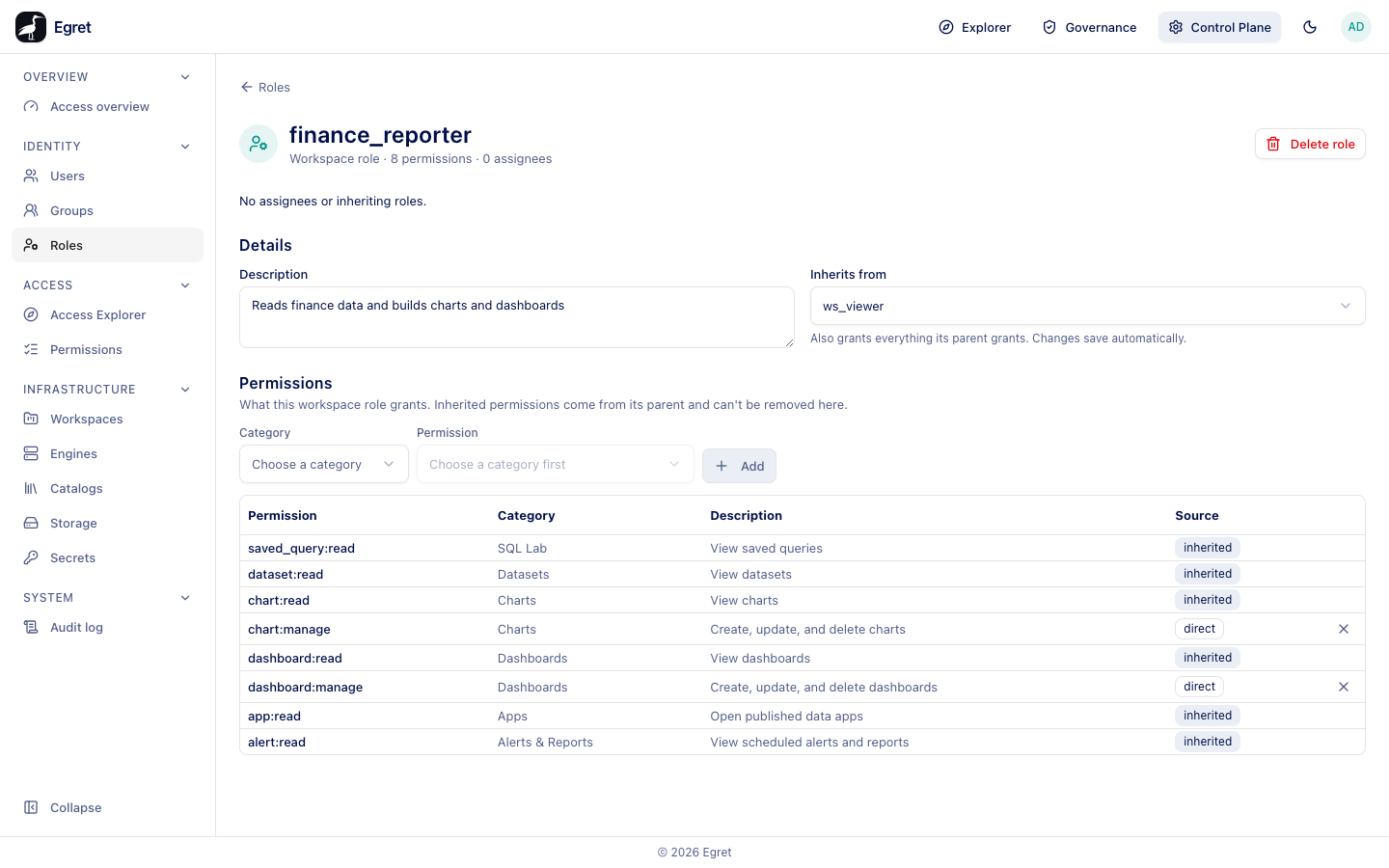
Select a role to open its page. The header says Workspace role · 8 permissions · 0 assignees and offers Delete role. A role with assignees or child roles shows who holds it; with none it says No assignees or inheriting roles.
Details
| Field | Meaning |
|---|---|
| Description | Free text. Changes save automatically. |
| Inherits from | A parent role of the same scope, or No parent. The role also grants everything its parent grants. |
Permissions
What this workspace role grants. Inherited permissions come from its parent and can't be removed here.
- Under Category, choose an area (for example Dashboards or Charts).
- Under Permission, choose a permission, for example
dashboard:manage — Create, update, and delete dashboards. - Press Add.
The table lists each permission with its Category, Description and Source: direct for one you added, inherited for one that comes from the parent. Use the actions column to remove a direct permission.
Example: a role finance_reporter that inherits from ws_viewer (7 read permissions) and adds chart:manage and dashboard:manage has 8 permissions listed here: the inherited reads plus the two direct ones, so its holders can build charts and dashboards but cannot manage members.
Assign a role
- Platform role: open the user or group and add it under Roles (see Users).
- Workspace role: add the user or group as a member of the workspace and choose the role (see Members). Custom workspace roles appear in the role picker.
Delete a role
Press Delete role. A role that is still assigned or has child roles should be unassigned first.
Deleting a role removes the permissions its holders had through it. Check Assignees first.
Limits and known issues
- The page offers one parent role per role.
- The workspace Roles & permissions tab is a read-only view of these roles (see Roles & permissions).