Engine permissions
An engine permission gives someone a capability on the engine itself, as opposed to access to data. Examples are impersonating another user, setting a session property, or calling a procedure. You grant them on the Engine permissions tab of an engine's page. Egret compiles each one into the engine's policy profile.
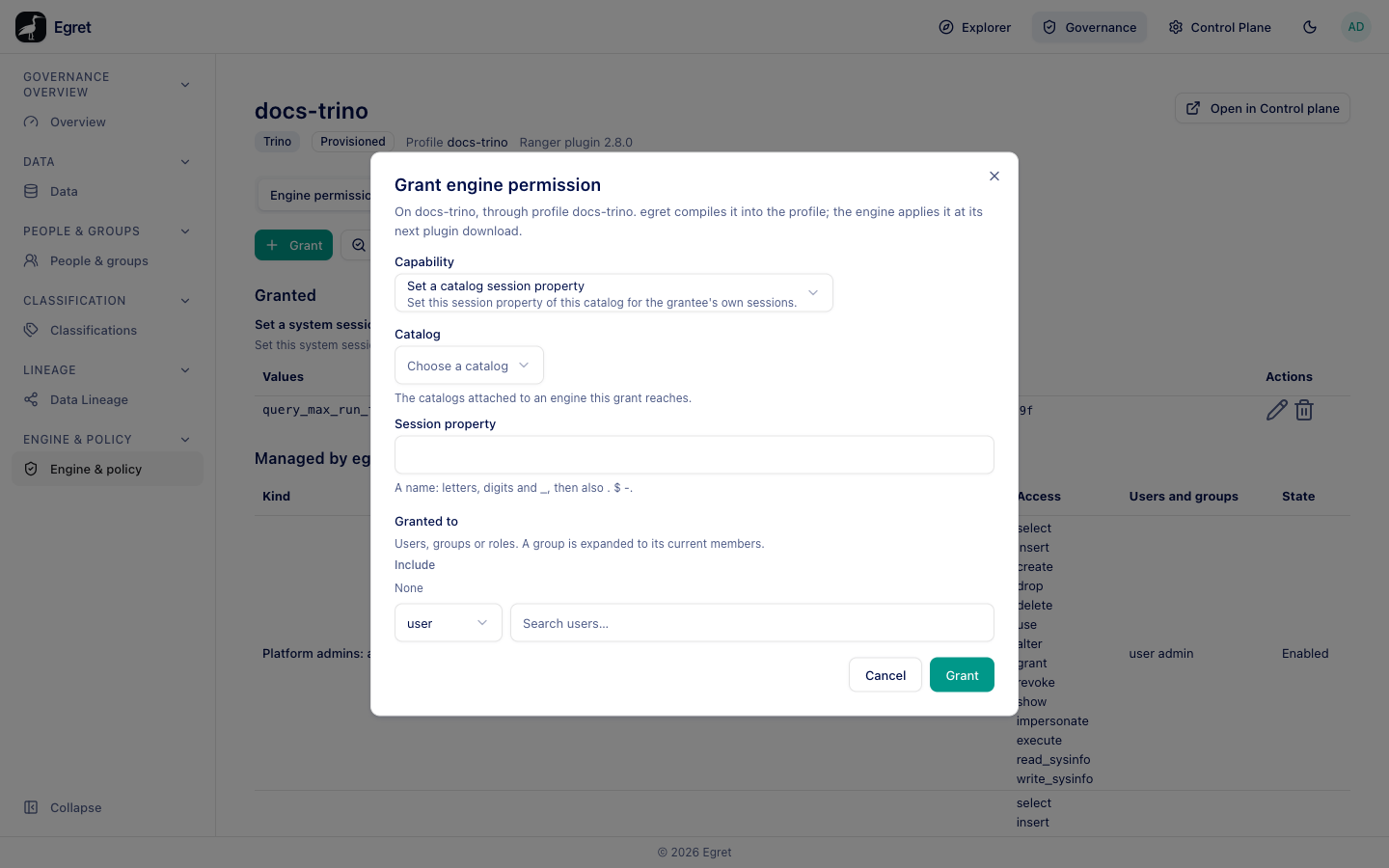
The tab needs policy:read; granting, editing and deleting need policy:update. An engine that downloads no profile cannot receive grants: This engine downloads no policy profile, so nothing can be granted on it. Bind a profile in Control plane.
The capabilities you can grant
| Capability | What it lets the grantee do | Value you supply |
|---|---|---|
| Impersonate a user | Act as this user on this engine: run queries with their permissions, and see and kill their queries. One Ranger permission covers all three. | Target user: one named user. |
| Set a system session property | Set this system session property for the grantee's own sessions. | System session property: a name. |
| Set a catalog session property | Set this session property of this catalog for the grantee's own sessions. | Catalog (one of the catalogs attached to an engine this grant reaches) and Session property. |
| Execute a procedure | Call this procedure. It runs with what the procedure itself checks; some connector procedures change data without a further check. Calling it also needs access to the catalog, which a data grant gives. | Catalog, Schema and Procedure. |
| Execute a catalog function | Call this catalog function. Built-in and inline functions are never checked. Calling it also needs access to the catalog. | Catalog and Function signature, for example my_udf(INT,VARCHAR). |
Values are concrete names. The form refuses Enter a value., leading or trailing spaces, and the characters *, ?, { and } (the form says that values are concrete names).. Names allow letters, digits and _, then also ., $ and -.
Grant an engine permission
- Open Governance → Engine & policy and select the engine.
- On Engine permissions, press Grant.
- Under Capability, pick one. The fields for its values appear.
- Fill the values, for example
query_max_run_timefor a system session property. - Under Granted to, choose user, group or role, search, and add at least one principal (Add at least one user, group or role.). A group is expanded to its current members. The search list stays open after you pick someone and covers the Grant button; click elsewhere in the dialog to close it.
- Press Grant.
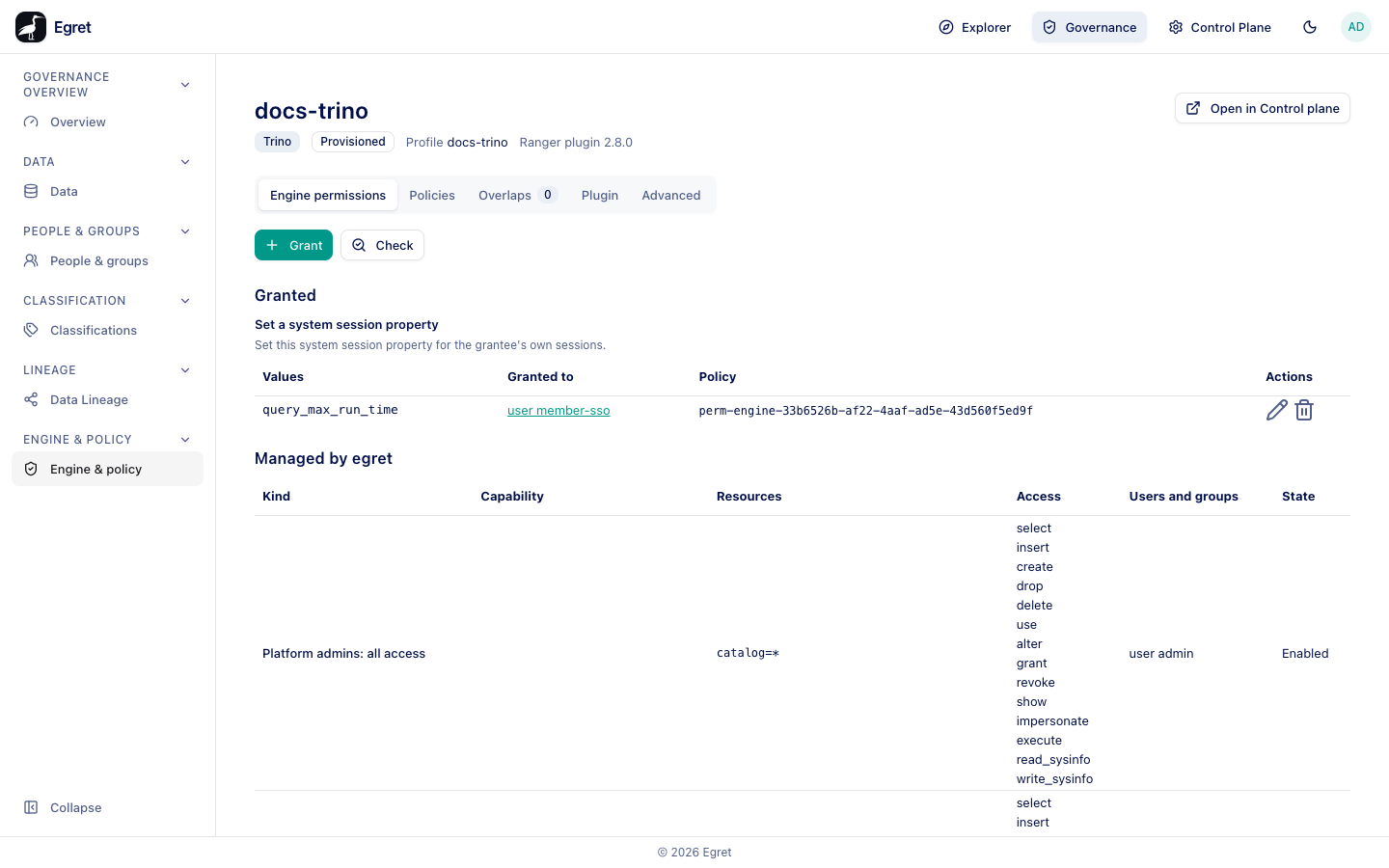
The permission appears under Granted, grouped by capability, with the Values, Granted to, the compiled Policy name (for example perm-engine-33b6526b-…) and edit and delete buttons. On the demo stack, granting Set a system session property query_max_run_time to member-sso on docs-trino added the row query_max_run_time — user member-sso, and the Governance overview recorded Administrator created an engine grant: trino.set_system_session_property (query_max_run_time) on engine docs-trino to user member-sso. Editing opens Edit engine permission. Deleting shows Delete engine permission and the toast Engine permission deleted.
The engine applies the permission at its next plugin download.
Check an engine permission
Check opens Check an engine permission: Asks what <engine>'s policy set answers for one user. Nothing is changed. Pick the User (the list shows each person's stored username, or no allocated username yet), the Capability and its values, then press Check. The answer is either the policy that grants it, or No policy grants it. For some capabilities the answer is Cannot be decided ahead of time, because the engine decides it from the request.
Managed by egret
Below Granted, Managed by egret lists policies egret seeds itself on the profile, so you can see why a user already has a capability:
| Seeded policy | Meaning |
|---|---|
| Every user's baseline | A baseline policy for every user (engine delegation, admin access or query limits are the things egret seeds). |
| egret's delegator | The policy for egret's own delegating account. |
| Platform admins: all access | Platform admins have all access. |
| Group admin: all access (seeded defaults) | The default policy set that gives the group admin all access. |
On the provisioned engine docs-trino the section held 13 Platform admins: all access policies (the user admin, every resource kind) and 3 Every user's baseline policies. An external engine's profile shows egret seeds no engine policy on this profile.
Not grantable here
The tab lists the Ranger permissions that the console refuses or does not offer, with the reason for each. For example:
- A user-impersonation grant with a wildcard or pattern is not grantable, because it would let the grantee become anyone, admins included. Impersonating one named user is grantable.
- Managing Trino roles and writing system information are near-root and stay with engine admins.
- Running any query (
queryid execute) is a right every user already has. - Several others, such as
sysinfo read_sysinfoand some schema-function actions, are not offered yet.
A hand-written policy in Advanced can grant any of them (see Hand-written policies).
Limits and known issues
- Principals are written by username. A user with no username gets one when the grant is compiled.