Databases
A database connection tells the workspace how to reach a query engine. It is configured under Manage → Workspace settings → Engines.
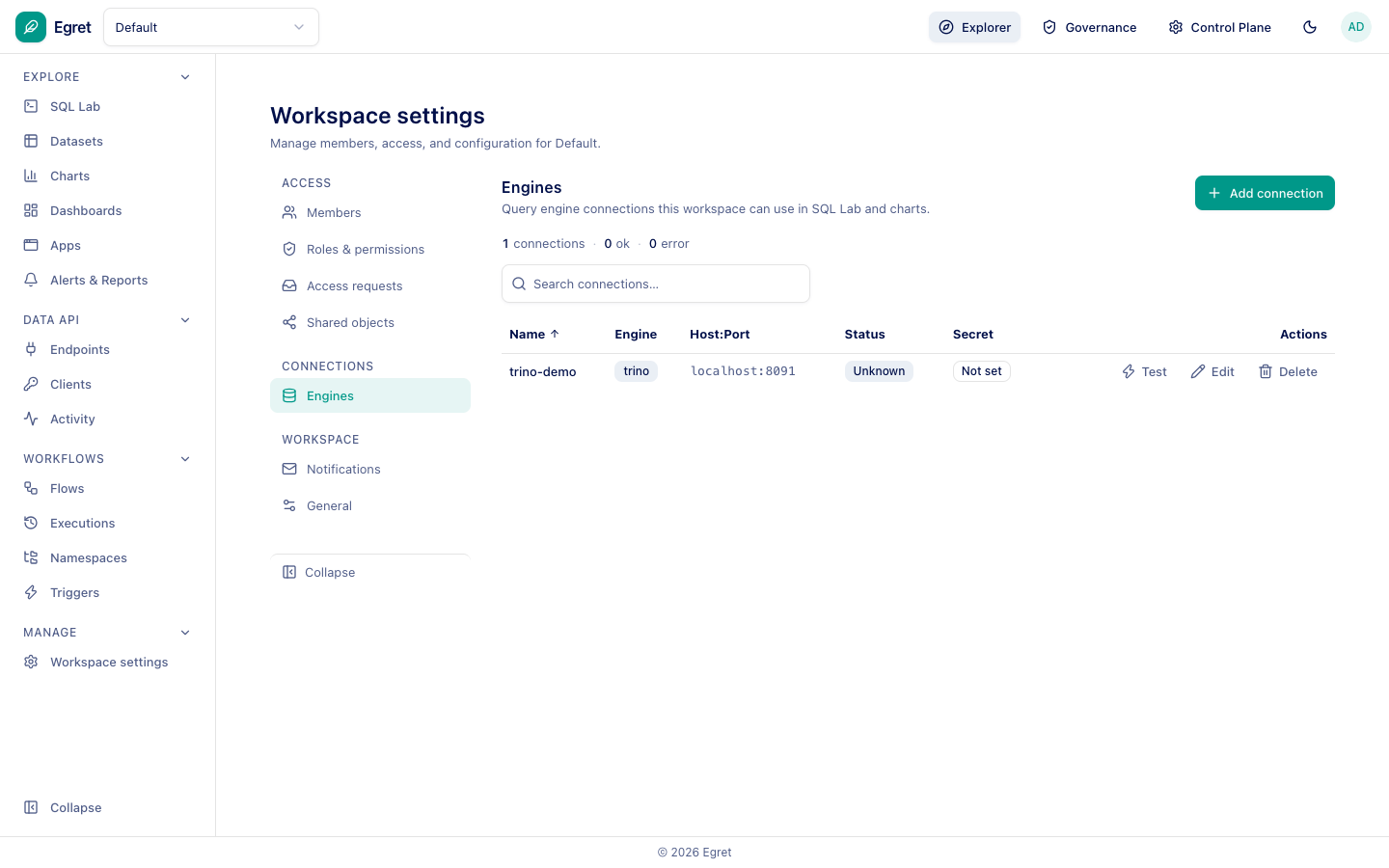
The table lists each connection's Name, Engine, Host:Port, Status and Secret. Use Test to check reachability (a new connection shows Unknown until tested), Edit and Delete.
Add a connection
Press Add connection.
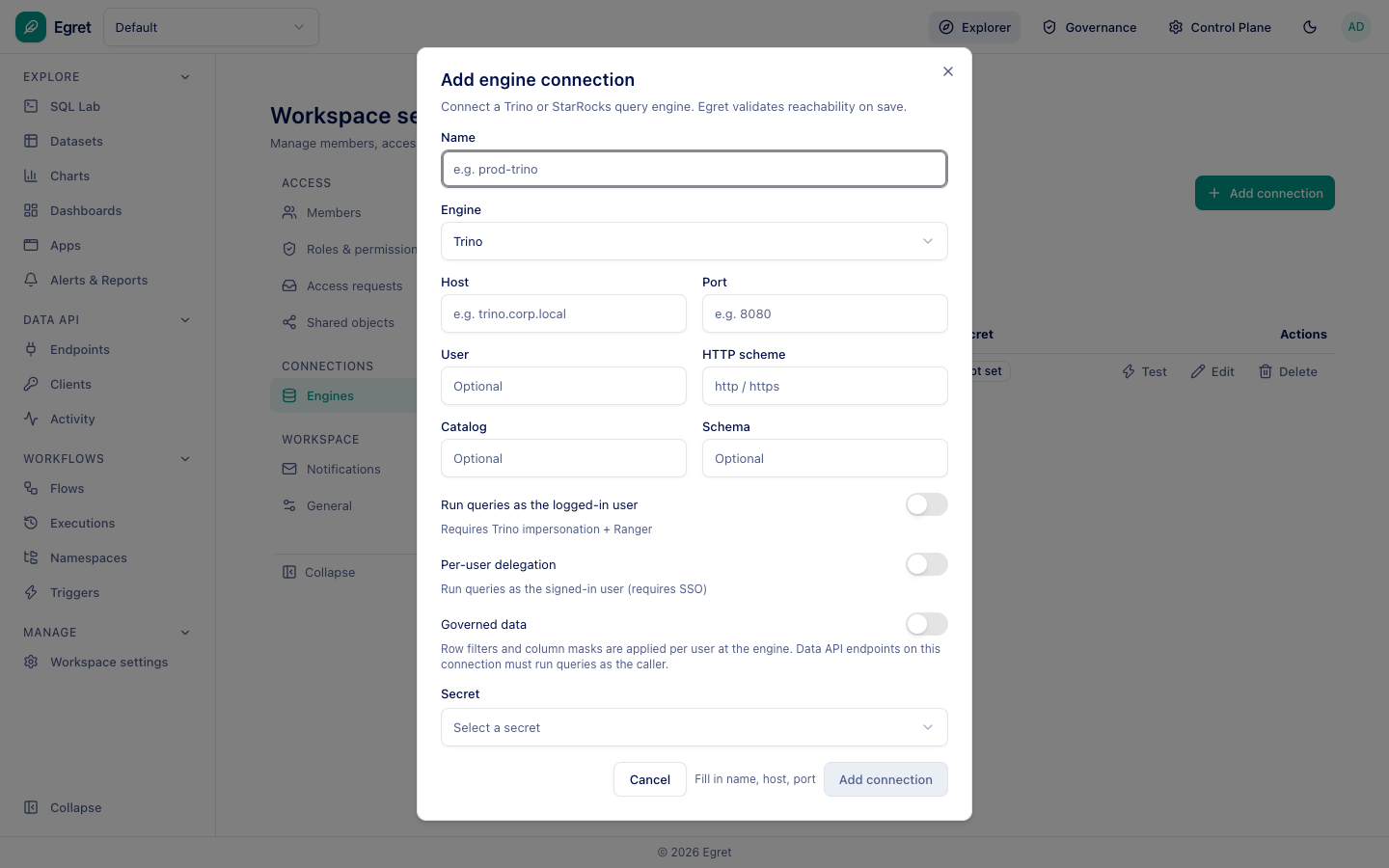
| Field | Meaning |
|---|---|
| Name | A label, for example prod-trino. |
| Engine | Trino or StarRocks. |
| Host, Port | Where the engine listens. |
| User | Optional user name sent to the engine. |
| HTTP scheme | http or https (Trino). |
| Catalog, Schema | Optional defaults. |
| Run queries as the logged-in user | Impersonation. Requires Trino impersonation and Ranger. |
| Per-user delegation | Run queries as the signed-in user's own identity (requires SSO). |
| Governed data | The engine applies row filters and column masks per user. Data API endpoints on a governed connection must run queries as the caller. |
| Secret | A saved credential for the connection. |
Egret validates reachability when you save.
Trino setup
Trino must accept forwarded headers (http-server.process-forwarded=true). Without it Trino returns HTTP 406 and Egret shows 502 Bad Gateway.