Try an endpoint
There are two ways to test an endpoint before consumers use it, and they answer different questions.
| Preview (Query tab) | Try it (Try it tab) | |
|---|---|---|
| Question it answers | Does my SQL run, and what does it return? | What would a real consumer receive? |
| What runs | The SQL and parameters as they are on screen, including unsaved edits | The published version |
| Authentication | None | A real token for a service account you choose |
| Checks the invoke grant | No | Yes |
| Applies shape, naming, envelope, transform | No | Yes |
| Counts toward rate limits, fills the cache, appears in Activity | No | Yes (marked as a trial) |
| Rows returned | Up to 100 | The endpoint's own result |
A green Preview does not prove a consumer can call the endpoint: it checks no grant and uses no token. Try it is the test that does.
Preview a draft
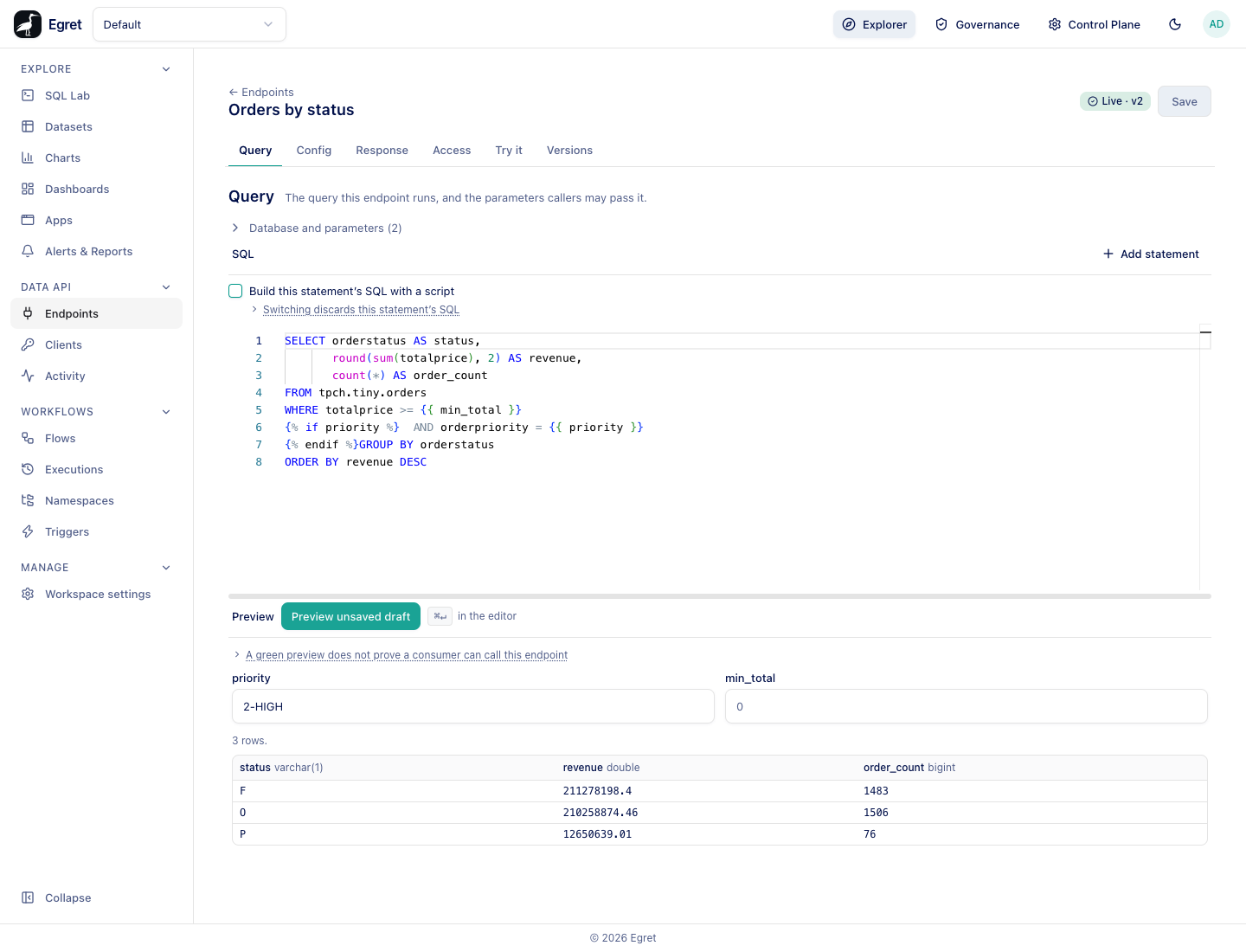
- Open the endpoint's Query tab.
- Under Preview, fill in a value for each parameter you want to test. Required parameters are marked with a red asterisk, and a parameter's default shows as the placeholder.
- Press Preview unsaved draft, or press Ctrl+Enter or ⌘+Enter while the cursor is in the editor.
A line states the row count (3 rows.), or Showing the first 100 rows — there are more. A table shows each column's name and engine type, with null shown as grey null.
What to know:
- Column names are the engine's own names. Naming is not applied, so what you see here is not the key a consumer receives. The Response tab shows the published names.
- It runs under the database connection's own identity: as you only if the connection delegates or impersonates, and otherwise as the shared service credential.
- It does not save, publish, spend a rate limit, fill the cache or appear in Activity.
- For a statement built with a script, SQL this script built shows the template the script returned for your test values.
- With a response transform, the rows are the statement's own, not the transformed response.
- A failed preview shows the engine's or Egret's message in a red box, for example the query references
{{name}}but no parameter namednameis declared. - On a governed connection that is not per-user, Preview is refused, as publishing is.
Try it
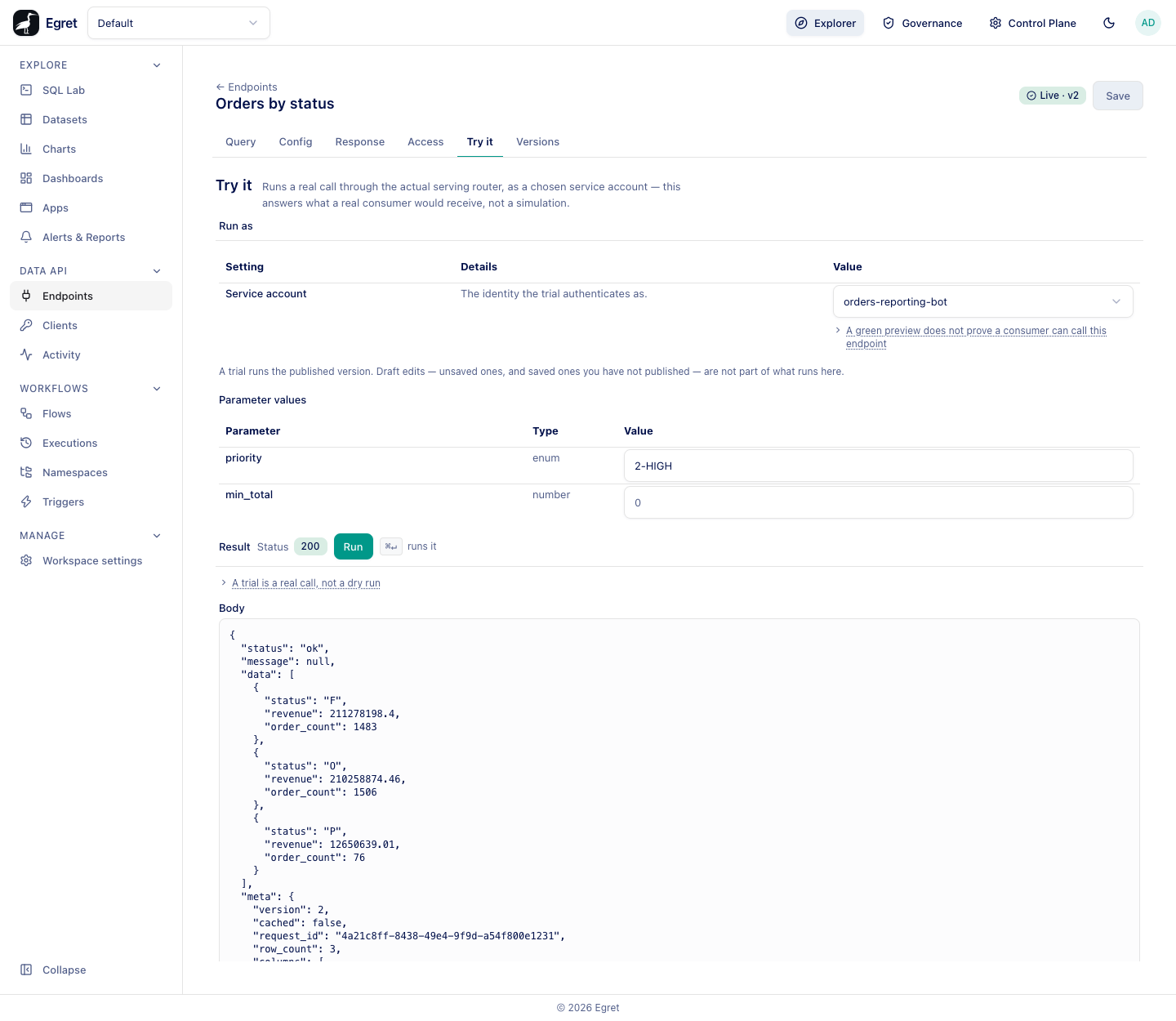
- Open the endpoint's Try it tab.
- Under Run as, choose a Service account.
- Under Parameter values, fill in the parameters. Each row shows the name, type and a value box; required parameters have an asterisk.
- Press Run, or Ctrl+Enter or ⌘+Enter.
Egret mints a real 60-second token for that service account on the server and drives the call through the actual serving path. The answer is the answer that account would get.
The Result section shows:
| Part | What it shows |
|---|---|
| Status | The HTTP status the serving path returned, as a green or red badge. |
| A red box | For a refusal, the error code and message. A not_granted refusal says This service account is not granted invoke on this endpoint — the most common first failure with a link Grant it in Access. |
| Body | The response body verbatim. |
| Request | The method and URL, Authorization: Bearer ••••, and a curl command with a $TOKEN placeholder and a Copy button. |
The curl line makes it easy to repeat the call from a terminal; see Call an endpoint with curl.
Try a refusal
Choosing a service account without a grant shows what a consumer would see.
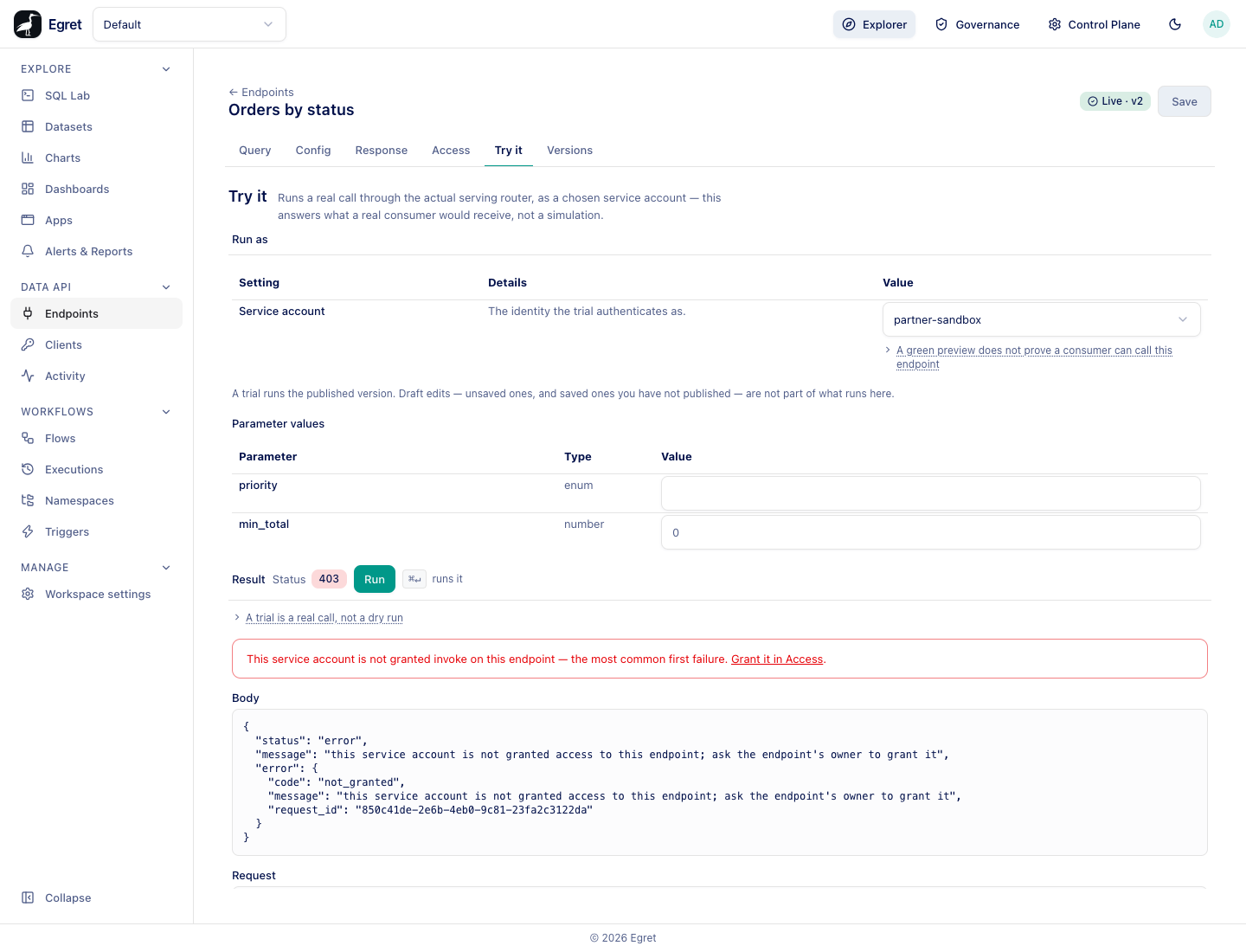
The body is the real error body:
{
  "status": "error",
  "message": "this service account is not granted access to this endpoint; ask the endpoint's owner to grant it",
  "error": {
    "code": "not_granted",
    "message": "this service account is not granted access to this endpoint; ask the endpoint's owner to grant it",
    "request_id": "b5aef511-2749-43d4-b957-5f685df10e64"
  }
}
A trial runs as the service account, not as you. It uses the endpoint-wide rate-limit bucket for real (its per-client bucket is its own, so a click cannot throttle a live consumer), writes to the access log, and on a cached endpoint can populate the cache, including the per-account entry for that account. In Activity a trial is shown with a Trial badge and is hidden unless you tick Include trial runs. Data API alerts never count trials.
Limits and known issues
- Try it runs the published version. Draft edits, saved or not, are not part of it.
- A result too large to display shows This result is too large to display here. The call still ran for real; check Activity.
- Try it needs at least one service account. With none, it says This workspace has no service accounts yet and links to Create one in Clients.