Organize endpoints in groups
Groups are folders for the Endpoints list. They are one level deep, shared by everyone in the workspace, and never part of a URL. They also carry access: a service account granted a group may call every endpoint in it.
Viewers see the groups; authors create, rename and delete them and move endpoints between them.
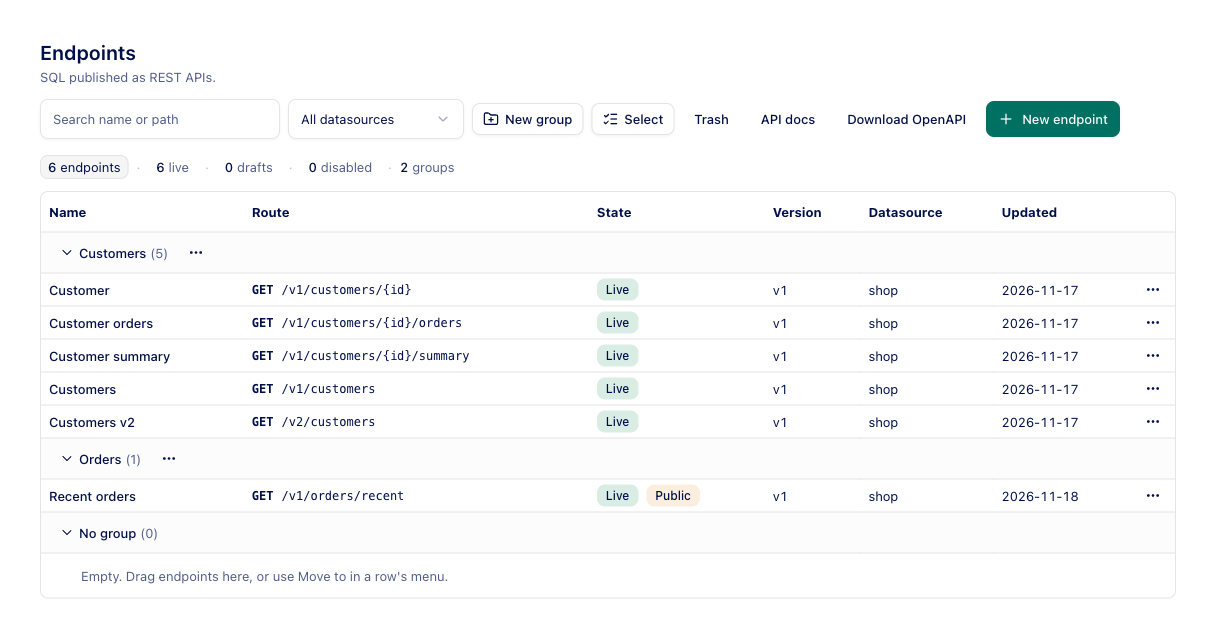
How the list looks
As soon as the workspace has a group, the list is grouped under headings with the number of endpoints in each, for example Reports (3), then No group for endpoints in none. Click a heading to collapse or expand it; the browser remembers this. Searching or filtering shows only the groups with matching endpoints. The summary line counts the groups too.
The Trash view is not grouped.
Create a group
Press New group in the toolbar, type a Name and press Create. Names are unique in the workspace. You can also create one while moving endpoints; see below.
Move endpoints
There are three ways to move an endpoint:
- Open the endpoint's … menu and choose Move to a group, Remove from group, or Move to new group…. The last one asks for a name, creates the group and moves the endpoint in one step.
- Drag a row onto a group heading, or onto No group.
- Press Select in the toolbar to add checkboxes, tick several endpoints, press Move n to group… and pick a group, No group or New group…. With Select on, dragging a ticked row moves every ticked row.
A move changes nothing an endpoint serves and needs no publishing: the draft, the live version and the URL stay as they are. It does change who may call it. When a move takes an endpoint out of a group that service accounts are granted, or into one, OpenDBAPI asks first, for example Service accounts granted Reports lose access (2). The change applies on every server instance at once.
An endpoint's Settings tab has a Group field too; saving the draft moves it the same way.
Rename or delete a group
A group heading's … menu has:
| Item | What it does |
|---|---|
| Rename | Renames the group. Grants on it are kept |
| Delete group… | Deletes the group. Its endpoints are not deleted; they move to No group. Grants on the group are revoked, and the dialog says how many service accounts lose access |
In configuration files
In YAML, a Group document declares a group and an endpoint's metadata.group names the
group it is in; an endpoint naming a group that is not declared or does not exist is refused. In a workspace managed by
configuration files, groups and moves change only through opendbapi apply.
Through the API
| Request | What it does |
|---|---|
GET /admin/api/ws/{ws}/groups | Groups with endpointCount and grantCount |
POST /admin/api/ws/{ws}/groups | Create: {"name": "Reports"} |
PATCH /admin/api/ws/{ws}/groups/{id} | Rename |
DELETE /admin/api/ws/{ws}/groups/{id} | Delete; endpoints become ungrouped, grants on it are revoked |
PUT /admin/api/ws/{ws}/endpoints/{id}/group | Move: {"groupId": "…"}, or {"groupId": null} for no group |
Group changes and moves are recorded in the audit log as group.create, group.rename, group.delete and
endpoint.move. See the Management API for details.