Write and publish endpoints
An endpoint is a query plus its URL, parameters and settings. You edit a draft, try it with Preview, and Publish it as a numbered version that callers get.
Create an endpoint
- Open Endpoints and press New endpoint.
- Fill in the form and press Create and edit query:
| Field | What it is |
|---|---|
| Name | How it is listed |
| Method | GET reads; POST, PUT and DELETE may change data |
| Path | Segments of letters, digits, _ and -, separated by /; {name} is a path parameter, e.g. v1/customers/{id}. Fixed once live |
| Group | An optional folder; not part of the URL. Grants can cover a whole group. See Groups |
| Datasource | The database the query runs on |
| Access | Private needs a client token; Public answers anyone who can reach the server |
The endpoint answers at /api/{workspace}/{path} once published.
Write the query
The Query tab holds the SQL editor. Choose the Datasource and the Language:
| Language | Use it for |
|---|---|
| SQL template | One SQL statement with parameters and conditional parts (the default) |
| Groovy script | Building the query in code; see Groovy scripts |
| Groovy script (full: db, any answer) | Running several queries and shaping the answer yourself |
| Workflow (several steps) | A graph of queries, scripts and calls to other endpoints; see Workflows |
Parameters in SQL
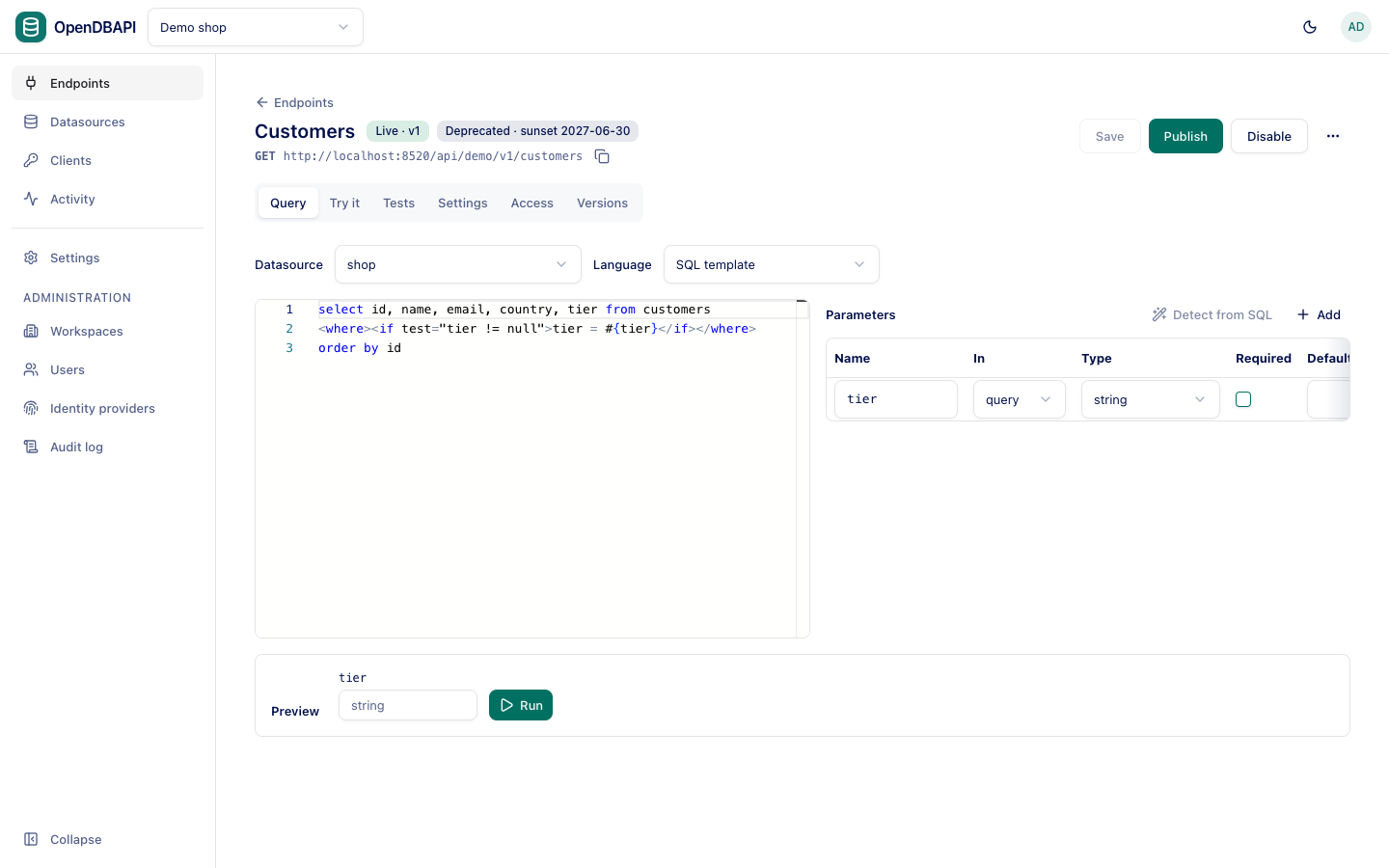
Write a parameter as #{name}. OpenDBAPI sends it to the database as a bound value; request text is never pasted into
the SQL, so callers cannot inject SQL. ${...} is refused for that reason.
select id, name, tier from customers where id = #{id}
Nested values use dots: #{user.id}.
Conditional SQL
SQL templates use MyBatis-style tags:
| Tag | What it does |
|---|---|
<if test="…"> | Includes its content when the expression holds, e.g. test="tier != null" |
<where> | Adds WHERE when anything inside is present and drops a leading AND/OR |
<set> | Adds SET for updates and drops a trailing comma |
<trim prefix="…" suffix="…" prefixOverrides="…" suffixOverrides="…"> | The general form of <where> and <set> |
<choose> / <when test="…"> / <otherwise> | The first matching branch |
<foreach collection="ids" item="id" open="(" close=")" separator=","> | Repeats its content per item; each #{id} is bound |
<bind name="pattern" value="'%' + q + '%'"/> | Names a computed value |
<orderBy param="sort" allow="id, name, total" default="id"/> | Sorting chosen by the caller, only from the allowed columns |
select id, name, country, tier from customers
<where>
  <if test="tier != null">tier = #{tier}</if>
  <if test="ids != null and ids.size() > 0">and id in
    <foreach collection="ids" item="id" open="(" close=")" separator=", ">#{id}</foreach>
  </if>
</where>
<orderBy param="sort" allow="id, name" default="id"/>
Parameters
The Parameters table declares what callers may pass. Detect from SQL adds every name the SQL reads that is not declared yet.
| Column | What it is |
|---|---|
| Name | As used in the SQL |
| In | query (?tier=gold), path ({id} in the path), header, or body (a JSON field) |
| Type | string, bigint, double, decimal, boolean, date, datetime, or an array: array<string>, array<bigint>, array<double>, array<date> |
| Required | Missing required values answer 400 invalid_param |
| Default | Used when the caller passes nothing |
Each parameter can also have a description (shown in the generated API docs), allowed values, minimum and maximum, a
pattern, and a maximum number of items for arrays. Values that do not convert to the type answer 400 invalid_param with
the parameter's name.
Preview
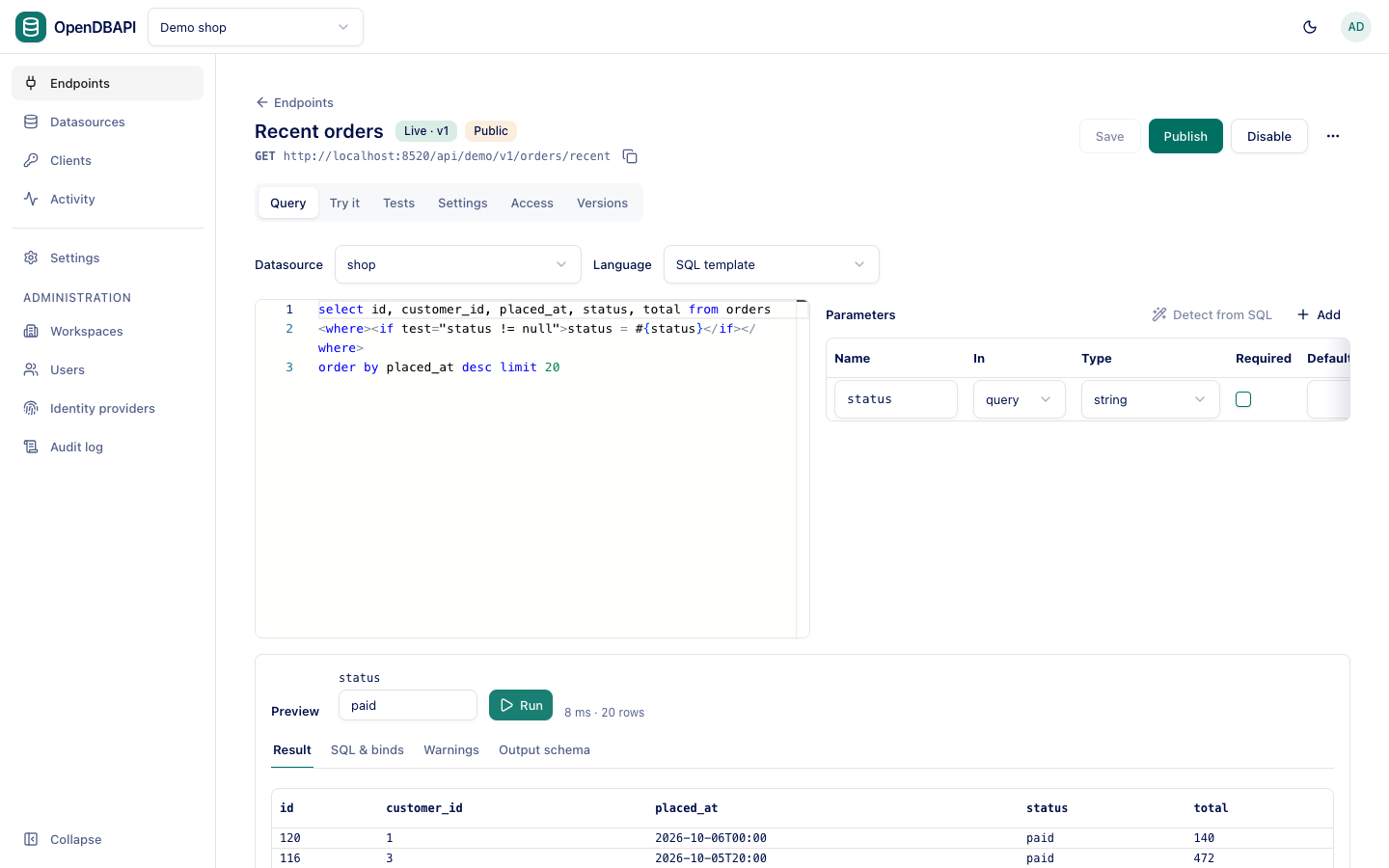
Under the editor, Preview runs the on-screen query with the values you type, without saving and in a transaction that is always rolled back. It shows the rows, the SQL that ran with its bound values, warnings from the checks, and the output schema.
Save and publish
- Save stores the draft. Callers still get the live version.
- Publish checks the saved draft (the SQL is parsed,
GETendpoints must not change data, read-only datasources refuse writes,UPDATEandDELETEneed aWHERE) and freezes it as the next version, served at once. An optional Note (optional) is kept with the version.
The header shows Live · v3, and Unpublished changes while the draft differs from the live version.
The method and path cannot change while an endpoint is live: callers depend on them. Disable it first, or create a new major version at a new path.
Versions and rollback
The Versions tab lists every published version with its note, who published it and when. Compare any two versions, or a version with the saved draft, and roll back: the chosen version is served again and the draft is left as it was.
Disable, trash and restore
From the actions next to Publish:
- Disable stops serving (
404for callers) but keeps the live version and grants; Enable brings it back. - Move to trash (only for a draft or disabled endpoint) hides it. Restore brings it back disabled, or as a draft if it was never published; never straight to live.
- Duplicate copies the draft to a new endpoint at
<path>-copy.
Further reading
- Endpoint settings: pagination, output, cache, limits and more.
- Tests: checks that run before publishing.
- Calling endpoints: what callers send and receive.