Run the demo stack
The demo stack runs the whole platform on Docker with one command: Egret, PostgreSQL, an S3-compatible object store,
Keycloak for single sign-on, a Trino engine with sample data, Data Apps, a renderer for PNG and PDF reports and a mail
catcher. It is the fastest way to try Egret: you need Docker and just, and no Rust toolchain, Node.js or Kubernetes.
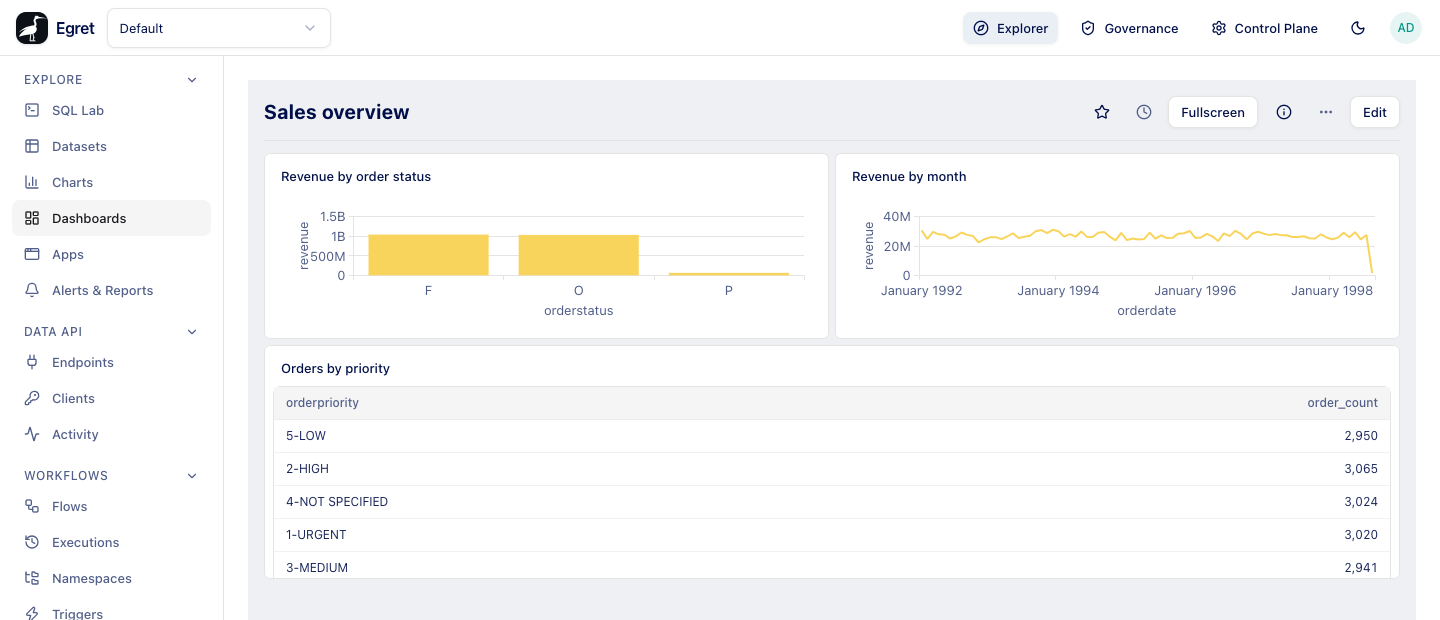
The stack comes seeded with a workspace, a database connection, a dataset, three charts and a dashboard, so there is something to look at as soon as you sign in.
Every secret in the stack is a public value committed to the repository (deploy/demo/demo.env), the Keycloak realm accepts any
redirect URI, and there is no TLS. Anyone who can author a Data App can get root on the machine that runs Docker (see
Security). Run it on your own machine, for yourself, with sample data only.
Prerequisites
| You need | Why |
|---|---|
| Docker with Compose v2 | Runs every service. |
just | Runs the repository's recipes (just --list shows them). |
curl and python3 | The readiness and seed scripts use them. |
| 6 to 8 GB of RAM free for Docker | The stack itself. Add 1.5 to 2 GB for each engine you start with Add engine. |
The host names egret.localtest.me and apps.localtest.me | See Host names. |
The first start builds the backend, frontend and renderer images, including a Rust compile and the Python packages for Data Apps, so it takes a long time (the repository's guide estimates 20 to 40 minutes; it was not timed for these docs). Later starts reuse the cached images.
Start it
git clone https://github.com/egret-data/platform.git
cd platform
just demo-up
just demo-up runs three steps:
docker compose --env-file deploy/demo/demo.env -f deploy/docker-compose.demo.yml up -d --buildbuilds and starts the services. The Compose project isegret-demo.deploy/demo/wait.shwaits until Egret answers (it polls/api/auth/configfor up to 15 minutes), then prints the addresses and logins.deploy/demo/seed.shsigns in as the administrator and creates the sample content. Every object is looked up by name first, so running the seed again changes nothing;just demo-seedruns it on its own.
Egret creates its schema and the first administrator itself when the container starts (egret migrate, then egret init, then
egret serve).
Sign in
Open http://egret.localtest.me:8080.
| Who | How | Credentials |
|---|---|---|
| Local administrator | Admin sign-in (break-glass) on the sign-in page | admin@egret.local / Admin12345! |
| SSO administrator | Sign in with SSO (Keycloak) | admin-sso / Admin12345! |
| SSO member | Sign in with SSO | member-sso / Member12345! |
Use the local administrator first: it is the account the seed uses, and it sees the default workspace and everything in it. An
SSO user has no workspace until an administrator adds them, and Egret only knows an SSO user after their first sign-in. Sign in
once with the SSO user (the first screen says No workspaces yet. Ask an admin to add you to one.), then add them to a workspace
as the local administrator under Manage → Workspace settings → Members. The First login tour explains both
kinds of sign-in.
Local sign-in allows 5 attempts per 5 minutes for each address and email, successful ones included.
What runs and where
Only two ports are published, and both bind to 127.0.0.1:
| Service | Address | Notes |
|---|---|---|
| Egret (web app and API) | http://egret.localtest.me:8080 | An nginx edge serves the web app, the API and Keycloak (under /auth) on this one address. |
| Data Apps | http://apps.localtest.me:8080 | The same port, a sibling host name. You open apps from Explore → Apps, never this address directly. |
| Mailpit | http://localhost:8025 | Catches every mail the stack sends. No login. |
| Keycloak administration | http://egret.localtest.me:8080/auth/admin | admin / admin. |
PostgreSQL, the object store (RustFS, bucket warehouse), Trino, the renderer and the Docker socket proxy are reachable only
inside the Compose network. To see every service and its health:
docker compose --env-file deploy/demo/demo.env -f deploy/docker-compose.demo.yml ps
To follow the logs, of all services or one (egret, keycloak, edge, trino-demo, renderer and so on):
just demo-logs egret
On a remote machine, forward both ports with SSH and keep using the same browser addresses, which resolve to your own machine:
ssh -L 8080:localhost:8080 -L 8025:localhost:8025 user@vm
Host names
The browser must use http://egret.localtest.me:8080, not http://localhost:8080. Egret and Keycloak are configured with that
address as the public URL, so single sign-on only works on it: from localhost, Sign in with SSO sends you to
egret.localtest.me, and the callback arrives on a host that never saw the sign-in start. Data Apps need the second name,
apps.localtest.me, so that apps never share cookies with Egret.
Both names resolve to 127.0.0.1 through public DNS. On an offline machine, or behind a DNS filter that blocks them, add this
line to /etc/hosts:
127.0.0.1 egret.localtest.me apps.localtest.me
Use another port
The default port is 8080. If it is taken (bind: address already in use), set the port and the two public addresses
together. They must agree: wait.sh refuses to continue when DEMO_URL or DEMO_APPS_URL does not match DEMO_PORT, and a
mismatch breaks single sign-on.
export DEMO_PORT=18080 DEMO_URL=http://egret.localtest.me:18080 DEMO_APPS_URL=http://apps.localtest.me:18080
just demo-up
Values exported in the shell win over deploy/demo/demo.env; to make the change permanent, edit those three lines in that file
instead. Keycloak and Egret read the address when they first start, so after changing the port of an existing stack run
just demo-reset before just demo-up. Mailpit stays on port 8025.
The screenshots in these docs were taken on a demo stack started this way, on port 18080.
What is seeded
In the workspace default (shown as Default):
| Object | Name | Details |
|---|---|---|
| Database connection | trino-demo | The bundled Trino, host trino-demo, port 8080, catalogs tpch and memory. |
| Dataset | orders | TPC-H tpch.tiny.orders, with the metrics revenue (sum(totalprice)) and order_count (count(*)). |
| Charts | Revenue by order status, Revenue by month, Orders by priority | A bar chart, a line chart by month and a table. |
| Dashboard | Sales overview | The three charts. |
| Mail server | Workspace Notifications | SMTP to Mailpit (mailpit:1025), sender egret@demo.local. |
And in the Control Plane, for Add engine: the storage connection demo-rustfs (the demo object store, bucket warehouse) and
the warehouse demo-warehouse, whose catalog is demo_warehouse.
What you can do on it
Everything in the user docs except the items under Not available on Docker. In particular:
-
Explore: SQL Lab, datasets, charts and dashboards on the
tpchsample data. Your first dashboard runs as written. -
Data Apps: Explore → Apps → + App opens the marimo editor in the page. Each author and viewer gets their own marimo process inside the Egret container. The first editor load after a start took about 30 seconds on the machine these docs were written on; later loads are faster. The editor has no autocomplete: Egret's proxy refuses marimo's language server by design, so a 403 on
/api/lsp/healthin the browser console is expected. See Apps. -
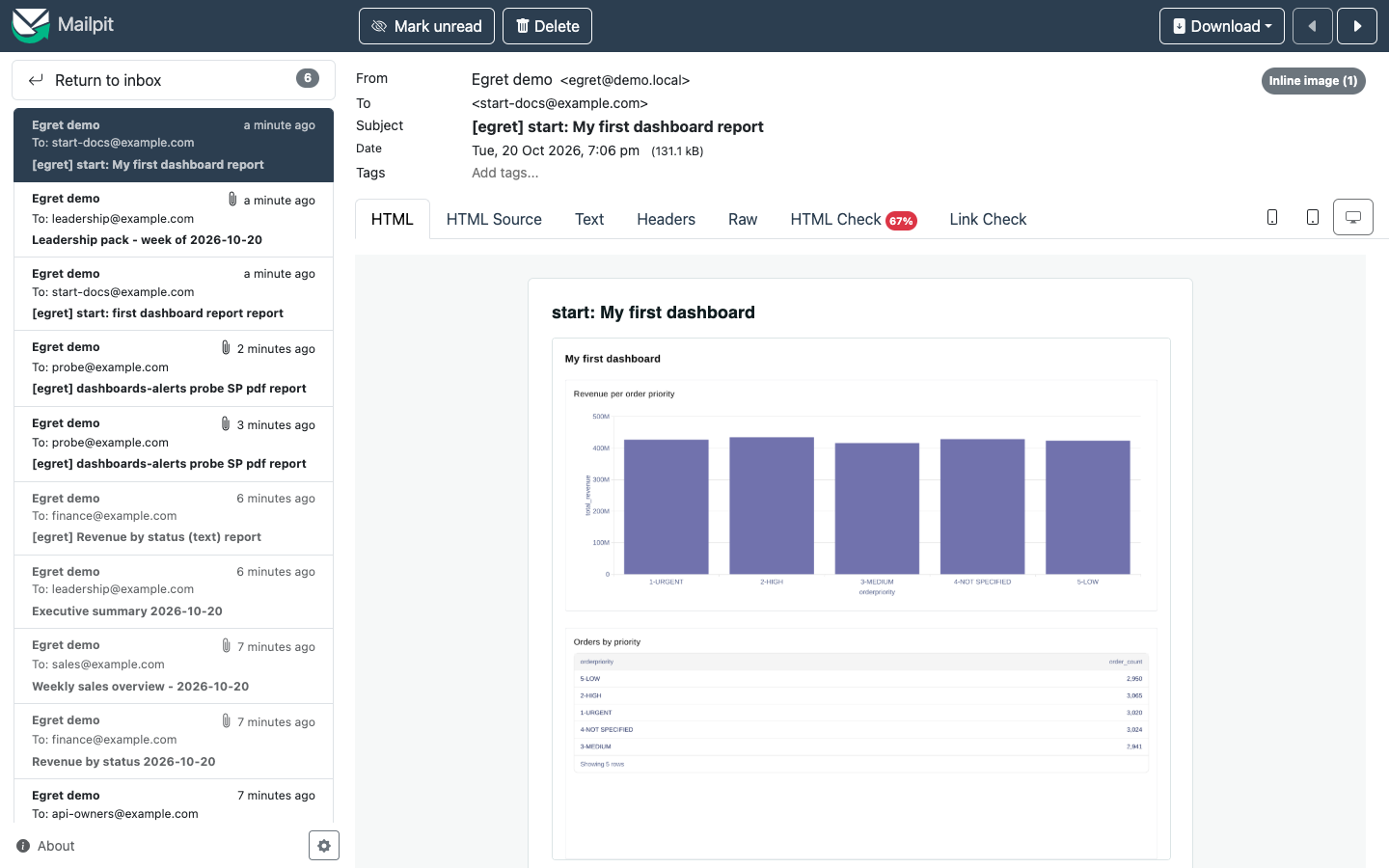
Reports and alerts: the renderer produces PNG and PDF reports, and every mail lands in Mailpit. A PNG report of a two-card dashboard took 23 seconds from Run now to the inbox.
-
Add engine: Control Plane → Engines → Add engine starts Trino engines as Docker containers on the same machine (
trinodb/trino:483; the first one pulls the image). Choosedemo_warehouseas the primary catalog, and for a single node set the worker Replicas to0. Each engine is a container namedegret-engine-egret-engines-<name>-coordinator(plus…-worker-<n>), with no published ports. Assign it to a workspace on its Workspaces tab, and it appears in SQL Lab as a database with the engine's name. See Query engines. -
Workflows: the worker and scheduler are on, so flows run and schedules fire.
Not available on Docker
| Feature | Why | Instead |
|---|---|---|
| An engine's Logs and Exec buttons | They need Kubernetes; they answer not available with the Docker engine provisioner. | docker logs egret-engine-egret-engines-<name>-coordinator |
| StarRocks and RisingWave engines, ingress, autoscaling, extra mounts or containers, image pull secrets, extra ports | The Docker provisioner refuses them with an error that names the option. | A Kubernetes install; see Kubernetes. |
| CPU and memory requests, probes, placement | They have no Docker meaning. CPU and memory limits become container limits. | |
| Workflow tasks that run containers or scripts | No container runner is configured; plain tasks such as Log run. | A Kubernetes install. |
Stop and reset
| Command | What it does |
|---|---|
just demo-down | Stops and removes the containers, including the engines Egret started (containers labelled egret.managed=true and egret.project=egret-demo). Keeps the data volumes, so just demo-up brings your content back. Mail in Mailpit is lost. |
just demo-reset | The same, and deletes the data volumes (PostgreSQL, the object store, the Data Apps files). The next just demo-up starts from an empty, freshly seeded stack. |
An engine that was running before just demo-down stays listed as provisioning after just demo-up, with no containers behind
it. Delete it and add it again.
Security
The demo stack is built to be convenient, not safe:
- Docker host access. Add engine starts containers through a Docker socket proxy. Data Apps author code runs inside the Egret container and can call that proxy too, so any app author can start a privileged container or mount the host's file system, and become root on the machine that runs Docker (the virtual machine on Docker Desktop). Do not give app access to anyone you do not trust with that machine.
- No isolation between apps. All app processes run in the Egret container as the same user, and can read Egret's environment.
- Public secrets. The database password, the object-store keys, the encryption master key and the administrator password are in the repository. Never reuse them.
- Permissive identity provider. The imported Keycloak realm allows any redirect URI and the password grant, without TLS.
Production installs use the Kubernetes launcher for apps and the Kubernetes engine provisioner, with your own secrets; see the security hardening checklist.
Troubleshooting
| You see | Cause and fix |
|---|---|
bind: address already in use | Port 8080 is taken. See Use another port. |
| SSO fails with an issuer mismatch or a redirect error | The browser address is not exactly DEMO_URL: use egret.localtest.me, not localhost, on the same port. After changing the port, run just demo-reset && just demo-up. |
egret.localtest.me or apps.localtest.me does not resolve | You are offline or a DNS filter blocks the name. Add the /etc/hosts line from Host names. |
The page does not load, or wait.sh times out | Check the services with docker compose … ps (above) and read the log of the unhealthy one with just demo-logs <service>. curl http://egret.localtest.me:8080/readyz does not help here: the edge sends that path to the web app, which answers with its HTML page. |
| The sign-in form answers Too many attempts | 5 attempts per 5 minutes per address and email. Wait. |
| An SSO user sees No workspaces yet | Expected for a new SSO user. Add them to a workspace as the local administrator. |
| The app editor is blank or says Not connected to a runtime | Wait for the first start (about 30 seconds), then Reload editor. Check that you are on egret.localtest.me, then read just demo-logs egret. |
An engine stays provisioning | docker ps -a --filter label=egret.engine=<name> lists its containers and docker logs egret-engine-egret-engines-<name>-coordinator shows why. A container that exited is often short of memory: give Docker 1.5 to 2 GB per engine and prefer single-node engines. |
| No mail arrives | Open Mailpit at http://localhost:8025. The seed points the default workspace's mail server at it; another workspace needs its own Notifications settings. |
Further reading
- Your first dashboard: a tutorial that runs on this stack as written.
- Quick start: run the server from source instead, for development.
- Local Docker Compose: the development Compose file and its services.