Secrets
A secret is a named value the workspace keeps encrypted, such as a database password or a webhook URL. Datasources and
alert channels refer to it as secret:NAME, so changing the value once updates everything that uses it, and the value
never appears in an export or a configuration file.
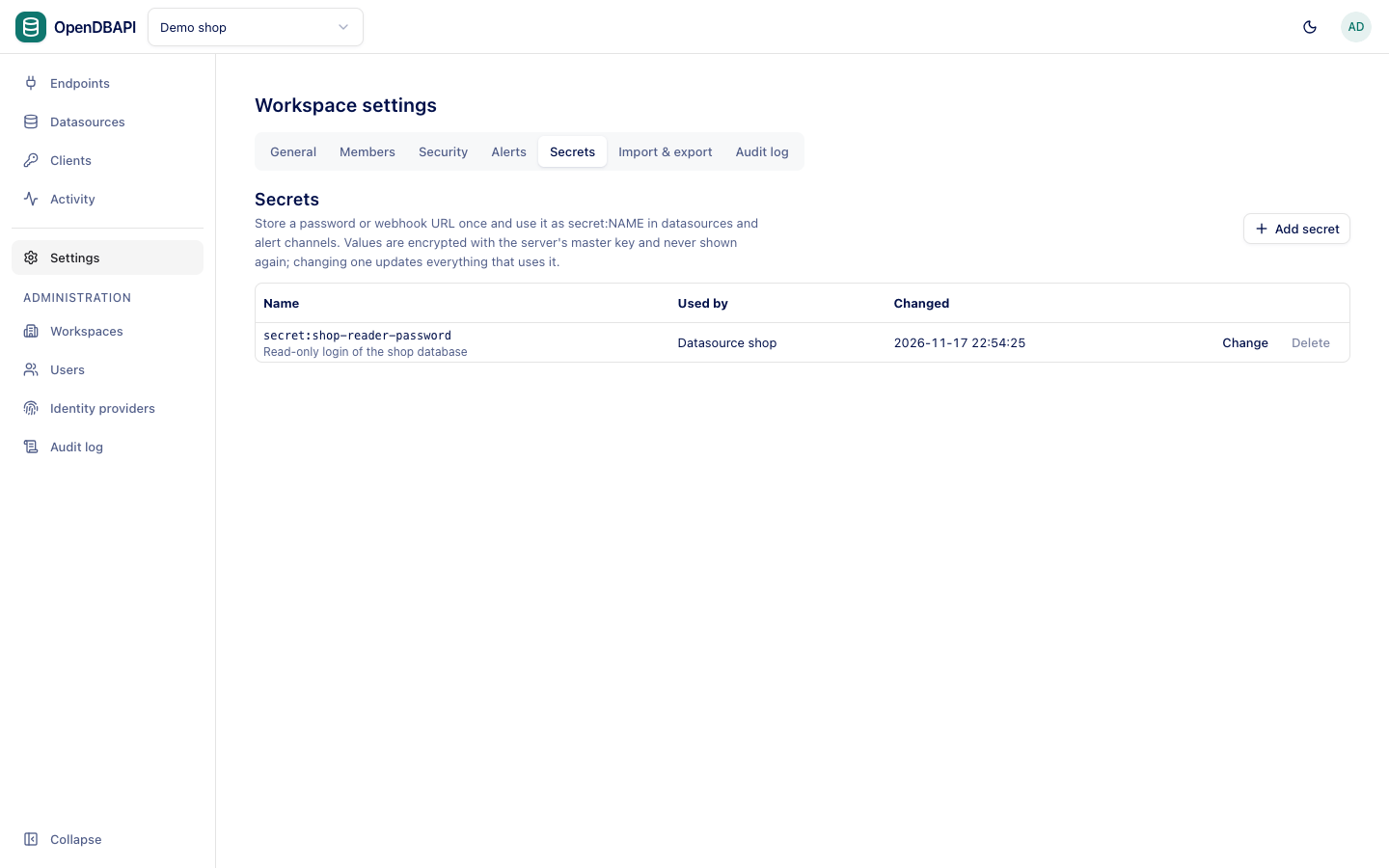
Secrets are for workspace admins.
Add a secret
- Open Settings → Secrets and press Add secret.
- Enter a Name (lower-case letters, digits,
.,_and-; it cannot be renamed later), the Value and an optional Description (optional). - Press Save.
The value is write-only: nobody can read it back, only replace it with Change. It is sealed with AES-256-GCM using the server's master key.
Use a secret
Type secret:NAME instead of a value:
- in a datasource's Password (see Datasources);
- in an alert channel's Webhook URL (see Alerts).
Used by lists what refers to each secret. A secret still in use cannot be deleted. Changing a secret used by a datasource closes that datasource's connections on every server instance, so the new password takes effect at once.
Other places a value can come from
| Reference | Read from |
|---|---|
secret:NAME | This workspace's secrets |
env:NAME | An environment variable (or Spring property) of the OpenDBAPI server |
vault:PATH#KEY | HashiCorp Vault, under the paths the server allows for the workspace |