Datasources
A datasource is a database that endpoints query. Workspace admins connect them; authors choose one per endpoint. To call another REST API instead, see HTTP APIs.
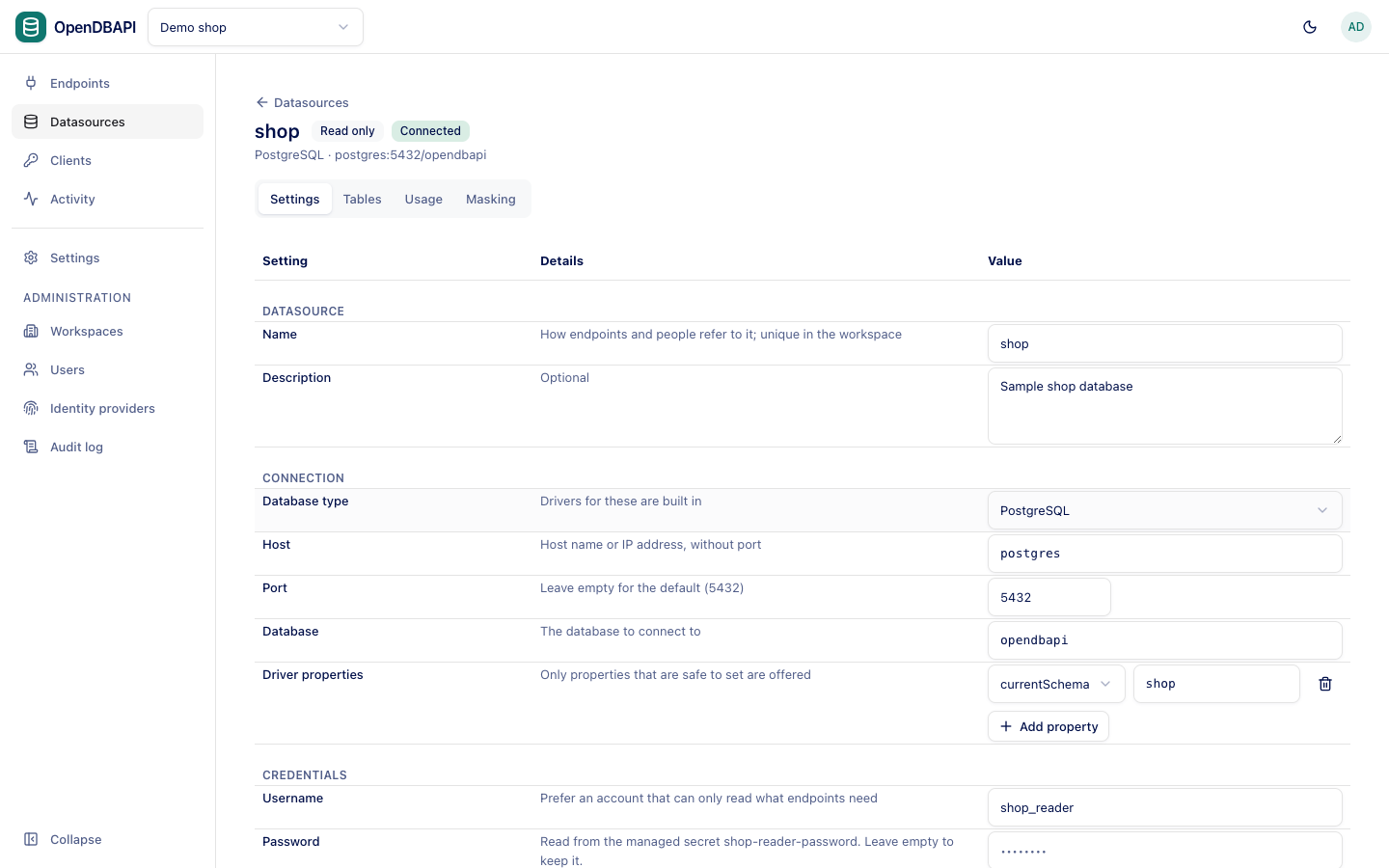
Connect a database
- Open Datasources and press New datasource.
- Fill in the settings below, press Test connection, and when it says Connected. press Create datasource.
Connection
| Setting | What it is |
|---|---|
| Name | How endpoints and people refer to it; unique in the workspace |
| Description | Optional |
| Database type | PostgreSQL, MySQL, MariaDB, SQL Server, Oracle, Trino, StarRocks, Apache Doris or ClickHouse; drivers for these are built in |
| Host | Host name or IP address, without port |
| Port | Leave empty for the type's default |
| Database | The database to connect to. For Oracle, the service name, e.g. ORCLPDB1; for Trino, the Catalog (see below) |
| Driver properties | Only properties that are safe to set are offered, e.g. currentSchema for PostgreSQL |
Credentials
| Setting | What it is |
|---|---|
| Username | Prefer an account that can only read what endpoints need |
| Password | Optional for Trino only. Stored encrypted with the server's master key. Or type secret:NAME for a managed secret, env:NAME to read it from the server's environment, or vault:PATH#KEY for HashiCorp Vault |
Leave Password empty when editing to keep the stored one.
Pool
| Setting | Default |
|---|---|
| Maximum connections | Per server instance, 1 to 50 |
| Idle connections kept | 0 opens connections only when needed |
| Connection timeout | How long a request waits for a free connection, in milliseconds |
Safety
Read only refuses INSERT, UPDATE, DELETE and DDL in every endpoint on the datasource, at validation and when
scripts run. The connection is opened read-only too, where the database or its driver can enforce it:
| Database type | How the connection refuses writes |
|---|---|
| PostgreSQL, MySQL, MariaDB | A read-only session |
| Trino | Every statement runs in a read-only transaction |
| StarRocks, Apache Doris | The driver refuses statements that change data or schema; the server itself has no read-only session |
| ClickHouse | The readonly = 2 setting |
| SQL Server, Oracle | Not enforced on the connection |
A database account that can only read is still the stronger guarantee, and the only one for SQL Server and Oracle.
Database types
Most types work alike. These differ:
Trino
- Catalog: the catalog to query, such as
hive, orcatalog.schemato make that schema the default. Queries can still name other catalogs in full, e.g.iceberg.sales.orders. - Password: leave it empty when Trino runs without authentication. Trino accepts a password only over TLS, so with
one, add the driver property
SSL=true. - Tables lists the schemas of the chosen catalog.
- Paging uses
OFFSET … FETCH NEXT … ROWS ONLY, the form Trino accepts. Writes in a transaction depend on the connector; many (Iceberg, Delta Lake, memory) accept them only outside one, so preview cannot run them.
StarRocks and Apache Doris
- Connected through the MySQL protocol, on port 9030 (the frontend's query port) by default.
- Database: a database, or
catalog.databasefor an external catalog. - They accept
ROLLBACKbut keep the rows written, so OpenDBAPI treats them as having no transactions; see below.
ClickHouse
- Connected over HTTP, on port 8123 by default; set the
ssldriver property totruefor HTTPS (usually port 8443). - Tables lists ClickHouse databases as schemas.
- ClickHouse has no transactions; see below.
Databases without transactions
On StarRocks, Apache Doris and ClickHouse a write cannot be undone, so:
- Preview runs queries but refuses statements that change data, with
preview_cannot_roll_back. Publish the endpoint and call it to run them. - An endpoint cannot run in a Transaction; validation reports
transaction_unsupported. - The Database type row of the datasource form says so.
Tables and usage
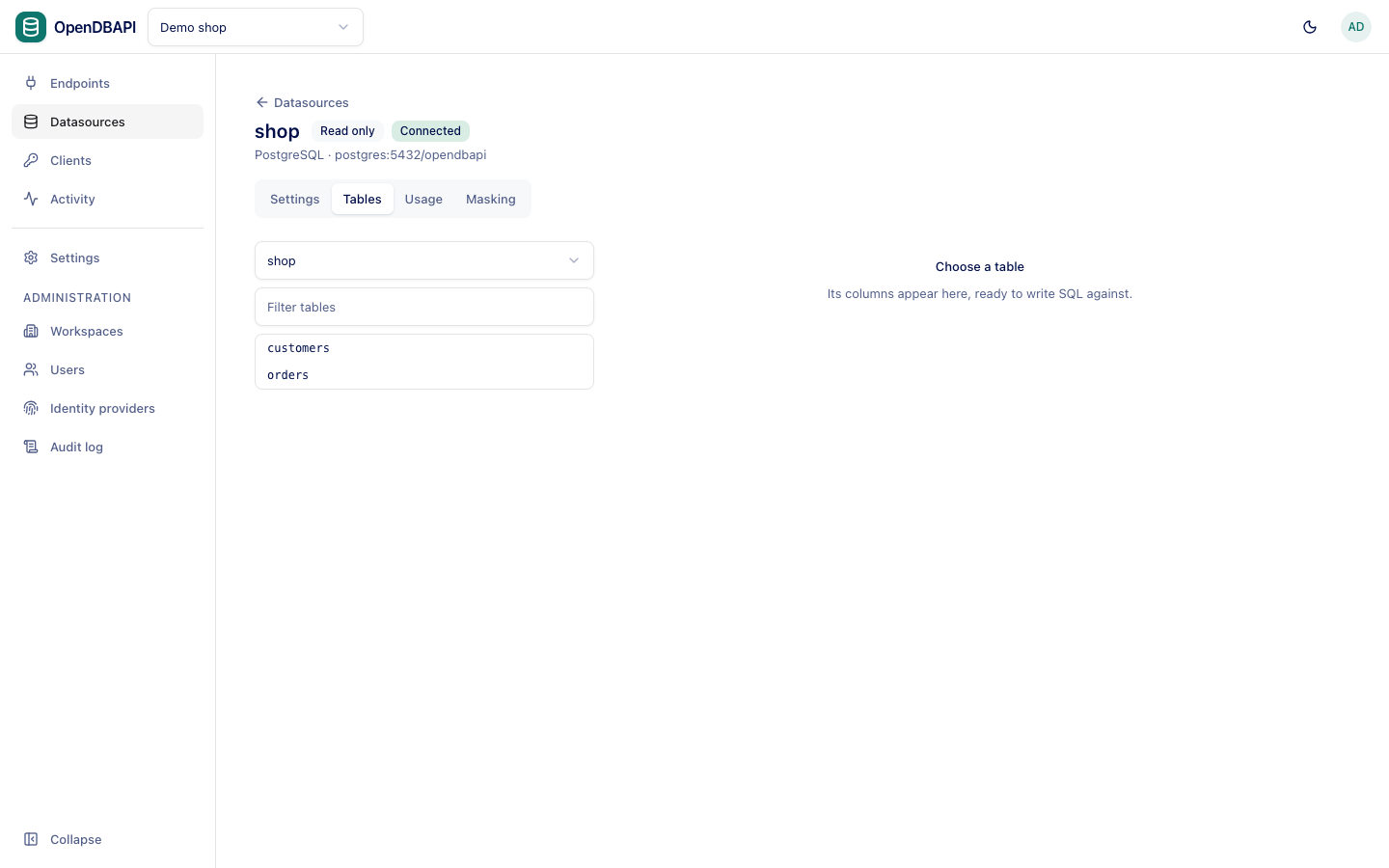
- Tables browses the datasource's schemas, tables and columns, to help write queries.
- Usage lists the endpoints that use it. A datasource still in use cannot be deleted.
- Masking holds data policies for every endpoint on the datasource.
Which hosts are allowed
Cloud metadata addresses (such as 169.254.169.254) are always refused. Operators can refuse more hosts with
opendbapi.datasources.extra-denied-hosts, or allow only a list with opendbapi.datasources.allowed-hosts; see
Configuration.
Changing a datasource
Saving new settings, or changing the secret its password reads, closes its connection pool on every server instance; the next query reconnects with the new settings.