Execution details
Open an execution to see what happened in a run: its inputs, the tasks that ran and how long each took, every log line, and each task's outputs. The page has a header that stays in place and five tabs.
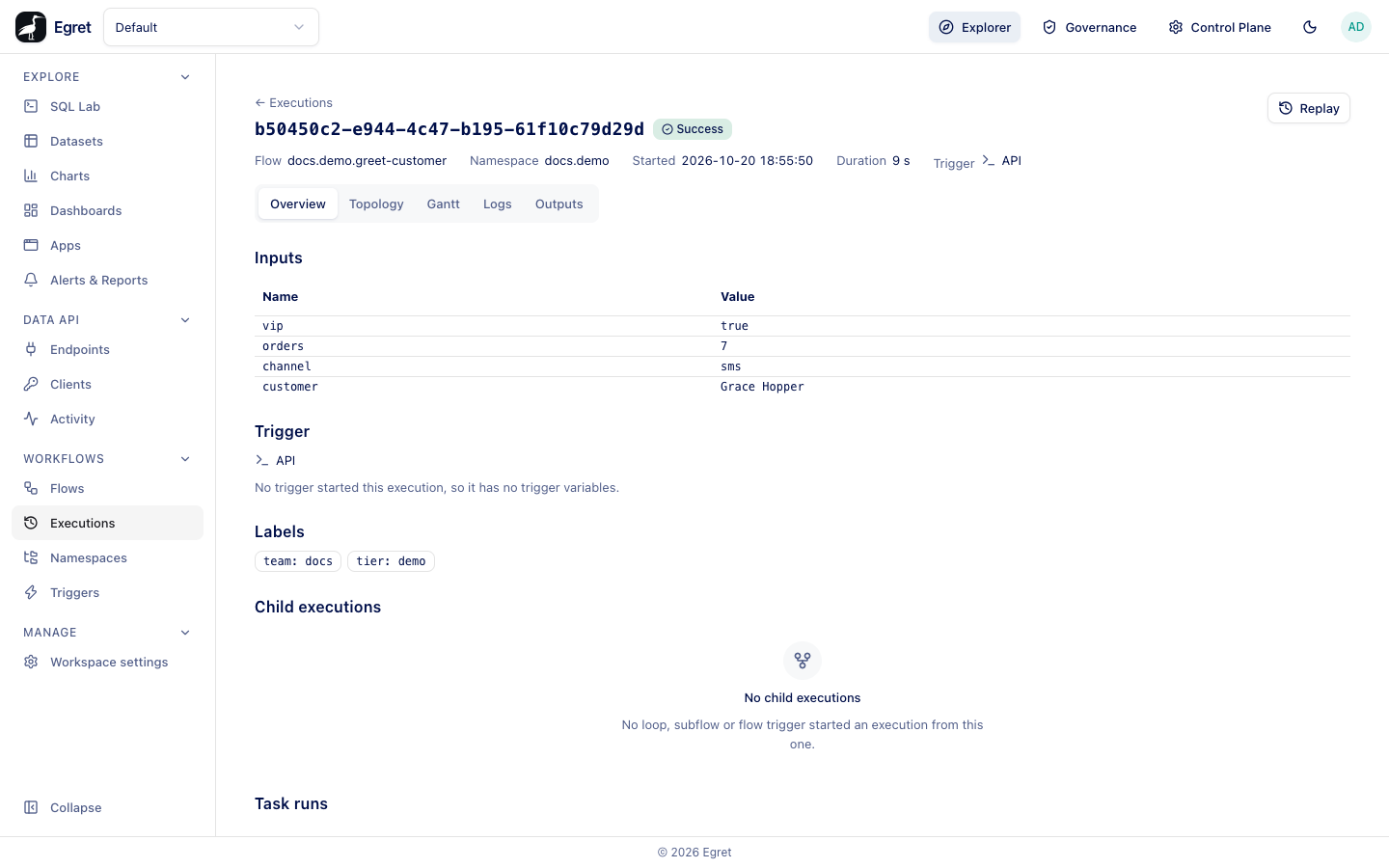
The header
| Item | What it shows |
|---|---|
| Title | The execution's full id, and its state as a coloured chip. |
| Flow | The flow as namespace.id. |
| Namespace | The flow's namespace. |
| Started | The start time in your time zone. |
| Duration | The run time. While the execution runs it says so far and keeps counting. |
| Trigger | What started it: API, Schedule, Webhook, Flow trigger, Subflow, Loop iteration, Retry or Replay. |
| Replayed from | Appears on a replay, with the id of the original. A child execution shows its parent instead. |
| Buttons | Resume, Replay and Kill, each only when it applies. See Run actions. |
While an execution is not finished, the page polls and updates itself every two seconds. It stops when the execution ends. Replay stays disabled until then, with the reason Replay is available when the execution has finished.
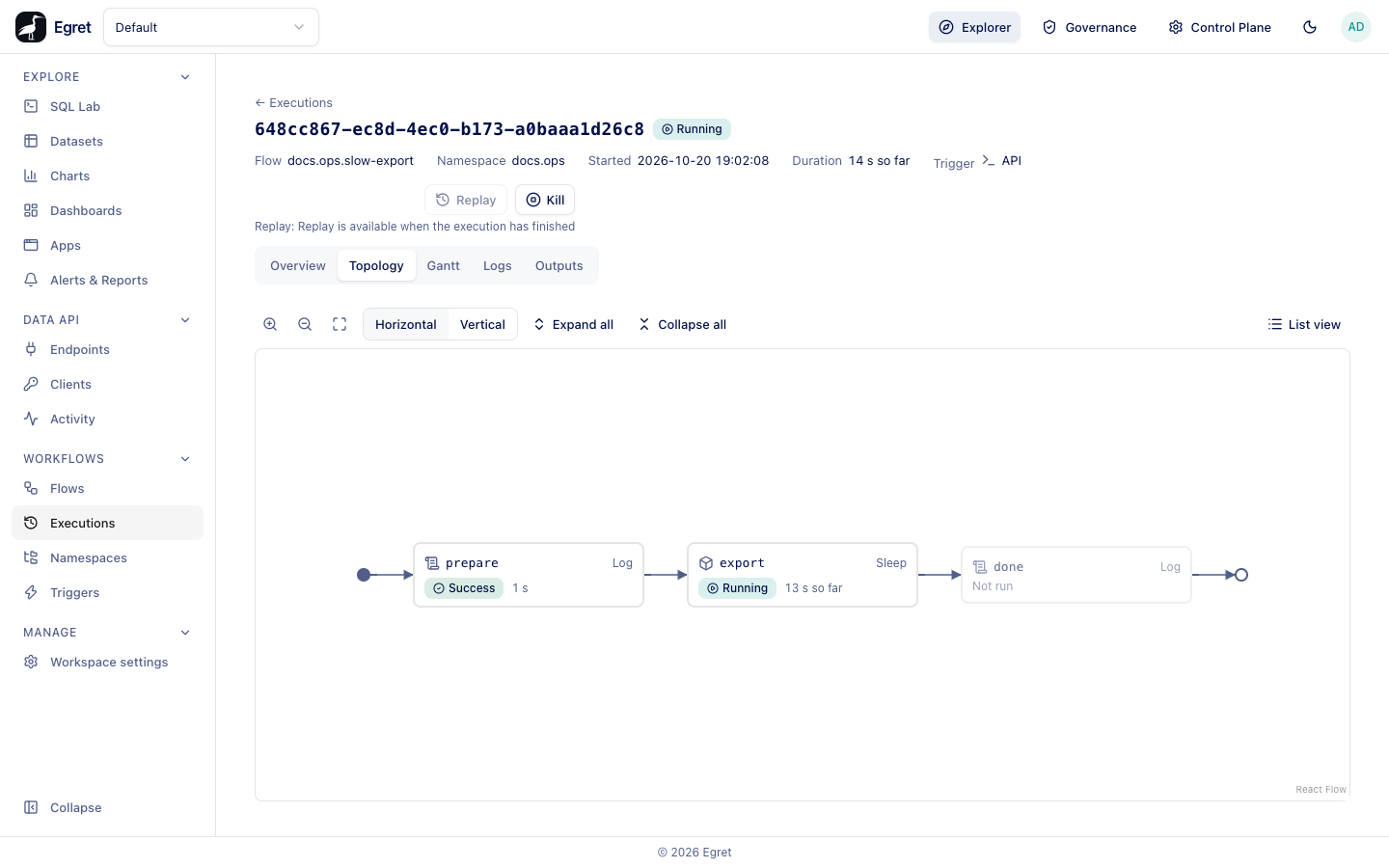
In the topology of a running execution, a task that has not started yet is labelled Not run, the same words as a skipped branch on a finished run.
Overview
The Overview tab is the summary. Its sections:
- Inputs: a table of the input names and values the execution started with. An input the caller left out and the flow filled from
defaults:is not listed. No inputs appears when none were sent. - Trigger: the trigger that started the run. For a schedule it names the trigger id, a Backfill badge if a backfill started it, and a table of the trigger's variables (
date,next,previous). A run started by hand says No trigger started this execution, so it has no trigger variables. - Labels: the flow's labels plus any added by the trigger, a backfill or a
Labelstask. - Child executions: executions this one started, with Started by (Loop iteration, Subflow or Flow trigger), the iteration number and value, the state and the start time. Select a row to open the child.
- Task runs: each task with its Value (the loop value for a task inside a loop), State and Duration.
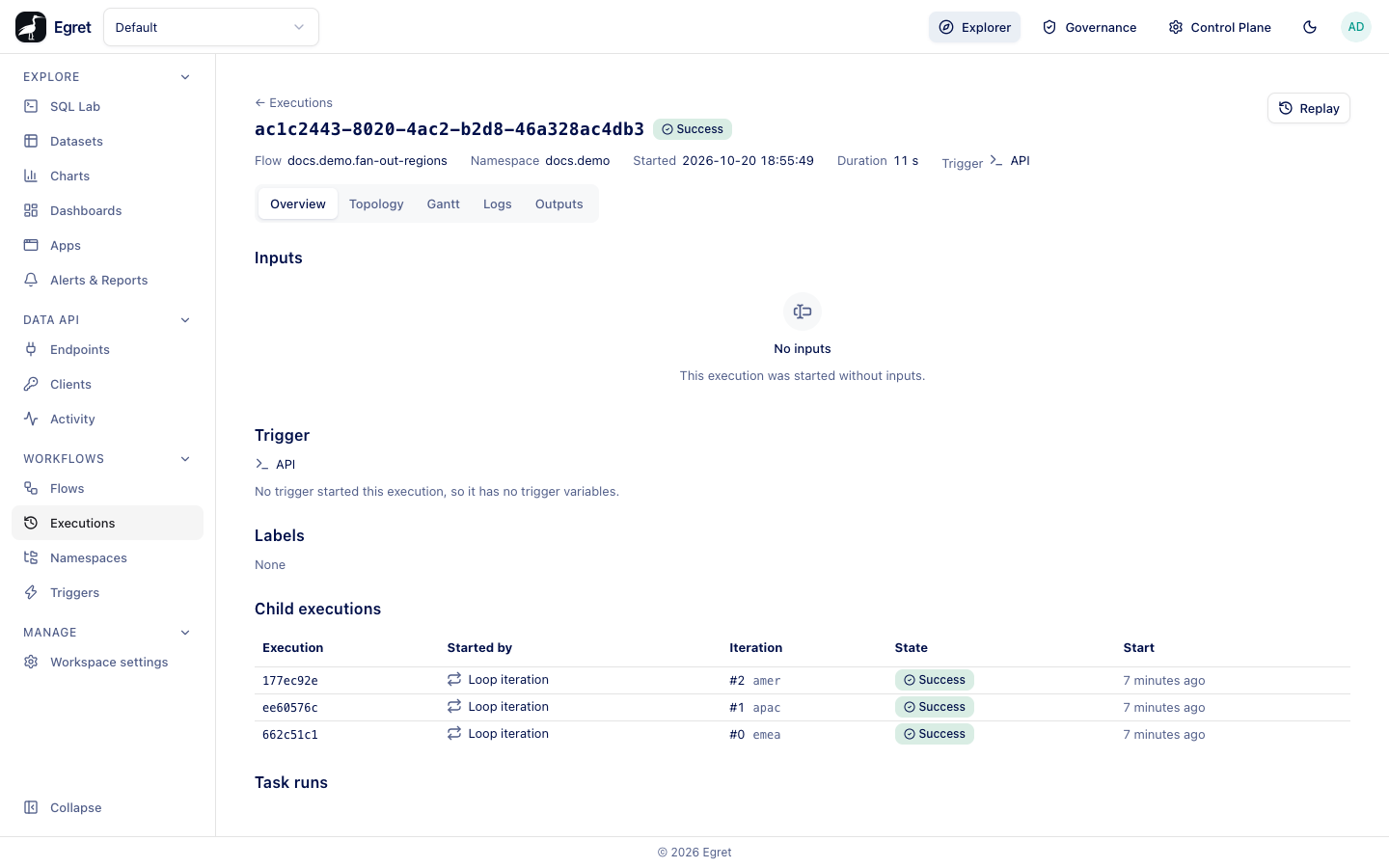
A SECRET input shows ****** here, in the logs and in every API answer; the real value is stored encrypted and used only by the tasks. Task outputs are not masked. See Secret inputs.
Topology
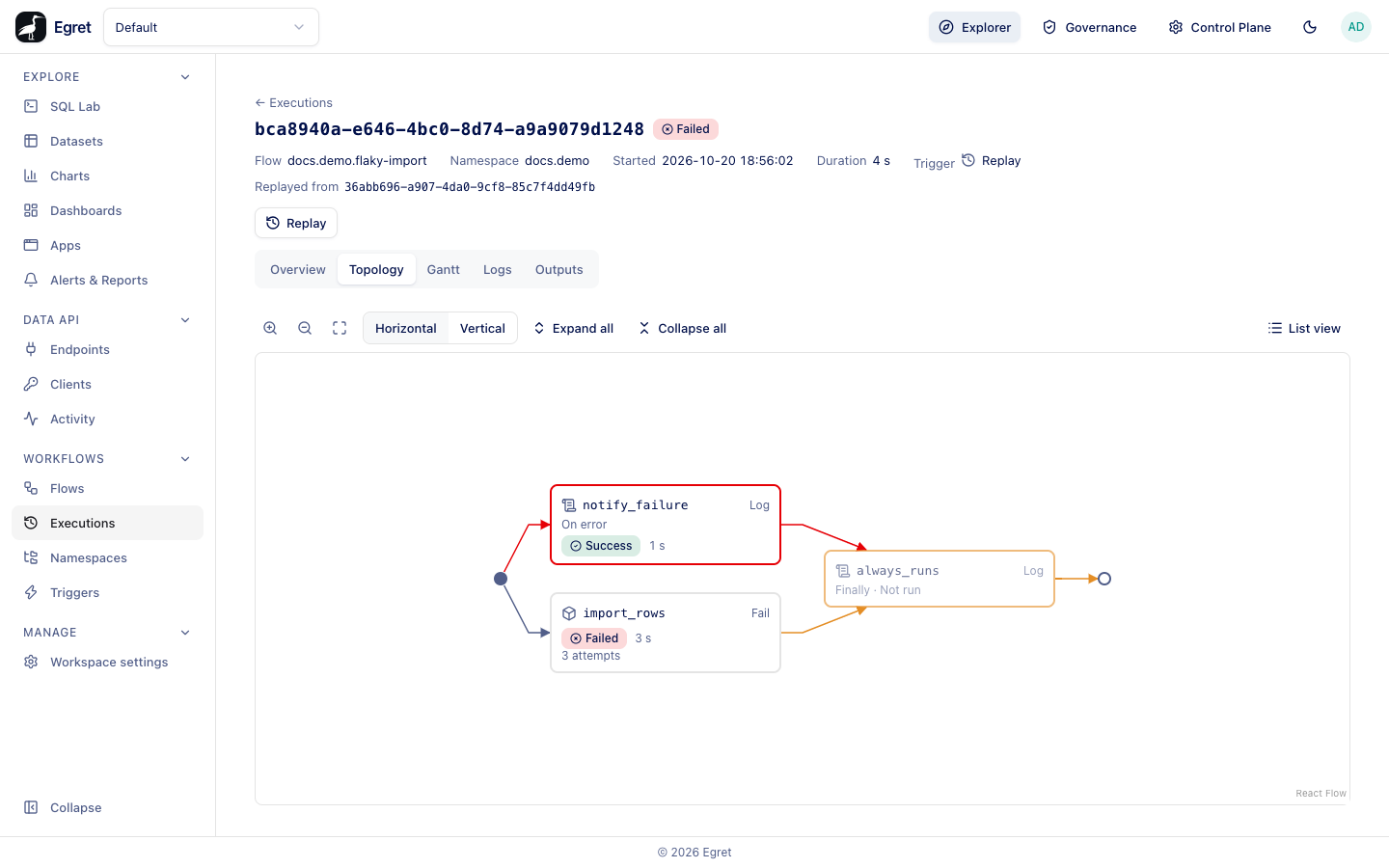
The Topology tab draws the execution's own copy of the flow as a graph, coloured by the state of each task. Each node shows the task id, its type, the state, the duration, and 3 attempts when it was retried. A task that did not run is greyed and marked Not run. Error handlers are labelled On error and finally tasks are labelled Finally.
| Control | What it does |
|---|---|
| Zoom in, zoom out, fit view | Scale the graph. Scroll and drag also move it. |
| Horizontal, Vertical | Change the direction. |
| Expand all, Collapse all | Open or fold every flowable task and subflow. |
| List view | The same tasks as a tree table. |
Select a node to open a side panel with that task run's logs and outputs. Select a Loop body to see its iterations, and a Subflow node to jump to the child execution. The address keeps your selection (?node=), so you can share a link to it.
The topology of the example above is flaky-import: import_rows failed three times, notify_failure ran as the error handler, and always_runs, a flow-level finally task, is drawn as Finally · Not run because flow-level finally does not run yet. See Retries, errors and timeouts.
Gantt
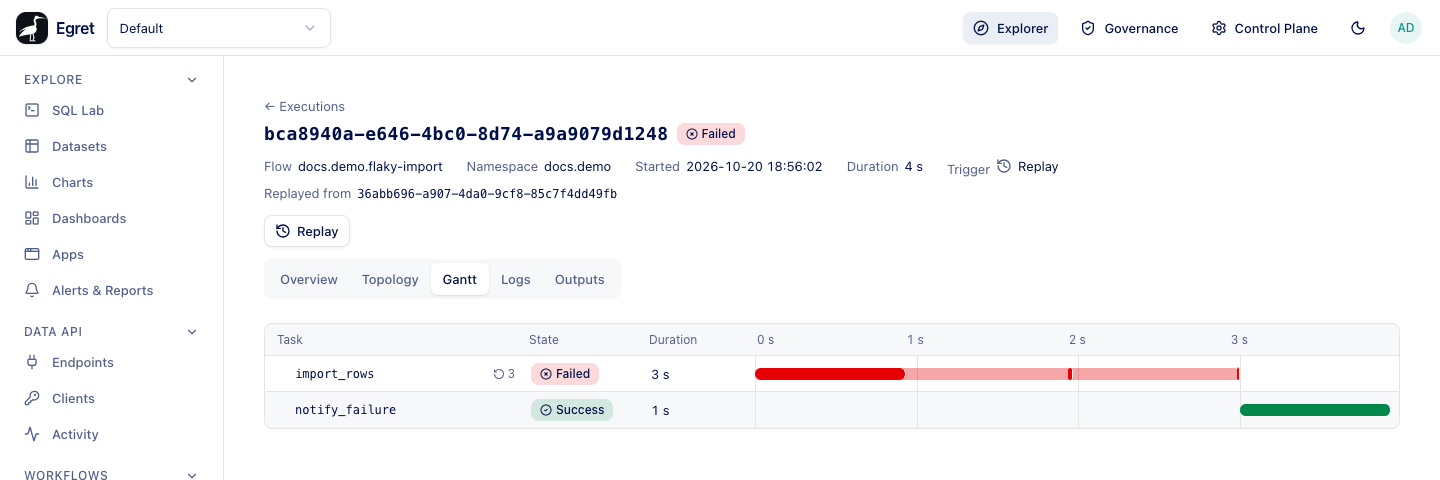
The Gantt tab lays the task runs out on a time axis. Each row has the task, its State, its Duration and a bar placed on the Timeline. A task that was retried shows a retry count and a mark for each attempt; the row's description lists them, for example Attempt 1: Failed, 0 s. Select a row to open the same panel as in the topology.
Logs
The Logs tab lists every log line the execution wrote, grouped by task run (import_rows #0 3 lines). Each line has a time stamp, a level (TRACE, DEBUG, INFO, WARN, ERROR) and the message, and retried tasks number their attempts.
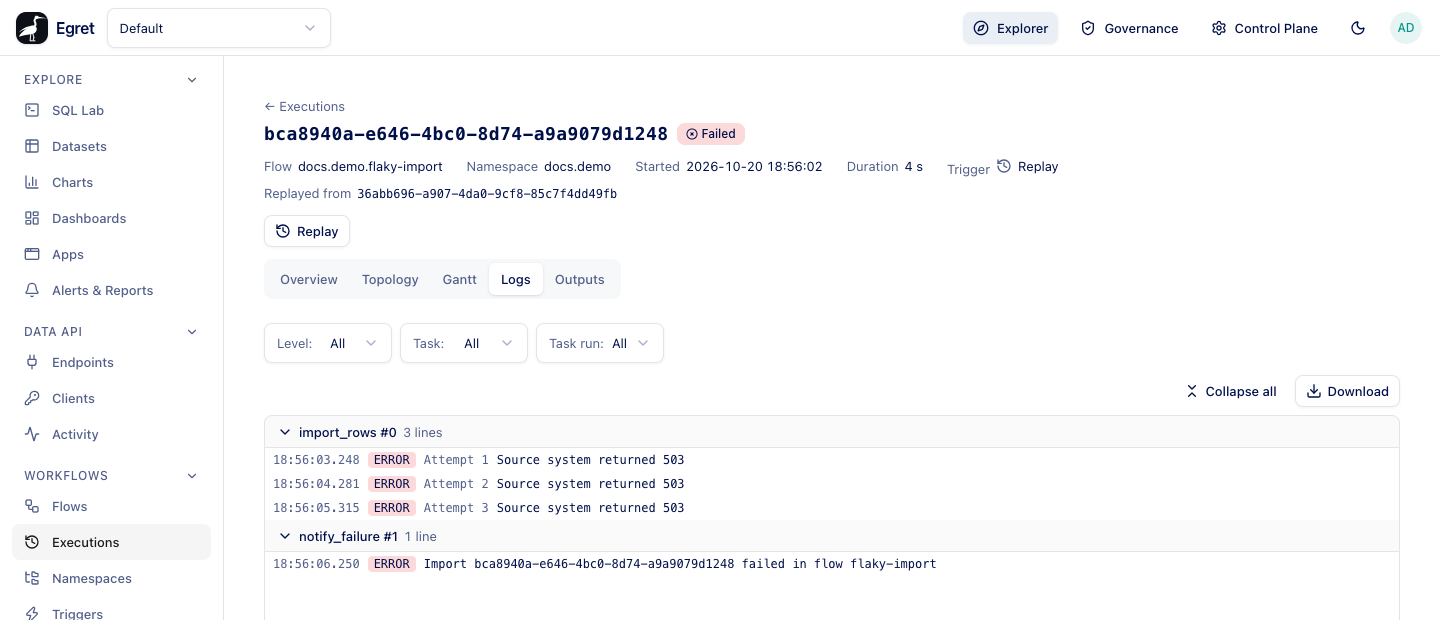
| Control | What it does |
|---|---|
| Level | Show lines at that level or above. |
| Task | Show one task's lines. |
| Task run | Show one run of a task, for example one iteration or attempt. |
| Collapse all / Expand all | Fold or open every group. |
| Download | Saves the log as a file. A very long log is capped, and the page says so. |
While the execution runs, new lines appear about two seconds after they are written. If you scroll up the page stops following and a Jump to latest button appears. A finished execution whose lines were removed after the retention period says so instead of showing an empty list.
Outputs
The Outputs tab lists the task runs that produced outputs. Select one to see its values. Each output has Copy value and Copy expression; the expression, such as {{ outputs.summary.value }}, can be pasted into another task. A file output (a kestra:///… URI) shows its size, a Preview for text files and a Download link.
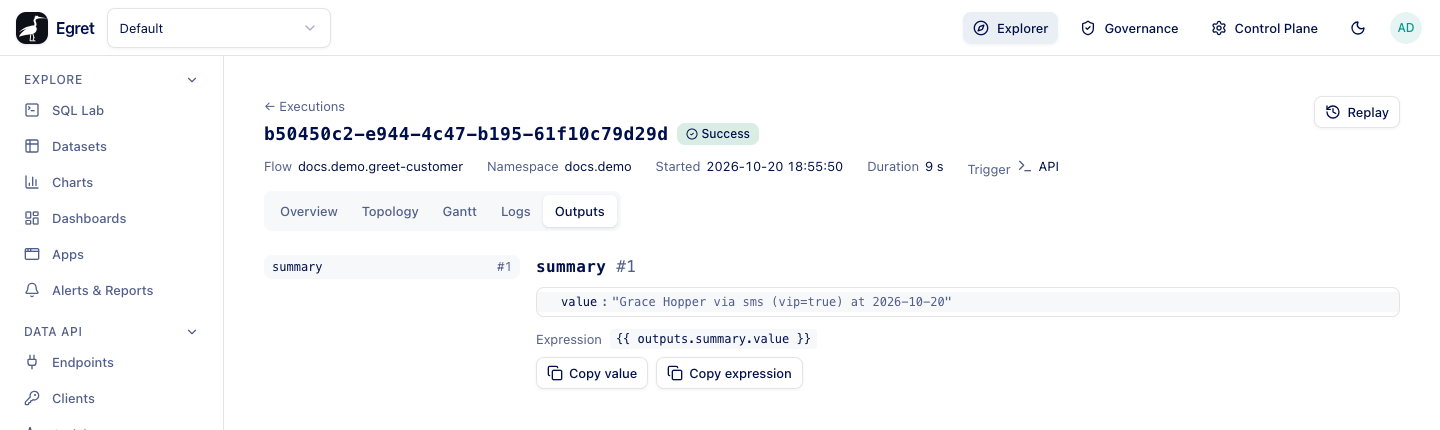
No outputs means no task run of the execution produced any. Flow-level outputs are not shown because they are not computed yet.
Limits and known issues
- The Overview tab does not list inputs that came from
defaults:. - Tasks inside a
Loophave task runs in the child executions, not in the parent. Open a child to see them. - Flow
outputs:are not shown anywhere.