Engine detail
Select an engine in Control Plane → Engines to open its page. The tabs depend on whether egret runs the engine (a provisioned engine) or you do (an external engine).
Provisioned engine
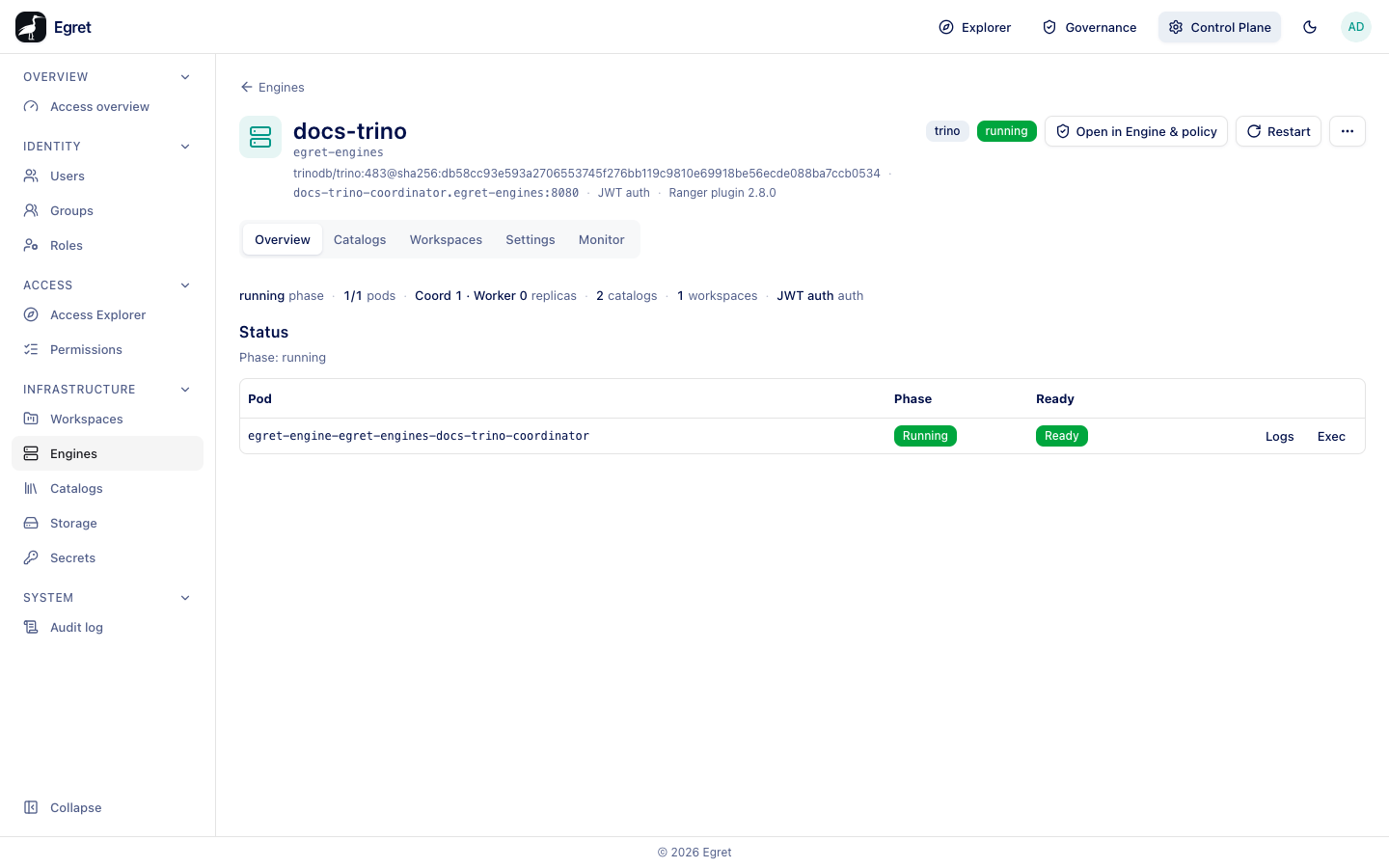
The header shows the engine name, its namespace (egret-engines), the image, the coordinator address, the authentication (JWT auth) and the Ranger plugin version, with the type and status badges. Open in Engine & policy opens the engine in Governance, Restart rolls the engine, and the More engine actions menu (⋯) holds Delete engine. The tabs are Overview, Catalogs, Workspaces, Settings and Monitor.
Overview
A strip shows the phase, pods (ready/total), replicas (for example Coord 1 · Worker 0), catalogs, workspaces and auth (JWT auth, impersonation, password auth or no delegation). For StarRocks, FE replicas and CN replicas replace replicas.
Status lists each pod with its Phase and Ready state and the Logs and Exec actions. With the Docker provisioner a "pod" is a container, for example egret-engine-egret-engines-docs-trino-coordinator.
If the engine cannot start the page shows The engine failed to start. with the reason. While starting it reads Starting up — the engine isn't reachable yet.
Catalogs
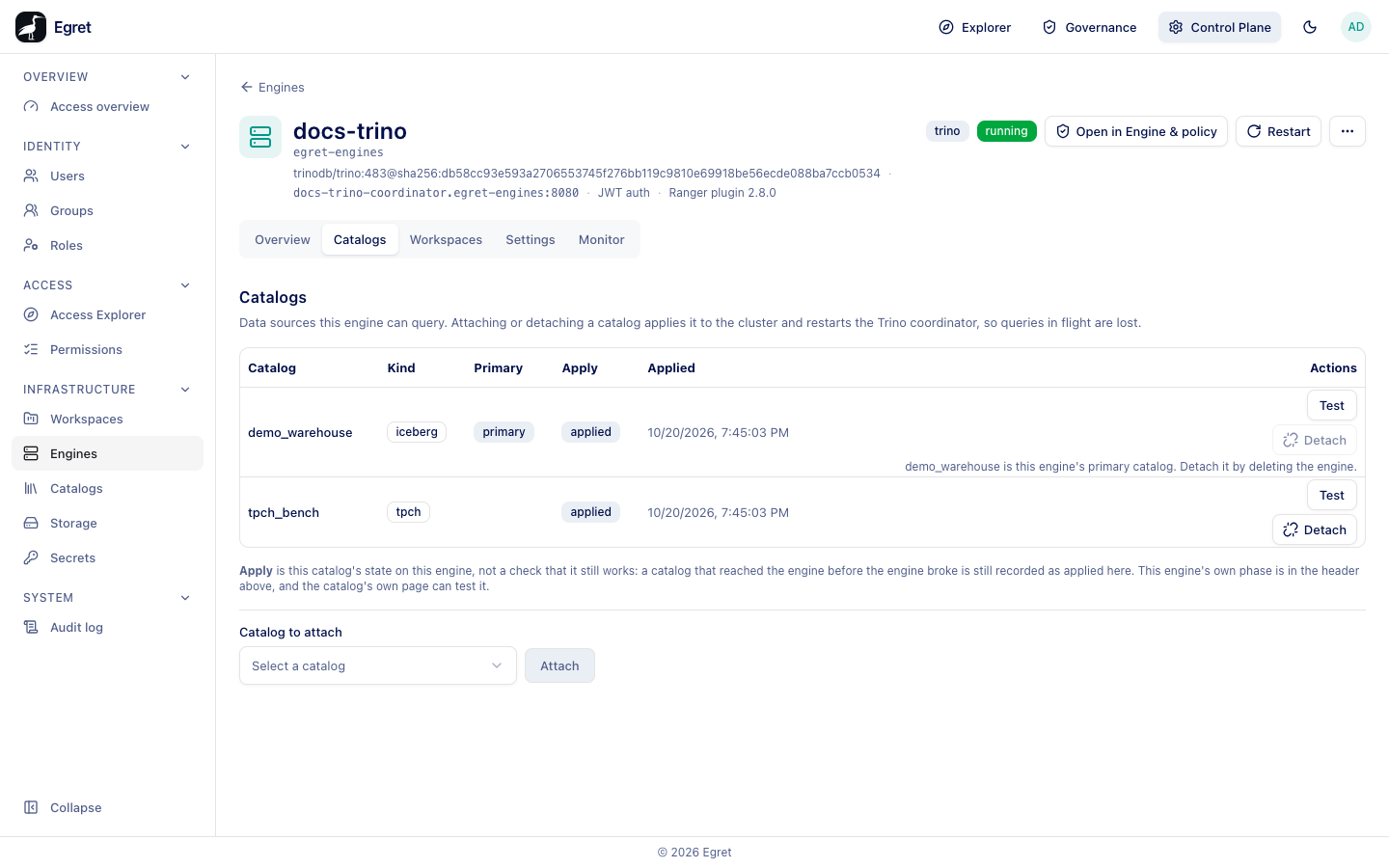
Data sources this engine can query. Attaching or detaching a catalog applies it to the cluster and restarts the Trino coordinator, so queries in flight are lost. Each catalog shows its Kind, Primary, the Apply state and when it was Applied, with Test (runs SHOW SCHEMAS on the engine) and Detach. The primary catalog cannot be detached: demo_warehouse is this engine's primary catalog. Detach it by deleting the engine.
To attach another, choose it in Catalog to attach and press Attach. With nothing left the form says Every catalog egret can show you is already on this engine.
Apply is this catalog's state on this engine, not a check that it still works: a catalog that reached the engine before the engine broke is still recorded as applied.
Workspaces
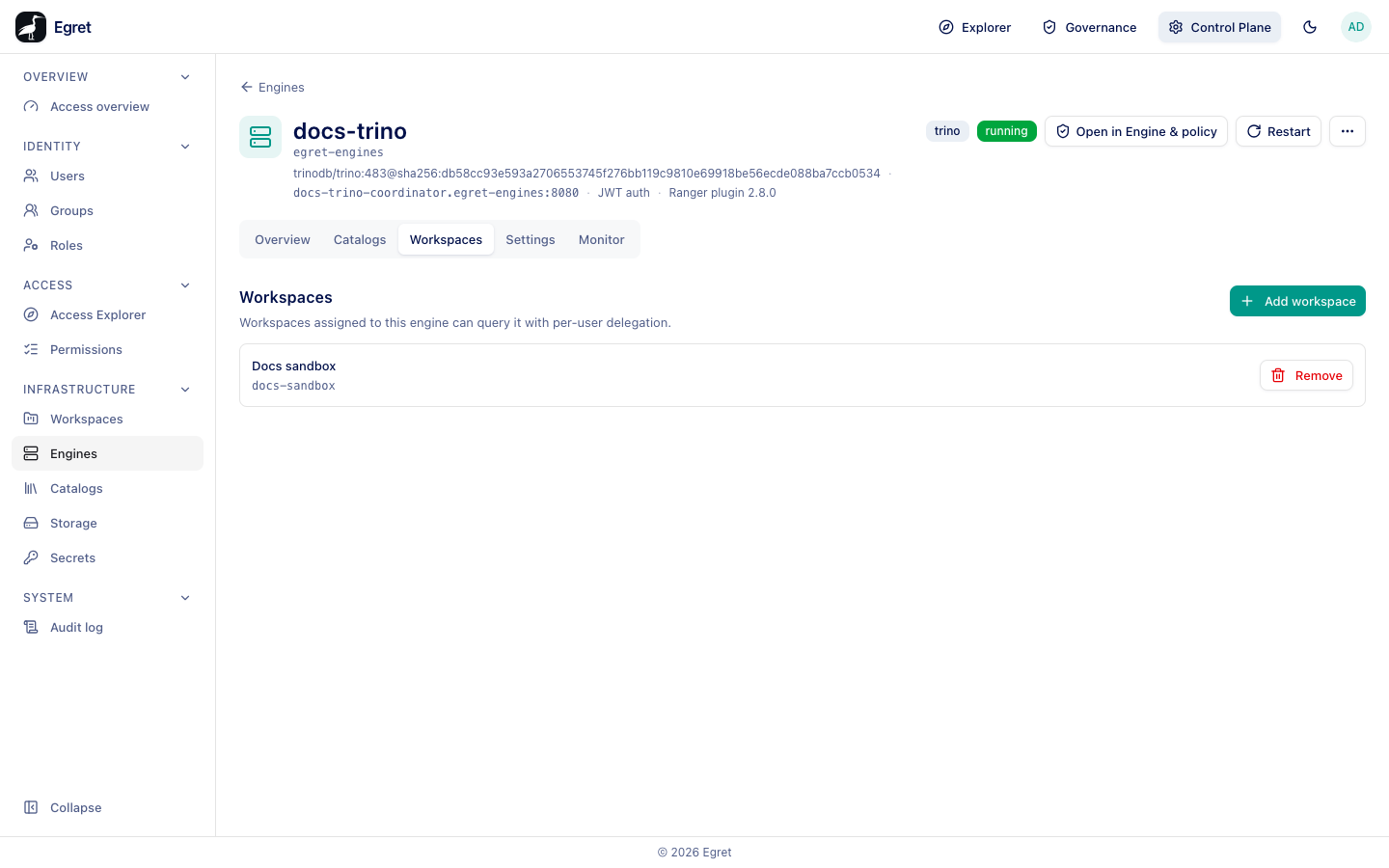
Workspaces assigned to this engine can query it with per-user delegation.
- Press Add workspace. The dialog says Assign this engine to an active workspace. and lists the workspaces not yet assigned.
- Select one. A toast says Workspace assigned.
The engine then appears in that workspace's SQL Lab as a database named after the engine (docs-trino (trino)) and under Workspace settings → Engines → Provisioned by egret. Remove unassigns it. Add workspace is disabled until JWT authentication is on in the engine's Security & Exposure settings.
Settings
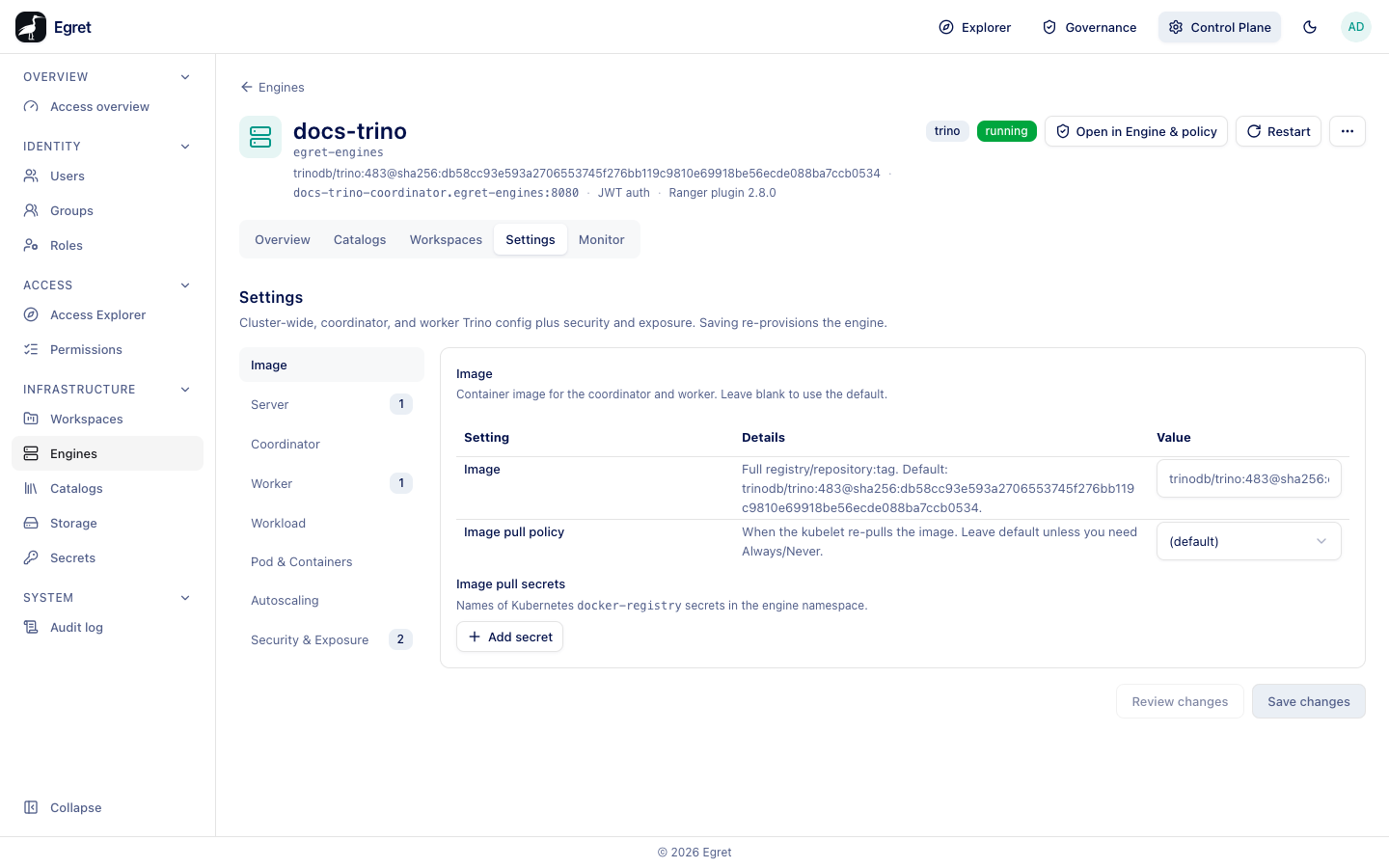
Cluster-wide, coordinator, and worker Trino config plus security and exposure. Saving re-provisions the engine. The sections are the ones of the create form (see Provision an engine).
- Change a value, for example Server → config.properties → Add property
query.max-run-time=2h. - Press Review changes to see the diff. The dialog says, for example, 2 fields will change. with each field's old and new value, and Saving re-provisions (rolls) the engine pods. It only shows the diff; close it.
- Press Save changes. There is no further confirmation.
On the demo stack the save recreated the coordinator container within a minute while the header kept showing running, and the new value was in effect: SHOW SESSION LIKE 'query_max_run_time' reported the default 2.00h.
Monitor
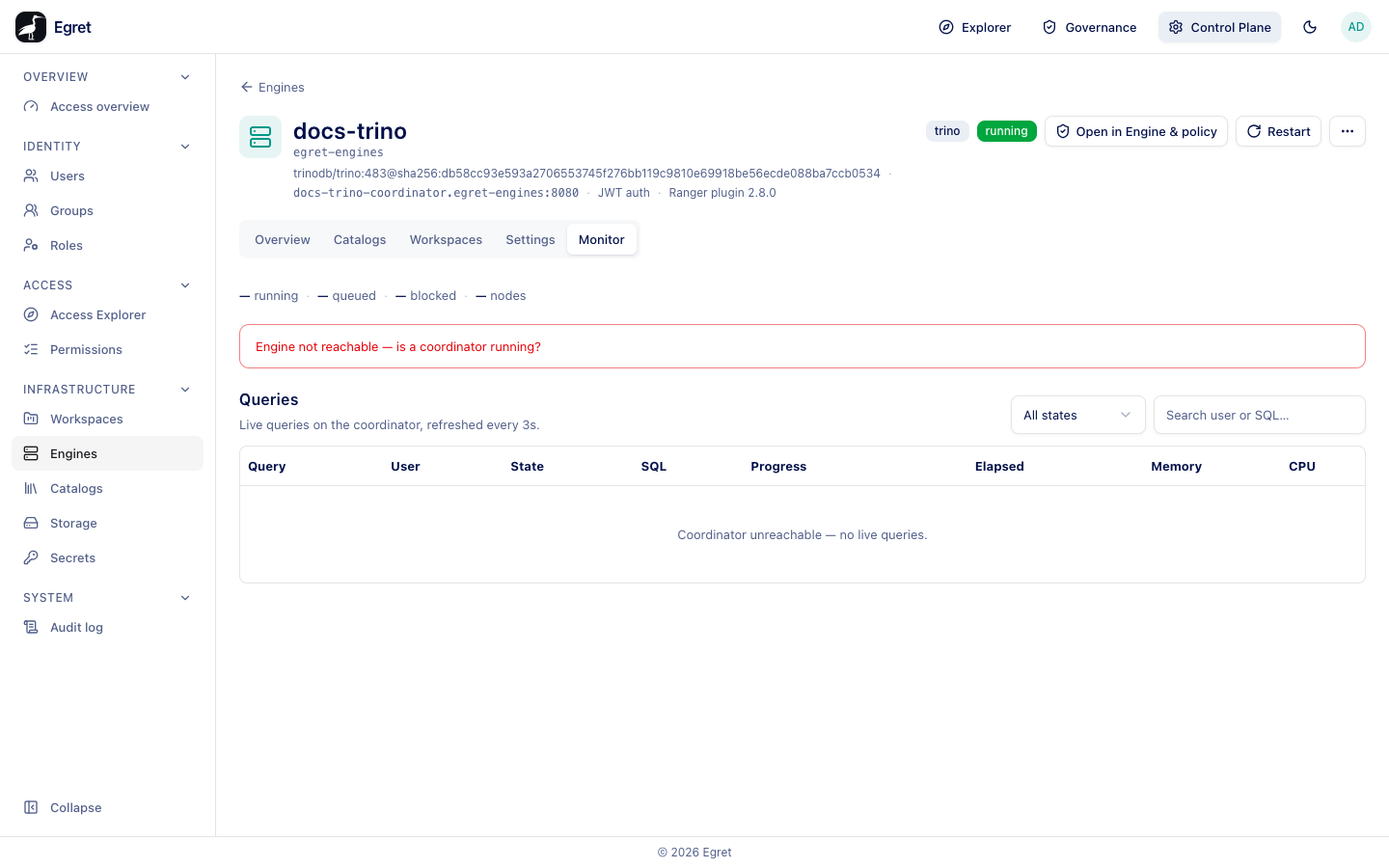
The tab has a strip with the running, queued and blocked query counts and the nodes, and the Queries table (Live queries on the coordinator, refreshed every 3s) with Query, User, State, SQL, Progress, Elapsed, Memory and CPU, a state filter (All states) and Search user or SQL….
On Trino 483 engines the tab shows Engine not reachable — is a coordinator running? and Coordinator unreachable — no live queries. even while the engine is running and answering queries. This is a product issue, not a Docker limitation: the cluster summary asks Trino for GET /v1/node, which Trino 483 answers with 404, and an engine with JWT delegation gives egret's monitor account no sign-in.
Restart
Restart asks Restart engine? (This rolls the coordinator and worker pods; running queries are interrupted.). On the demo stack the status went to provisioning and back to running in 38 seconds, and the container was recreated.
Delete
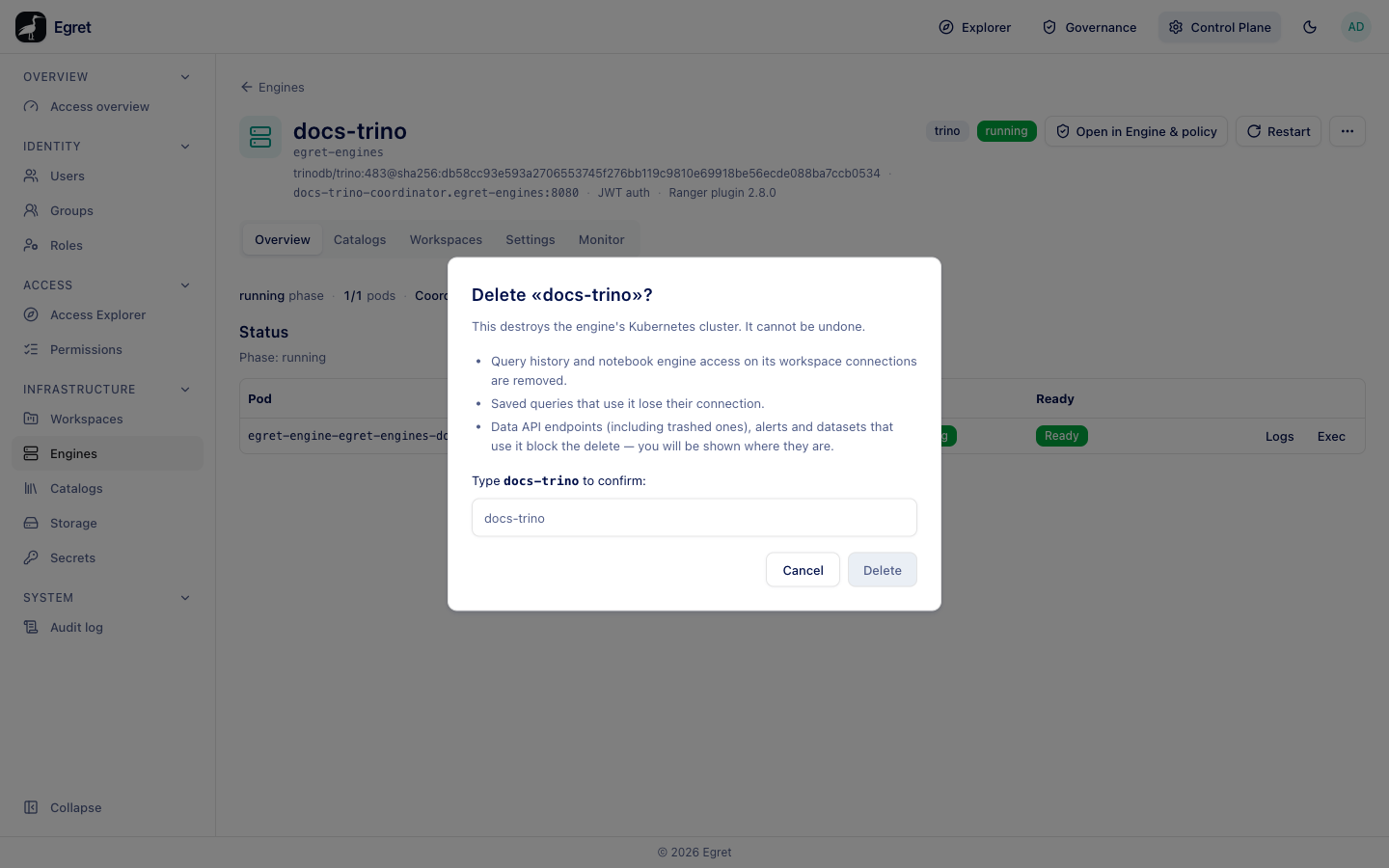
⋯ → Delete engine opens Delete «<engine>»?:
- Query history and notebook engine access on its workspace connections are removed.
- Saved queries that use it lose their connection.
- Data API endpoints (including trashed ones), alerts and datasets that use it block the delete — you will be shown where they are.
Type the engine name and press Delete. You return to the Engines list. With the Docker provisioner the engine's containers are removed (measured: 7 seconds). The dialog says This destroys the engine's Kubernetes cluster whatever the provisioner is. The engine's policy profile is kept and appears under Profiles without an engine in Governance.
Kubernetes-only features
Logs and Exec work only with the Kubernetes provisioner:
| Action | Kubernetes | Docker provisioner |
|---|---|---|
| Logs | Container logs for the pod, with Last 1000 lines, Previous container, Follow and Refresh. | The dialog opens and says bad request: not available with the Docker engine provisioner. |
| Exec | Open shell into <pod>? opens an interactive shell (bash) inside the running pod. | The shell opens and closes at once with [connection closed], without saying why. |
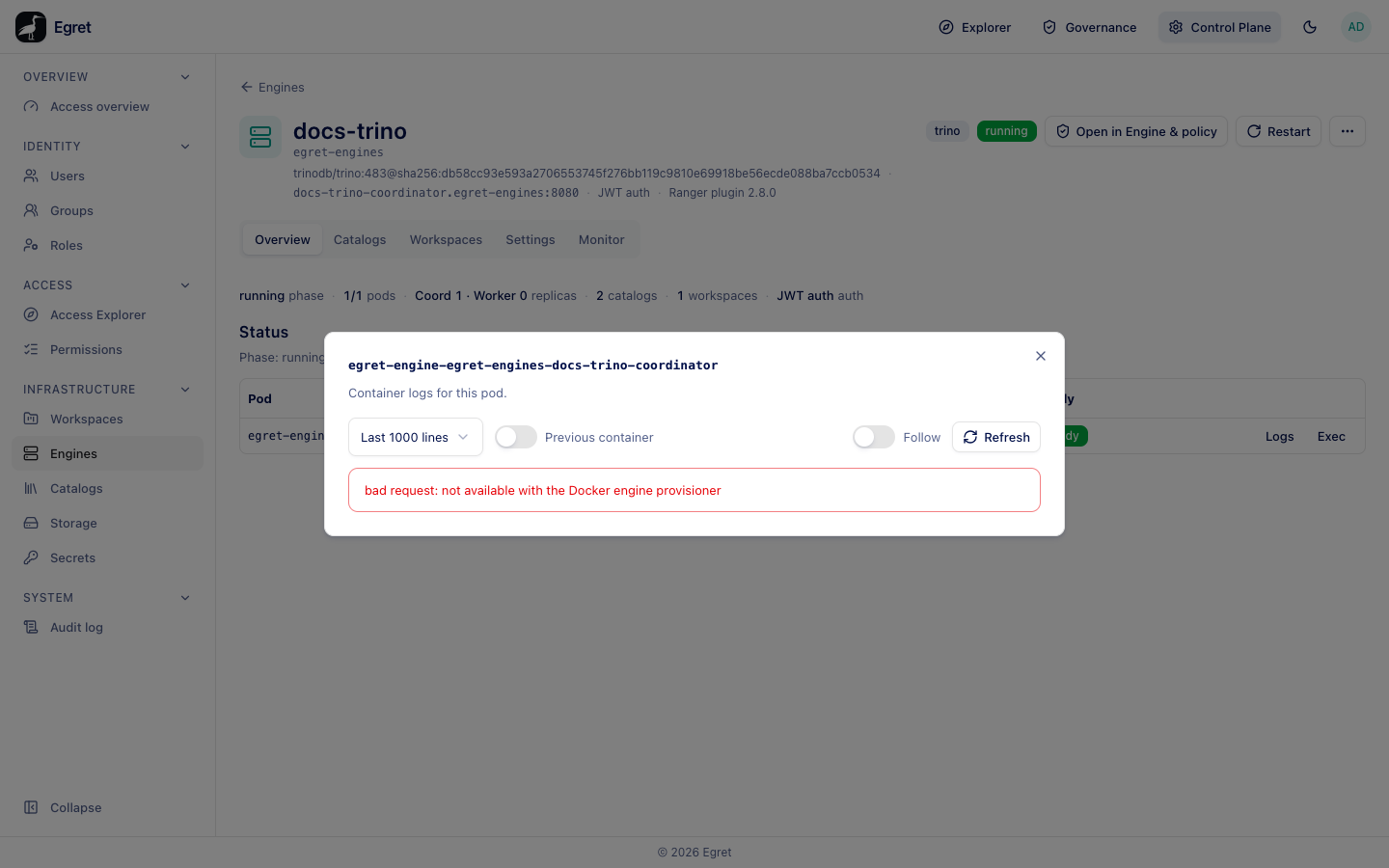
With the Docker provisioner, read the log on the Docker host with docker logs egret-engine-egret-engines-<name>-coordinator. A failed engine's status message carries its last log lines.
External engine
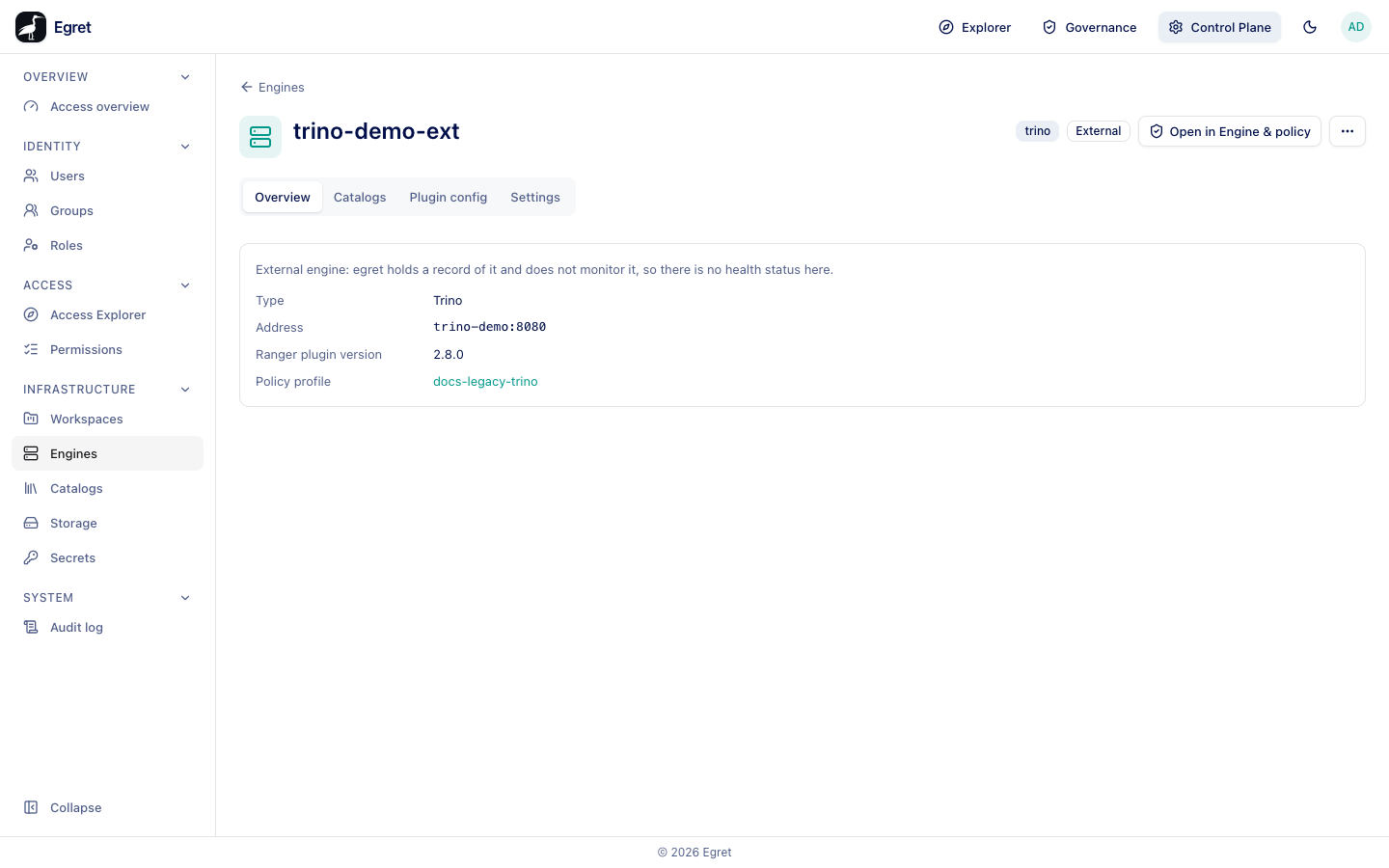
The header shows the engine name, its type, an External badge and Open in Engine & policy, which opens the engine's page in Governance. A banner says External engine: egret holds a record of it and does not monitor it, so there is no health status here. A More engine actions menu holds the delete action. The tabs are Overview, Catalogs, Plugin config and Settings.
Overview
| Field | Meaning |
|---|---|
| Type | Trino or StarRocks. |
| Address | host:port, for example trino-demo:8080. |
| Ranger plugin version | The version you declared. |
| Policy profile | The bound profile, or None bound. Bind one on the Settings tab. |
Catalogs
These catalogs are declared as served by this engine, so grants on them reach its policy profile. egret does not create these catalogs on your engine — create them there with the same names.
- Under Catalog to declare, choose a catalog (Choose a catalog).
- Press Declare attached. A toast says Declared attached.
The table lists each catalog with Kind, Status (declared) and a Detach action. Detaching asks Detach «<catalog>» from «<engine>»?: egret stops treating the engine as serving the catalog and recompiles the bound profile. Nothing changes on your cluster, and the catalog itself is kept.
Declaring a catalog is what makes governance work: grants on a catalog reach only the profiles of engines that serve it. The Data page then shows the engine in the object header.
Plugin config
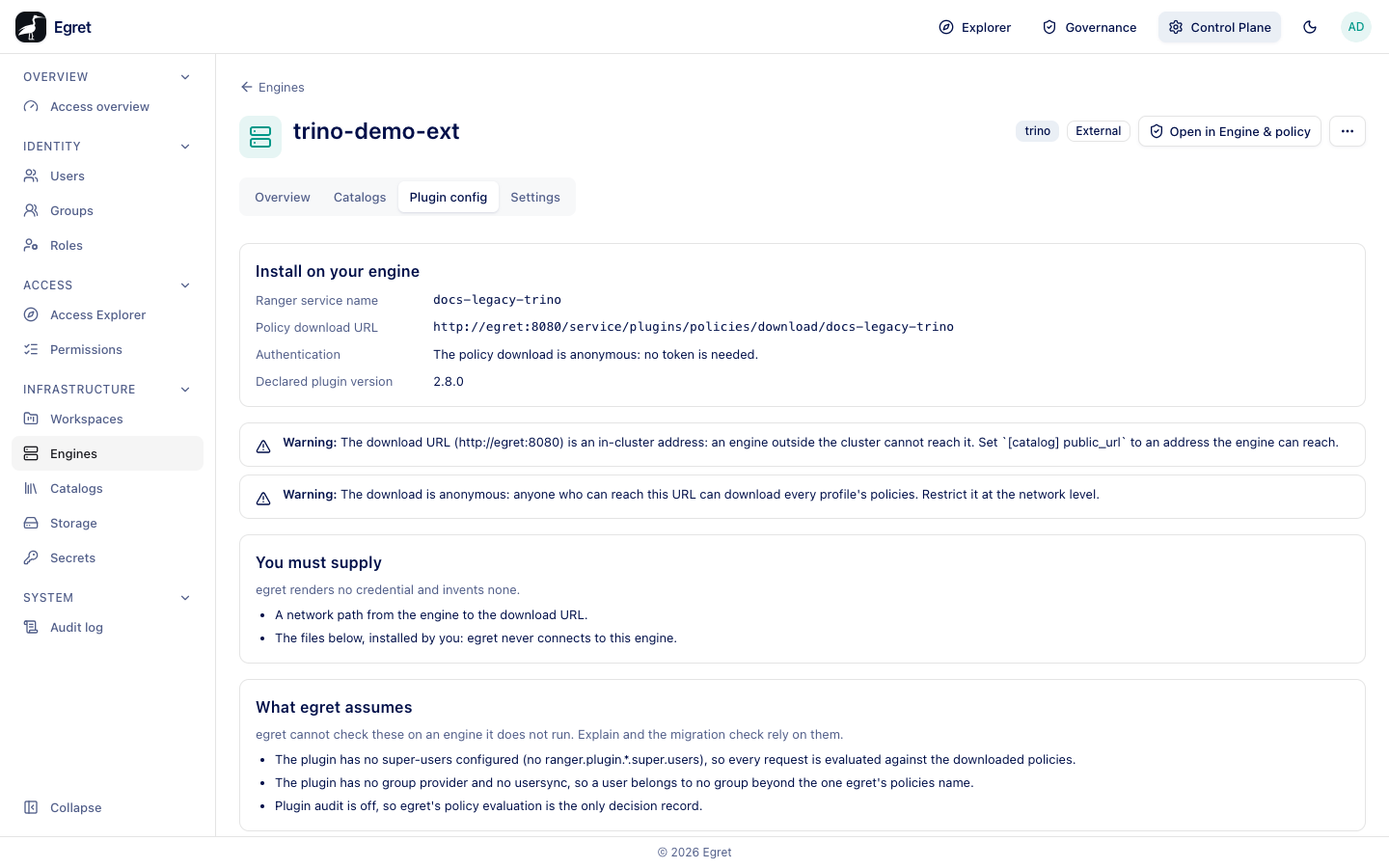
The installation files and warnings for the Ranger plugin: Ranger service name, Policy download URL, Authentication, Declared plugin version, You must supply, What egret assumes and the files access-control.properties and ranger-trino-security.xml with Copy and Download. With no profile bound it says engine … is bound to no policy profile: bind a profile first. Bind a policy profile on the Settings tab, then come back. See Ranger plugin.
Settings
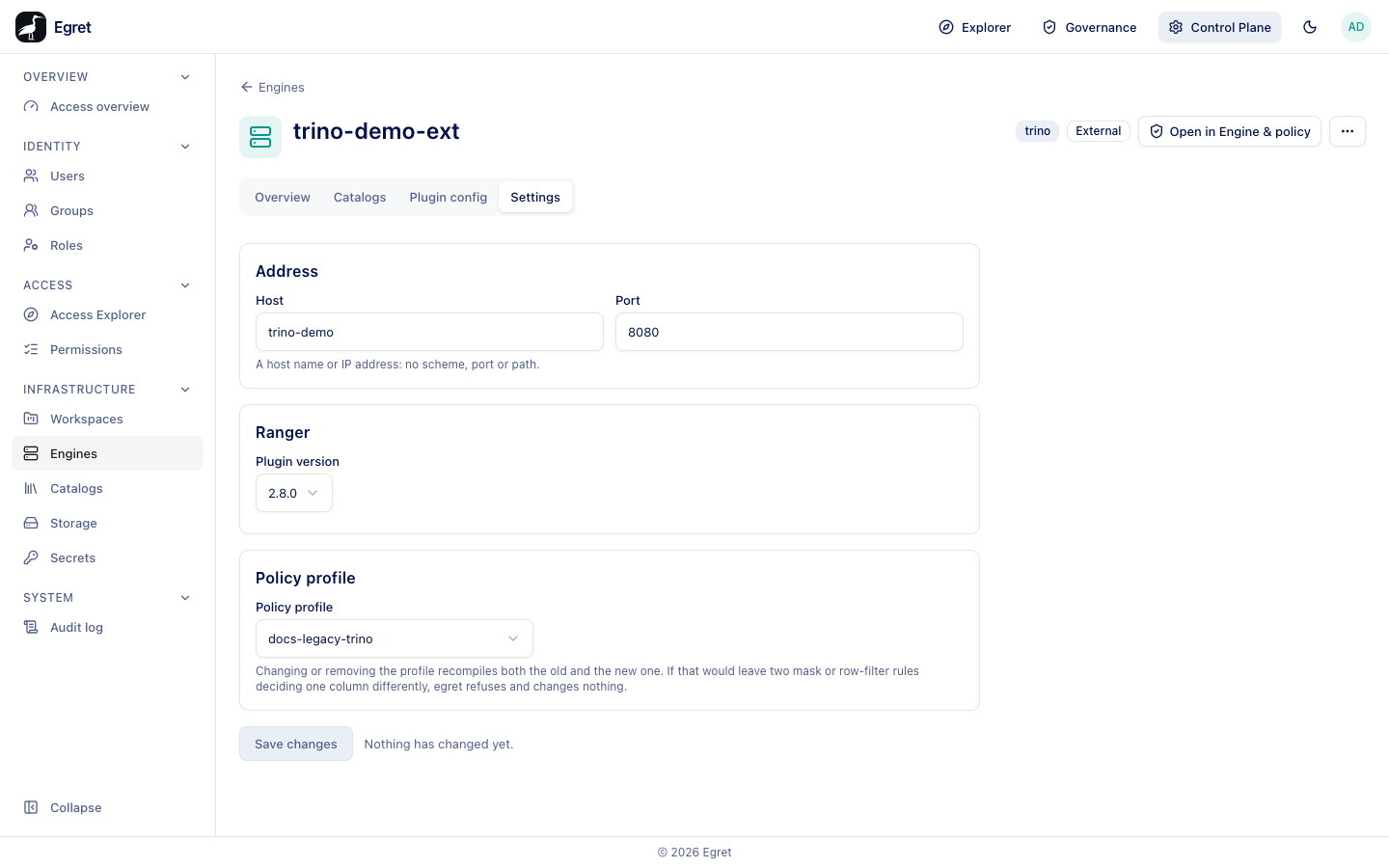
| Field | Meaning |
|---|---|
| Host | A host name or IP address: no scheme, port or path. |
| Port | The engine's port. |
| Plugin version | The Ranger plugin version (2.5.0, 2.8.0 or Other…). |
| Policy profile | The profile the engine downloads, or No profile. Profiles bound elsewhere are marked, for example docs-trino — bound to docs-trino. |
Changing or removing the profile recompiles both the old and the new profile. If that would leave two mask or row-filter rules deciding one column differently, egret refuses and changes nothing. Save changes applies; before any edit the form says Nothing has changed yet.
A Trino profile without a tag service is refused: policy profile … has no usable tag service … so every tag-based column mask and row filter would silently compile to nothing; give the profile a tag service, or bind one created by engine provisioning. See Engines and policy.
Remove the record
More engine actions → Delete engine opens Delete «<engine>»?, which says egret removes its record; your cluster is not touched. and lists what happens:
- The bound policy profile is unbound, not deleted.
- Declared catalog attachments are removed; the catalogs themselves are kept.
- The Ranger plugin you installed keeps running until you remove it from your engine.
Type the engine name and press Delete. If something still depends on the engine, egret refuses with "<engine>" is still in use. Nothing was deleted. Remove or move these first, then delete the engine again. and lists the dependents.
Catalog apply states
A Trino apply rebuilds the engine's entire catalog configuration. When one catalog has a stored configuration egret cannot parse, Retry and Detach are refused on every catalog of that engine, and so is any save on the Settings tab, until you repair or detach the broken one. StarRocks applies each catalog separately, so only the broken catalogs are affected.
Limits and known issues
- An external engine's page has no health status or restart. Egret cannot see the cluster.
- The monitor lists no queries on Trino 483 engines (see Monitor).
- Logs and Exec are offered on Docker engines although they cannot work there.
- Delete is permanent. After a delete the Engines list can keep the row until you reload.