Workspace details
Opening a workspace in Control Plane → Workspaces shows its page. The header shows the name, slug and status with Rename, Transfer owner and Archive (or Restore). Six tabs follow: Overview, Members, Resources, Features, Access requests and Activity.
Overview
A summary strip shows the number of members and queries run (for example 7 members · 27 queries run), then OWNER, CREATED and STATUS.
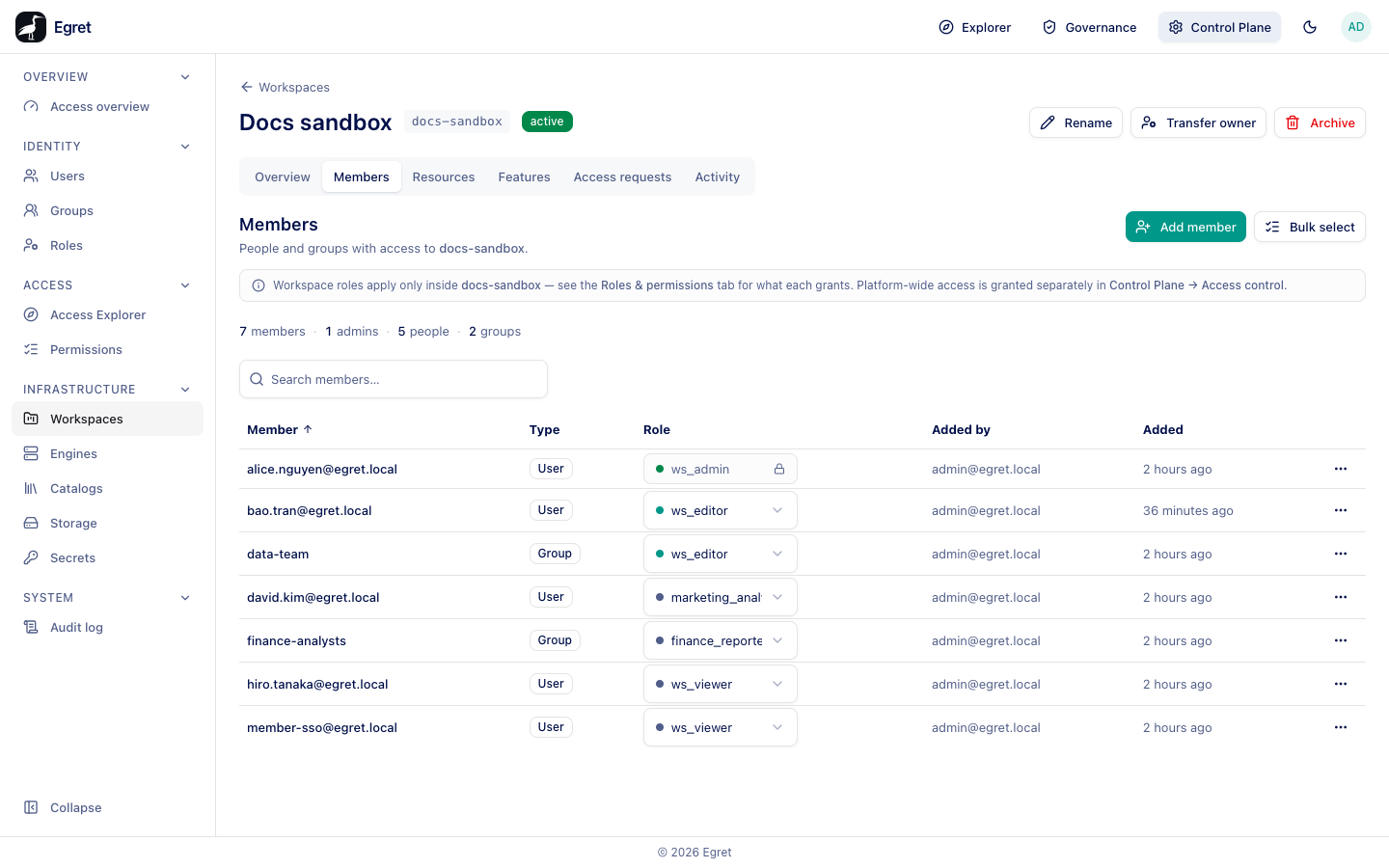
Members
People and groups with access to <slug>. The tab is the same member manager that workspace admins use in Workspace settings → Members. See Members for Add member, Bulk select, changing a role and removing a member.
A note reminds you that workspace roles apply only inside the workspace, and that platform-wide access is granted separately in Control Plane → Access control.
Resources
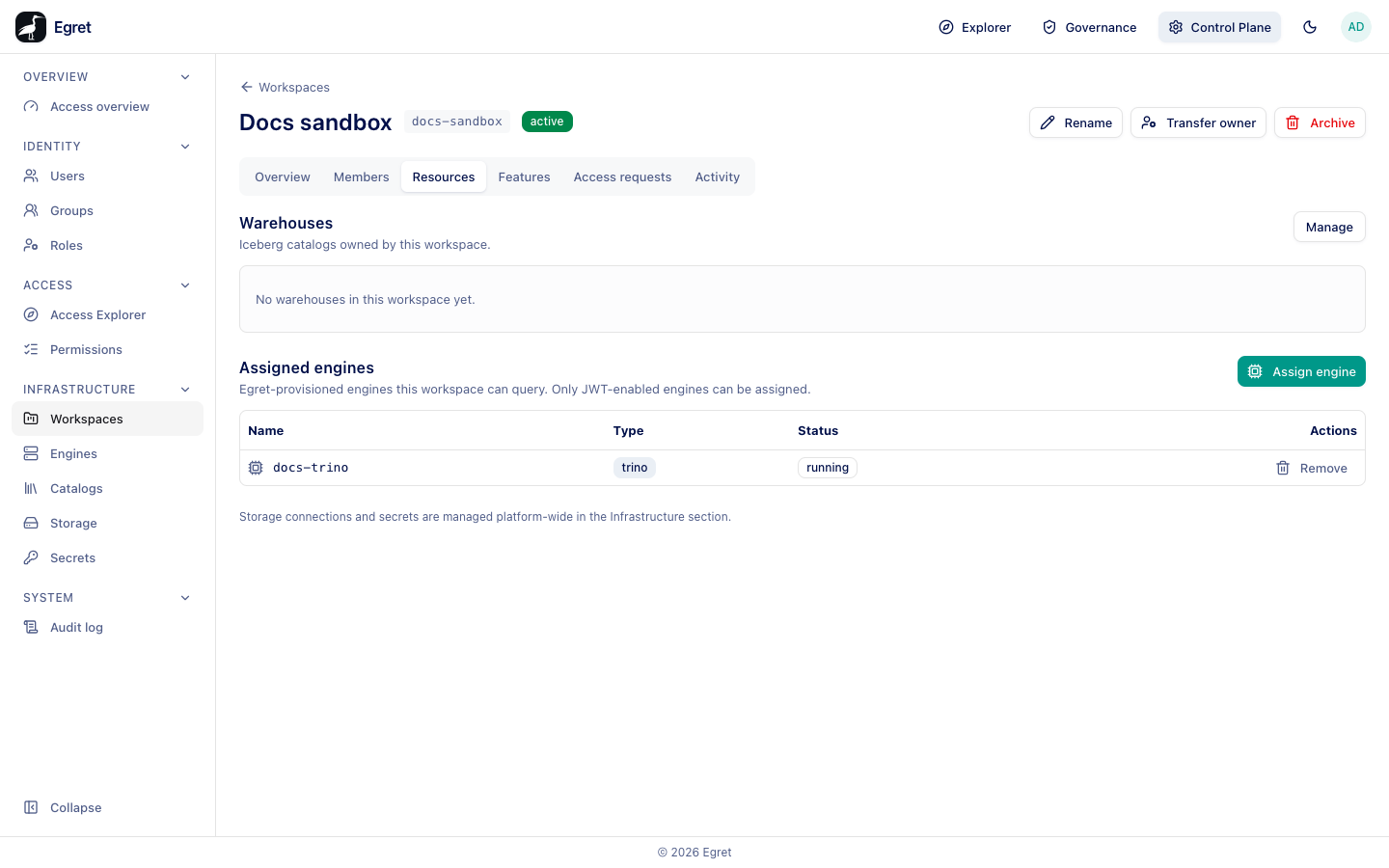
Warehouses
Iceberg catalogs owned by this workspace. The table shows each warehouse's Name, Storage (the storage connection) and Status (for example Provisioned); a workspace without one says No warehouses in this workspace yet. Manage opens the Catalogs page. On the demo stack the seeded warehouse demo-warehouse belongs to default.
Assigned engines
Egret-provisioned engines this workspace can query. Only JWT-enabled engines can be assigned. Assign engine opens a picker of engines. An engine can be assigned only after JWT authentication is enabled on its Security & Exposure settings. With none assigned the tab says No engines assigned to this workspace yet. You can also assign a workspace from the engine's own Workspaces tab (see Engine detail).
A footer says Storage connections and secrets are managed platform-wide in the Infrastructure section.
Features
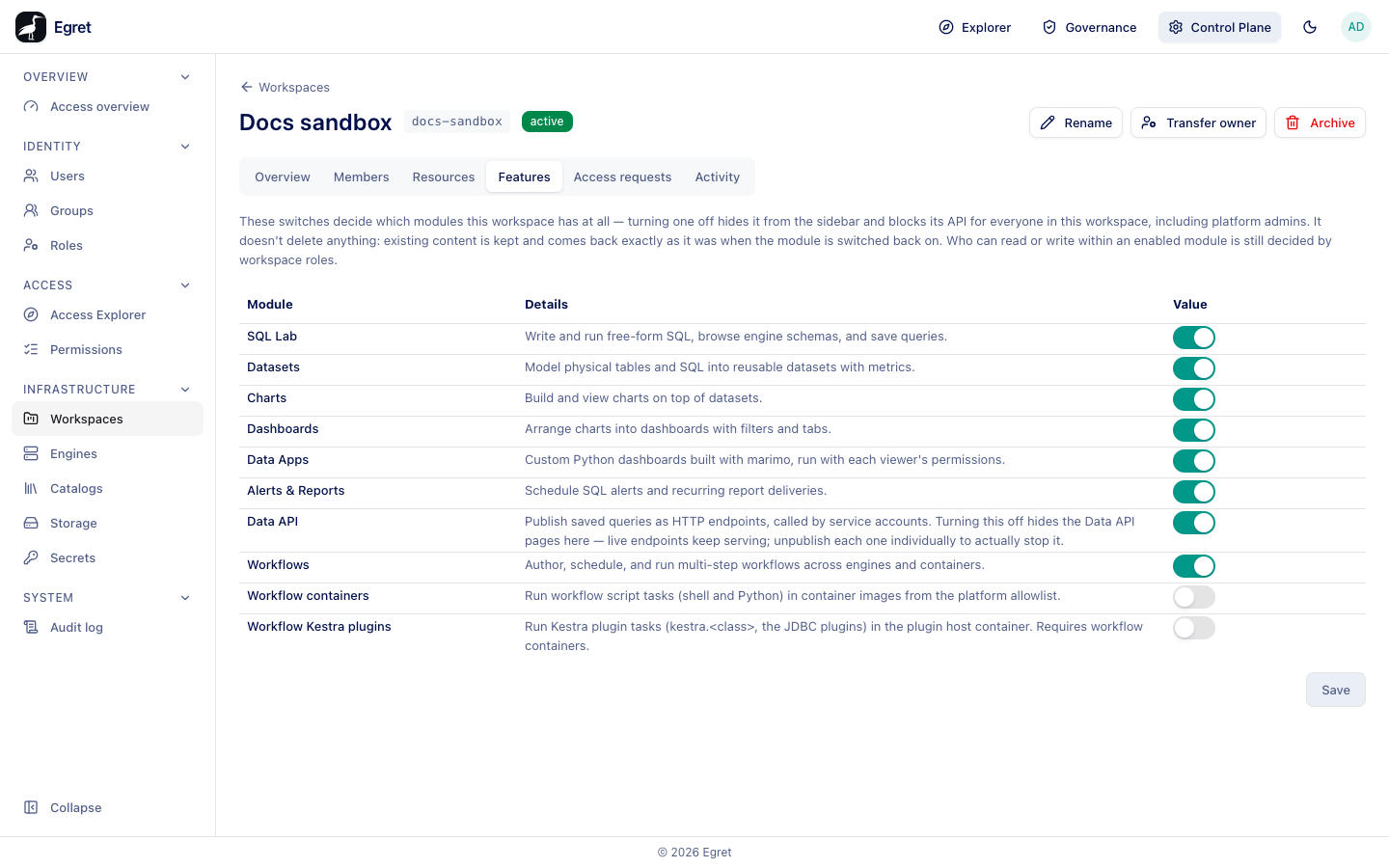
These switches decide which modules this workspace has at all — turning one off hides it from the sidebar and blocks its API for everyone in this workspace, including platform admins. It doesn't delete anything: existing content is kept and comes back exactly as it was when the module is switched back on. Who can read or write within an enabled module is still decided by workspace roles.
| Module | What it covers |
|---|---|
| SQL Lab | Write and run free-form SQL, browse engine schemas, and save queries. |
| Datasets | Model physical tables and SQL into reusable datasets with metrics. |
| Charts | Build and view charts on top of datasets. |
| Dashboards | Arrange charts into dashboards with filters and tabs. |
| Data Apps | Custom Python dashboards built with marimo, run with each viewer's permissions. |
| Alerts & Reports | Schedule SQL alerts and recurring report deliveries. |
| Data API | Publish saved queries as HTTP endpoints, called by service accounts. Turning this off hides the Data API pages here; live endpoints keep serving, so unpublish each one individually to stop it. |
| Workflows | Author, schedule, and run multi-step workflows across engines and containers. |
| Workflow containers | Run workflow script tasks (shell and Python) in container images from the platform allowlist. |
| Workflow Kestra plugins | Run Kestra plugin tasks (kestra.<class>, the JDBC plugins) in the plugin host container. Requires Workflow containers. |
Toggle the switches and press Save.
Switching a module off blocks its API for everyone in the workspace, platform admins included. The content is kept and returns when you switch the module back on.
Access requests
Pending requests to join this workspace, with the same Approve and Deny actions the workspace's own admins have. With none waiting the tab says No pending requests. See Access requests.
Activity
The audit entries recorded for this workspace: Time, Action, Resource, Actor and Decision. It is the workspace-scoped slice of the Audit log, newest first. Most rows are authorization decisions such as workspace:manage_members (allow or deny), query:run or dashboard:read; changes such as member:add show a dash. A member who opens a page they may not use shows up as a deny. Actions done while a platform admin impersonated someone are listed under the impersonated person.
Limits and known issues
- The Features switches apply to the whole workspace. There is no per-user override.
- The Assign engine picker lists only engines egret provisions, so an external engine you registered cannot be assigned to a workspace here.