First login tour
After signing in you land in the Explorer for your default workspace.
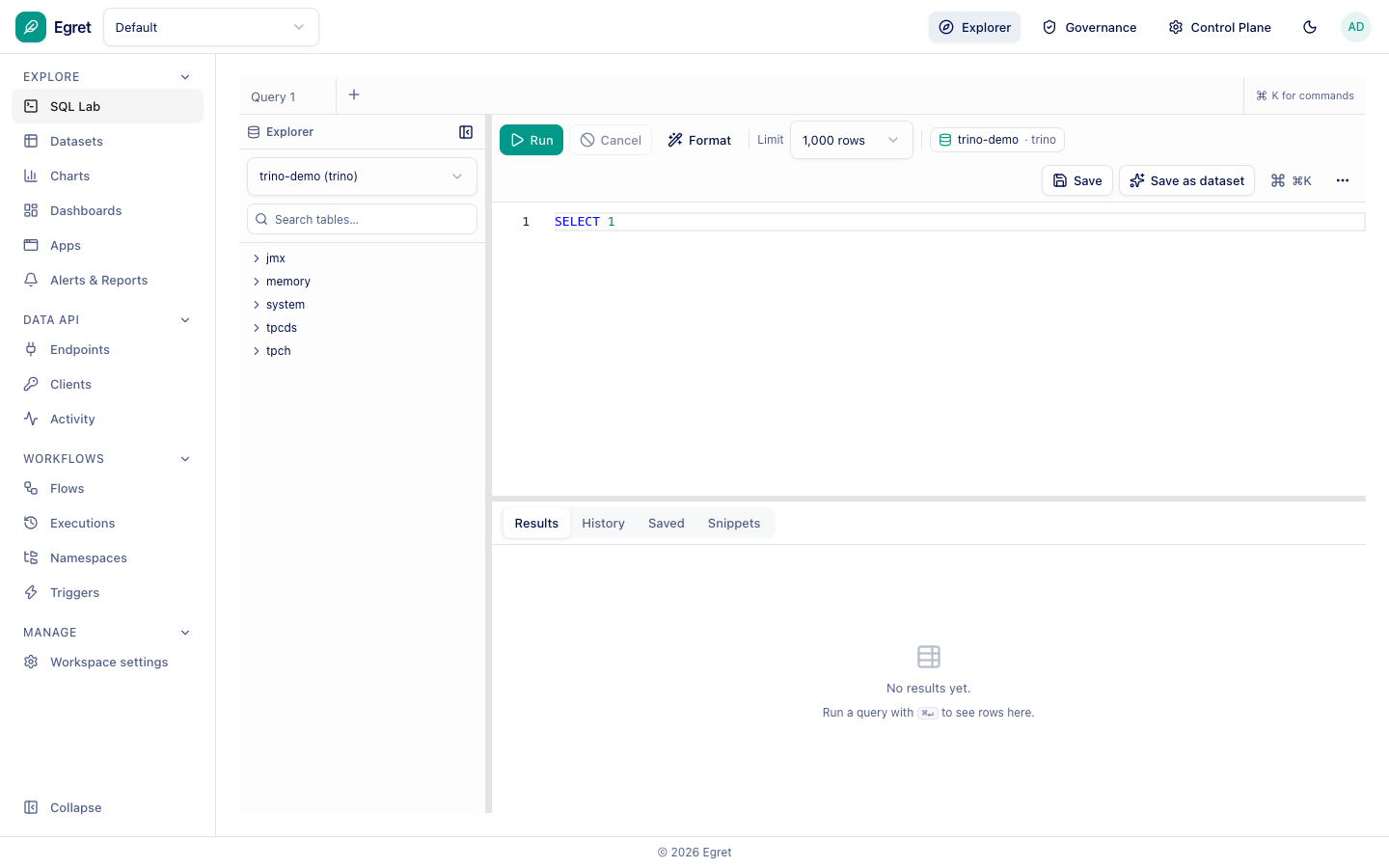
The top bar
- Workspace picker (top left): switch between the workspaces you belong to.
- Explorer: everyday work inside the current workspace.
- Governance: data access policy and classification.
- Control Plane: platform administration.
- Theme toggle and your account menu (top right).
The Explorer sidebar
| Section | Pages |
|---|---|
| Explore | SQL Lab, Datasets, Charts, Dashboards, Apps, Alerts & Reports |
| Data API | Endpoints, Clients, Activity |
| Workflows | Flows, Executions, Namespaces, Triggers |
| Manage | Workspace settings |
Use ⌘+K for the command palette, and the Collapse button at the bottom to shrink the sidebar.
Where do I register a database?
Under Manage → Workspace settings → Engines, not under Explore. See Databases.