Access and data
Two separate questions decide what a person sees in an app: may they open it, and what may the app's queries read when they do. Egret answers the first from the app's permissions and shares, and the second from the data permissions of the identity the query runs as.
Who can open and edit an app
Access to an app comes from three places, combined:
| Source | What it gives |
|---|---|
| Workspace role | app:read lets a person open every published app; app:write lets them create, edit, publish and restore. By default ws_viewer, ws_editor and ws_admin hold app:read; ws_editor and ws_admin hold app:write. |
| A share on one app | Gives a person or group a role on that app only. A share that grants write on one app makes the Apps list show write actions on that row and no other. |
| A folder share | Shares given to a folder apply to the apps in it. The Share dialog lists them under Inherited from folder. |
The list reflects this per row. A row you cannot write has no Edit, Rename… or Duplicate; a row you cannot manage has no Share….
To edit, you need app:write on the app and query:run in the workspace, because an author writes arbitrary SQL. A viewer needs app:read on the app. A ws_viewer can therefore open published apps even though that role cannot run SQL itself.
Share an app
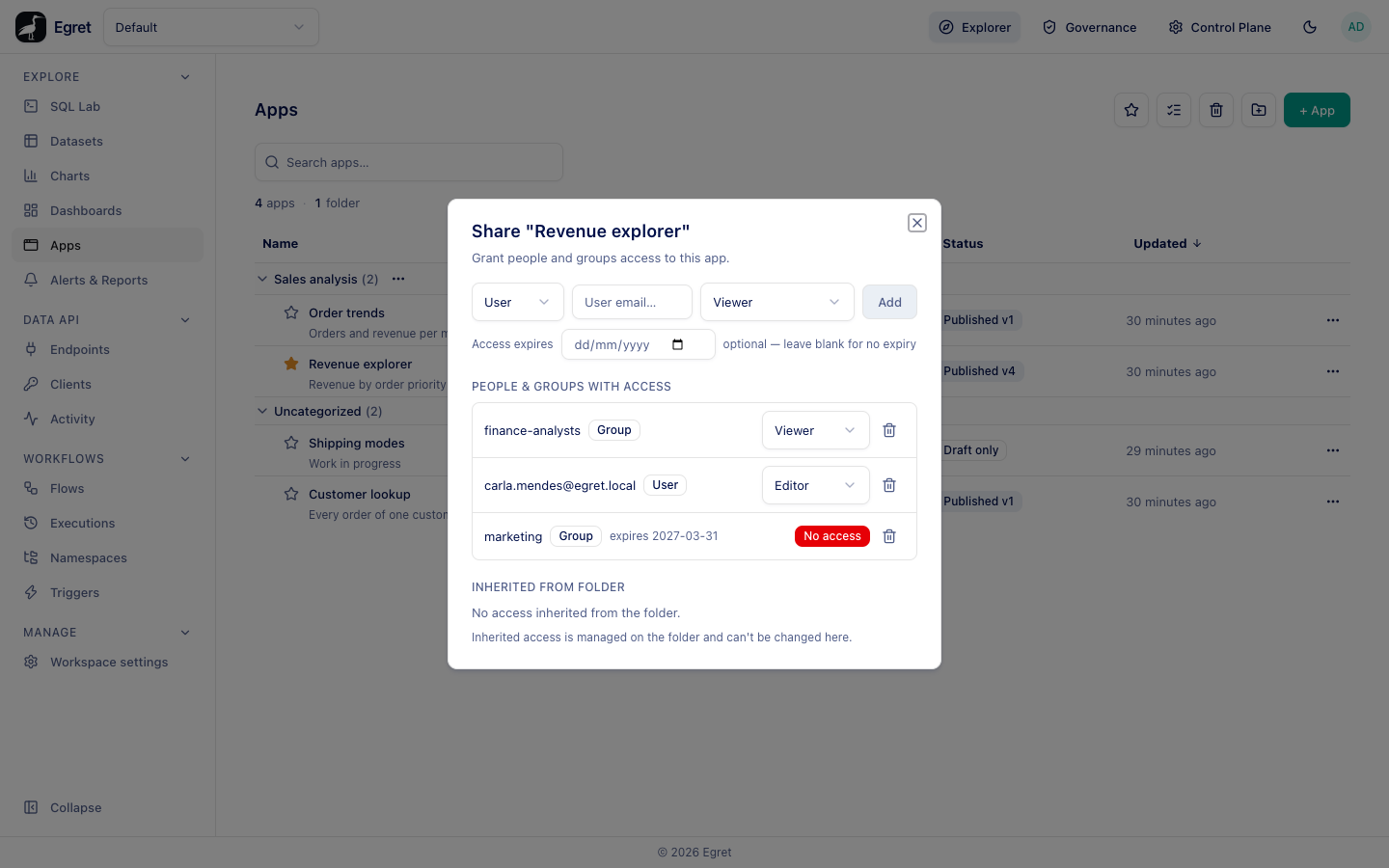
- In Explore → Apps, open the ⋯ menu of the app and choose Share….
- Choose User or Group, type the user's email or the group name.
- Choose the role: Viewer, Editor or Blocked.
- Optionally set Access expires (optional — leave blank for no expiry).
- Press Add.
The dialog says Grant people and groups access to this app. and lists everyone with direct access under People & groups with access, with a User or Group badge and the expiry date when there is one. Change a row's role in its picker, or remove it with the bin icon. A Blocked row shows a red No access badge instead of a role picker.
| Role | Effect |
|---|---|
| Viewer | May open the published app. |
| Editor | May edit and publish it. |
| Blocked | A deny: the person or group cannot open the app even if their workspace role would allow it. |
Sharing needs app:manage on the app. Shares work as on other objects; see Shared objects.
Viewers are signed-in Egret users. There are no public links and no embedding outside Egret. A user who is shared into an app but is not a member of the workspace can open it only from a direct link: the Apps list of that workspace answers 403 for them.
What the app can read
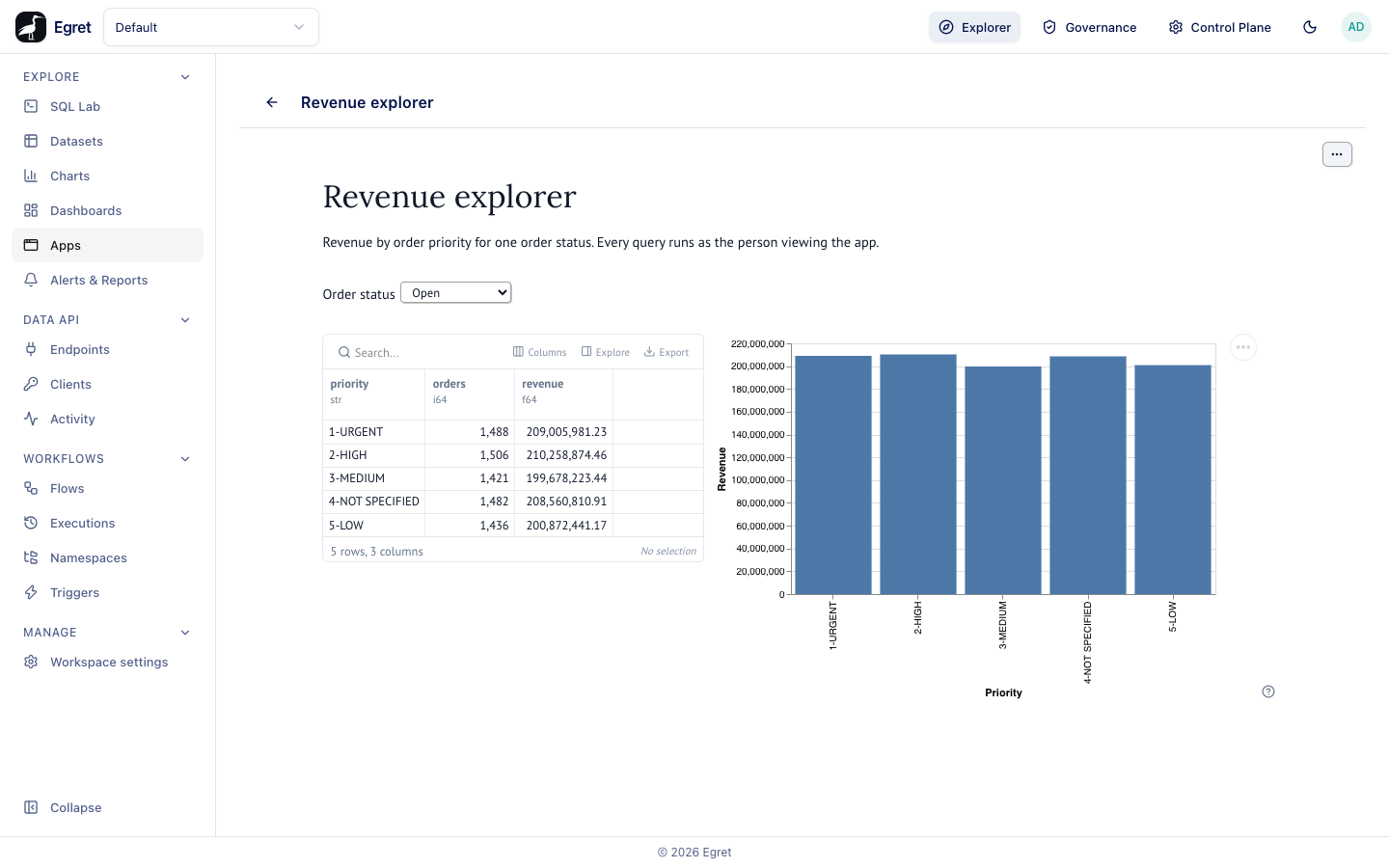
An app's code is written by its author, but it runs for the viewer: run mode starts one process per viewer and per published version, and every query goes through the query gateway with that viewer's session. Which identity the engine then sees depends on the database connection:
| Connection | Identity the engine sees |
|---|---|
| Per-user delegation or Run queries as the logged-in user turned on | The viewer. Ranger row filters and column masks that apply to the viewer apply to the app. |
| Neither turned on | The connection's own shared user. Every viewer sees what that user can read. |
The demo connection trino-demo has neither switch on, so SELECT current_user from an app answers egret for everyone. For data that needs per-person rules, turn on Per-user delegation or Run queries as the logged-in user on the connection; see Databases.
With a per-user connection:
| If… | Then… |
|---|---|
| Two viewers open the same app | They may see different rows, depending on their own data permissions. |
| An author with wide access builds the app | Viewers still see only what they could read themselves. |
| A viewer lacks access to a table the app queries | The query fails for that viewer, with the engine's refusal, while it works for others. |
The author never holds a credential for the engine, and neither does the app process.
What the app cannot do
- Write data. Queries must be read-only; see what the gateway allows.
- Reach the engine directly. In production, app pods can talk only to Egret.
- See another viewer's session. Run mode never shares a process between people, so one viewer's data cannot leak to another through the app's memory. Idle run processes are stopped after five minutes by default.
- Keep a token forever. A viewer's session token lasts 30 minutes idle and 8 hours at most, and dies when the viewer signs out.
Every gateway call is written to the audit log with the viewer, the app and the outcome, so access through apps is reviewable alongside every other access.
When a viewer cannot open an app
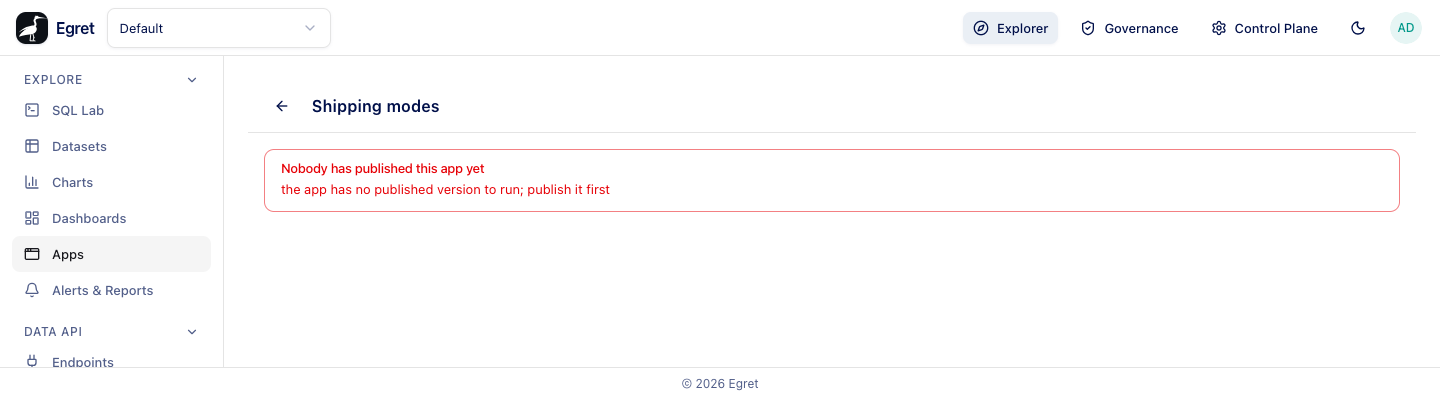
Opening an app shows Starting the app… (The first open after a while can take up to a minute.) and then the app, or one of these messages when it cannot start:
| Message | Meaning |
|---|---|
| You can't open this app | The viewer lacks app:read on it, or the workspace denies running queries. Ask a workspace admin. |
| App not found | The app was deleted or belongs to another workspace. |
| Nobody has published this app yet | The author has not published a version (the detail reads the app has no published version to run; publish it first). Ask them to publish before sharing. |
| This app can't be opened right now | The app is in the trash. |
| Apps are not set up on this deployment | The apps origin is not configured. An operator needs to set apps.origin. |
Where apps are served
An app is served from a separate origin, a sibling host of Egret's own (for example apps.egret.example; on the demo stack apps.localtest.me), inside a sandboxed iframe. Egret hands the browser a one-time ticket that lasts 30 seconds by default; the apps origin turns it into a cookie for that viewer. Apps get their own origin so that an app's JavaScript cannot read Egret's session. An operator sets this up with apps.origin, apps.egret_origin and an [apps.pod] launcher: kubernetes in production, subprocess on the demo stack.
The subprocess launcher runs every app process inside the Egret container as the same user, with no isolation between apps and users, and over plain http Egret's session cookie has no __Host- prefix, so code on the apps host can set cookies that Egret then receives. Never put real data or untrusted authors on the demo stack.
Limits and known issues
- There is no public sharing and no embedding.
- A shared-in user who is not a workspace member has no list to find the app from.