How permissions work
Egret decides access in four layers. Each layer answers a different question, is configured in a different place, and is enforced by a different part of the system. This page explains the layers in plain language, so you know which screen to use when someone says "I cannot see this table".
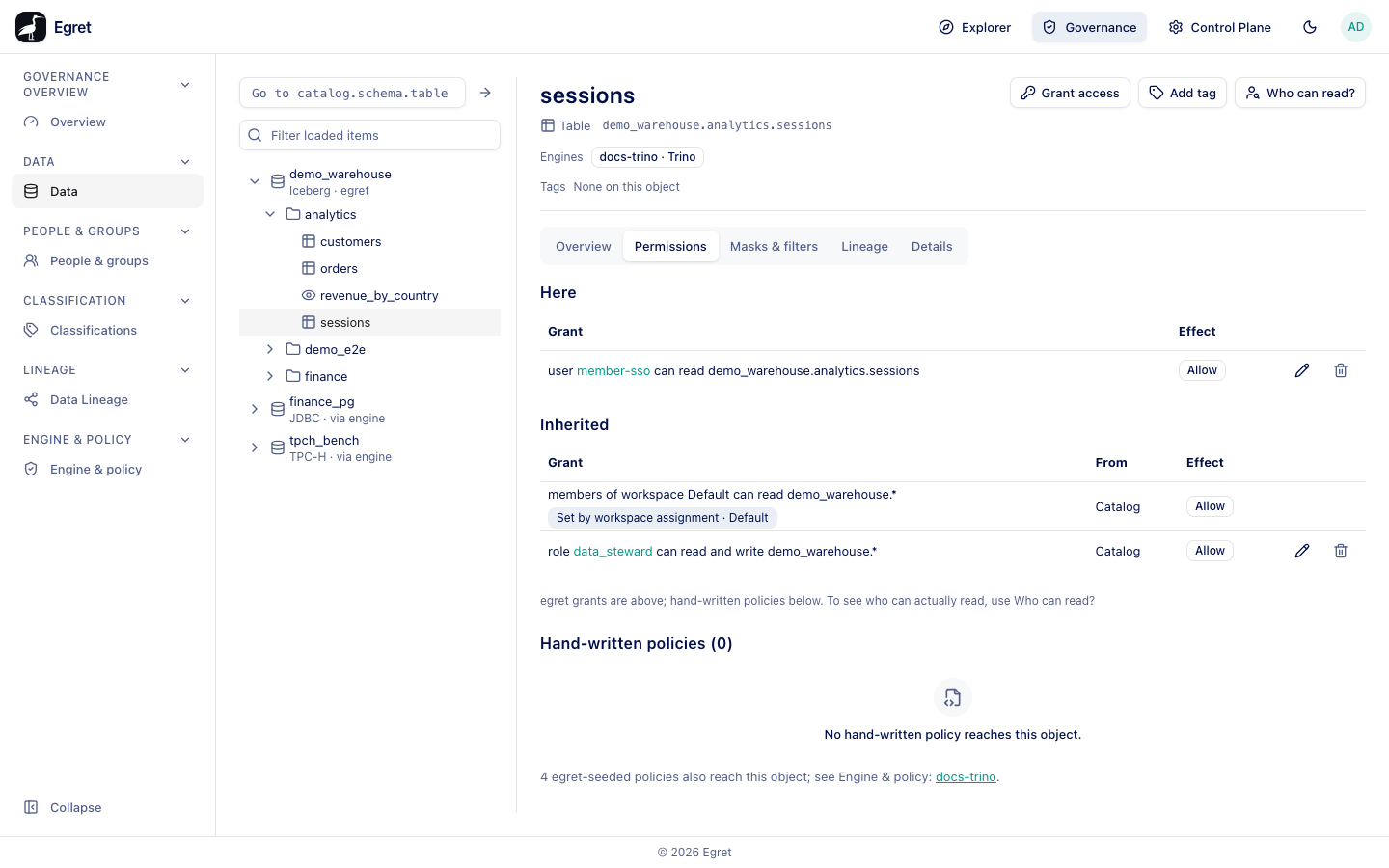
The four layers
| Layer | Question it answers | Where you set it | Enforced by |
|---|---|---|---|
| 1. Identity | Who is this person, and which groups are they in? | Sign-in (SSO or local account); Control plane → Users and Groups | The platform, at sign-in |
| 2. Roles (RBAC) | Which actions may this person take on the platform, or inside a workspace? | Control plane → Roles; workspace Members | The platform API |
| 3. Object grants | Who may open this dataset, chart, dashboard or folder? | The Share controls on each object; Shared objects | The platform API (the Cedar policy engine) |
| 4. Data plane | Which tables, columns and rows can this person read in the query engine? | Governance | The query engine, through the Apache Ranger plugin |
The Control Plane's Access overview page shows the same four layers under How access works, with a link to the screen for each.
A person needs every layer to say yes. Passing layer 2 does not give them the data, and a data-plane grant does not let them open a dashboard.
Layer 1: identity
People sign in with SSO (OIDC) or with a local account. Users who sign in through SSO are created on their first sign-in, together with the groups the identity provider reports. Groups synced from the identity provider cannot be renamed or changed in egret, but you can give them roles and grants.
A query engine knows a user by a short username, not by an email address. Egret allocates that username the first time you grant something to the person (the dialog says Allocate a username to Member SSO?) or the first time they query. The username is lower-cased, and a number is appended on collision. Governance → People & groups shows No username yet for people who have none.
Layer 2: roles
A role is a named set of permissions. There are two kinds:
- Platform roles apply across the whole installation, for example
platform_adminanddata_steward. - Workspace roles apply inside one workspace, for example
ws_admin,ws_editorandws_viewer. A person gets one when they are added as a member of the workspace.
Roles can inherit from a parent role. See Roles.
Layer 3: object grants
Inside a workspace, individual objects can be shared with a user or group as Viewer or Editor, or blocked, optionally until a date. Every share in a workspace is listed under Workspace settings → Shared objects. To see everything one person can reach, or everyone who can reach one object, use the Access Explorer.
Layer 4: the data plane
The data plane is where Governance works. Egret holds an authoritative model of data access and compiles it into Apache Ranger policies. Egret is itself the Ranger admin: a Ranger plugin inside each Trino or StarRocks engine downloads the compiled policies and enforces them on every query. There is no separate Ranger server.
The model has three kinds of statement:
- A grant says who can read or write which catalog, schema, table or column. It can allow or deny, and can exclude principals. See Grants.
- A rule masks a column or filters rows, selected by a tag or by a path, with optional exemptions. See Masks and row filters.
- A clearance on a classification tag says only principals holding a required role or group can open objects carrying the tag. See Clearance.
Engines download a policy profile, a named bundle of policies. Each engine is bound to one profile. When you save a grant or rule, egret works out which profiles it touches and recompiles them in one transaction. Every dialog has a Preview that shows what would be recompiled before you save.
Where each statement comes from
A grant listed on a table can come from three places:
- It was written by hand on the Data page or on a person's page. You can edit or delete it.
- It was written by a workspace assignment. When a catalog is assigned to a workspace, all members of the workspace can read it. The grant is labelled Set by workspace assignment and is read-only here. Change the catalog's workspace assignment to change it.
- It is an engine permission (such as impersonating a user), granted on an engine. See Engine permissions.
Hand-written Ranger policies are a fourth source. Egret does not recompile them or check them for overlaps. The Data and People pages list only egret grants, and point to Who can read? and Check access, which ask the engine's own policy set.
What does not reach the engine
Two facts about the data plane surprise people.
- A group or role name never reaches Trino or StarRocks. Egret serves no roles download and runs no usersync, so an engine does not know that a user belongs to a group. That is why egret's compiler writes the usernames of a group's or role's current members into the policy. A person who has no username yet gets one when a grant naming their group is compiled. The exception is the special group
public, which Ranger matches by name. - A clearance on a group is enforced on object access, not in the engine. A group requirement gates opening the object in the platform, but reading the same data through SQL Lab or a notebook is not gated. Role requirements are expanded to usernames and do reach the engine. Both warnings are shown on the tag page.
Which screen do I use?
| I want to… | Go to |
|---|---|
| Let someone read a table | Grants |
| Hide or mask a column for everyone except some people | Masks and row filters |
| Find out why someone can or cannot read a table | Explain access |
| See everything that reaches one person | People & groups |
| Restrict everything carrying a sensitivity tag | Classifications |
| Let someone impersonate users on an engine | Engine permissions |
| Give someone a role in a workspace | Members |