Permissions catalog
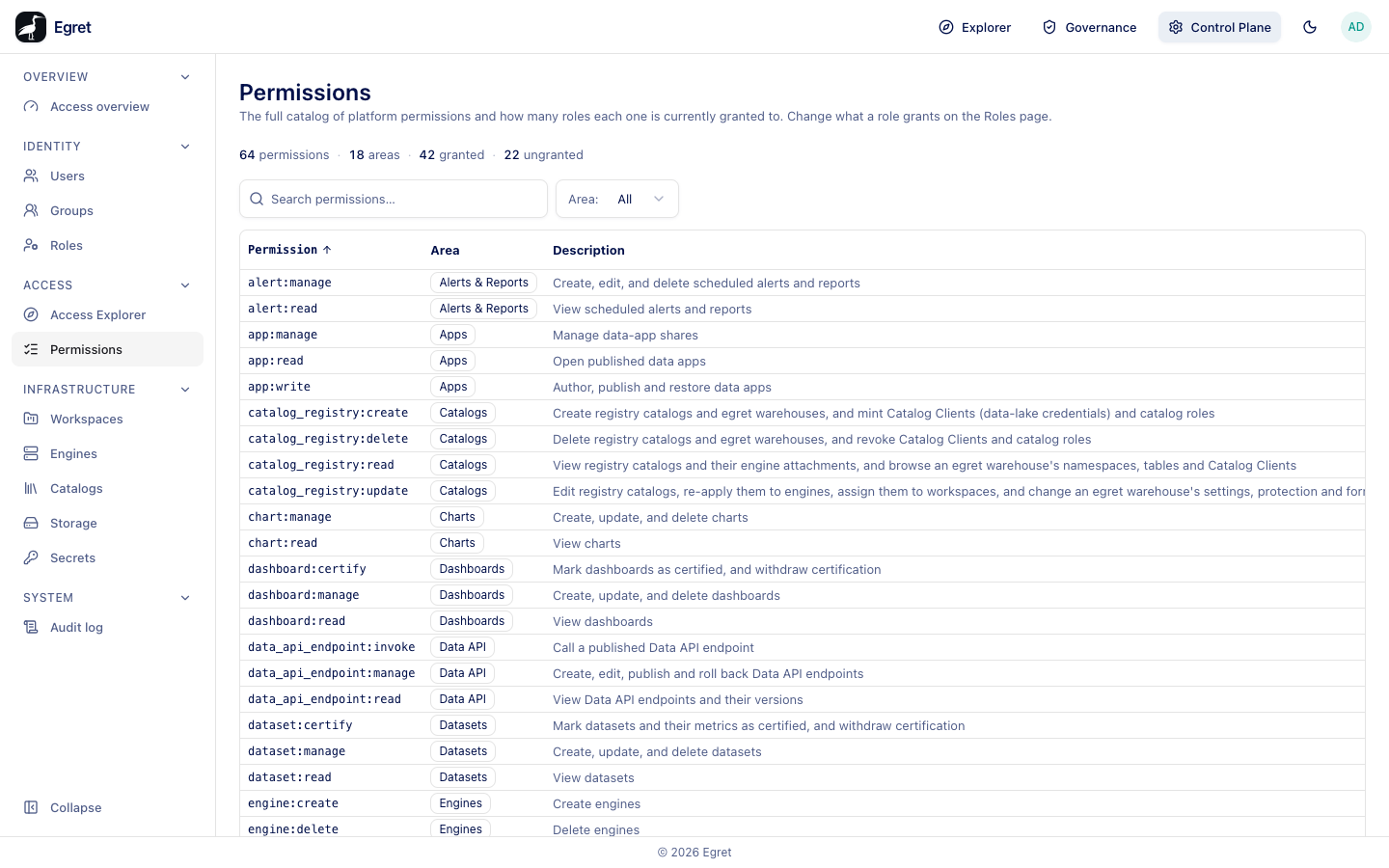
Control Plane → Access → Permissions is the full list of platform permissions and how many roles each one is currently granted to. It is a read-only reference: you change what a role grants on the Roles page.
You need role:read to open the page.
Read the catalog
A summary strip counts the permissions (64 on the demo instance), the areas they belong to (18), how many are granted to at least one role (42) and how many are ungranted (22). Area filters the list to one area. The table is paged at 25 rows.
| Column | Meaning |
|---|---|
| Permission | The permission name, in the form area:action, for example chart:manage. |
| Area | The part of the product it belongs to, for example Charts or Catalogs. |
| Description | What it allows, in a sentence. |
| Granted to | How many roles include it (2 roles), or Not granted. |
How permission names work
A permission is <thing>:<action>. The common actions are:
| Action | Typical meaning |
|---|---|
read | View the thing. |
create, update, delete | Make, change and remove it. |
manage | Create, change and delete (a combined permission used by workspace content). |
Some permissions are more specific, such as dashboard:certify, engine:provision, engine:kill or data_api_endpoint:invoke.
Examples
catalog_registry:createis Create registry catalogs and egret warehouses, and mint Catalog Clients (data-lake credentials) and catalog roles. It is Not granted to any role on the demo instance, so no assignable role carries it.engine:provisionis Provision / restart engines on the cluster. Likewise ungranted.chart:readis View charts and is granted to three roles.
Use the catalog
- Find who can do X. Filter by Area and read Granted to. To see which roles, open the Roles page (the role pages list their permissions).
- Spot unused permissions. Rows with Not granted are not part of any role, so no role you can assign carries them.
- Design a custom role. Pick permissions here, then add them in the role's Permissions section (see Roles).
Limits and known issues
- The catalog does not list which roles hold a permission, only how many. Check each role page for the exact set.
- The permission list is defined by the platform. You cannot add permissions here.