Backfill
A backfill runs a schedule for ticks in the past: the nights the scheduler was off, or a window you want to reprocess. You give a start, an optional end and optional labels, and the engine fires one execution for every tick between them.
Start a backfill
- Open Workflows → Triggers (or the flow's Triggers tab).
- Make sure the schedule is Enabled. The Backfill button is disabled with Enable the trigger to backfill it otherwise.
- Press Backfill on the schedule's row.
- Choose Start. Optionally choose End (leave it empty to end now) and add Labels.
- Press Start backfill.
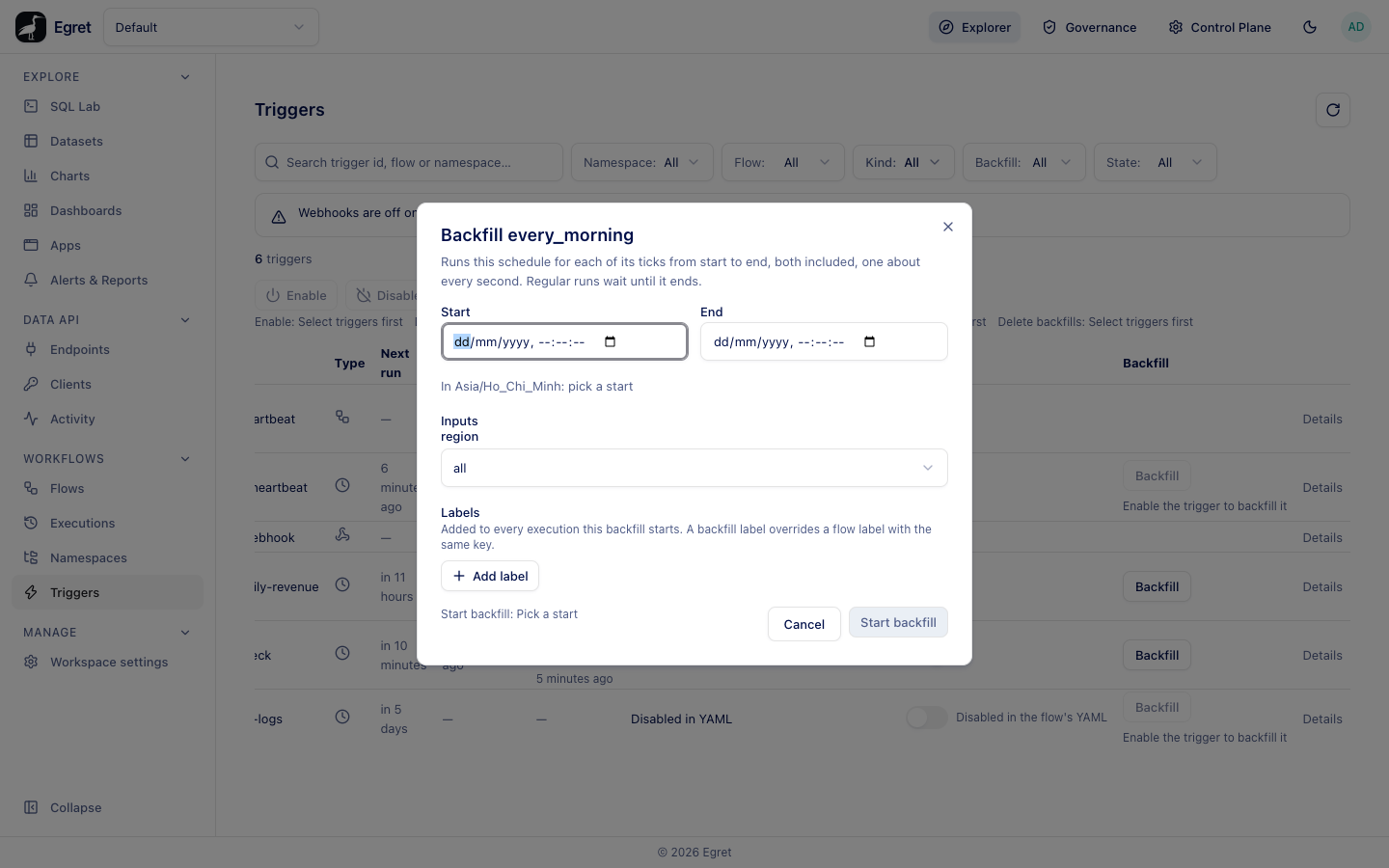
The dialog says Runs this schedule for each of its ticks from start to end, both included, one about every second. Regular runs wait until it ends. Times are read in the trigger's time zone (In Asia/Ho_Chi_Minh: pick a start). The button says what is missing: Pick a start, The end is in the future; leave it empty to end now, The start must be before the end, Fix the labels, or Fix the inputs. A label key may not start with system., and a key needs a value.
If the flow declares inputs the dialog offers them under Inputs, prefilled from the schedule's inputs:, so you can change values for the backfilled runs. The screenshot shows the region input of daily-revenue.
What happens
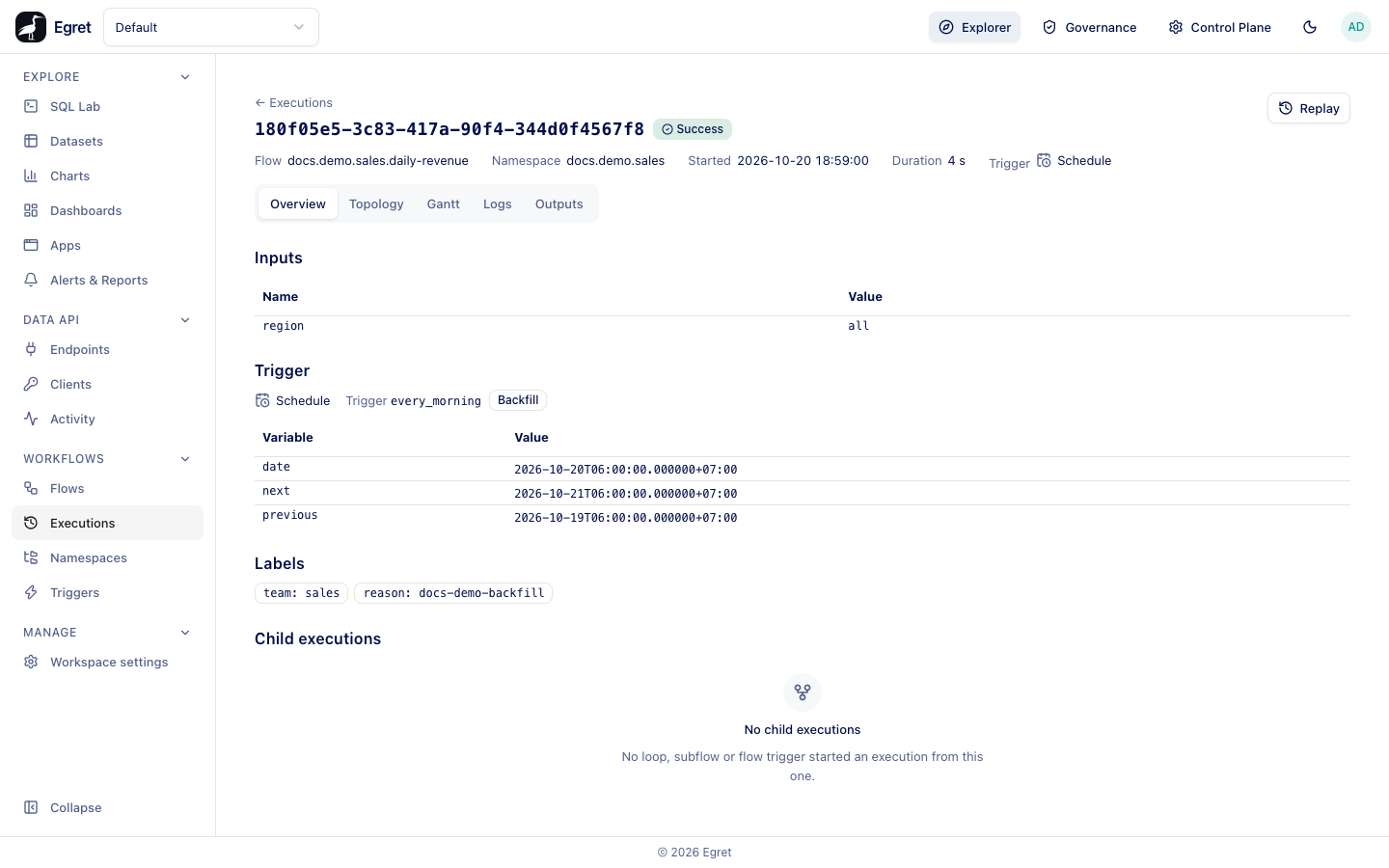
On the Docker demo stack, a backfill of the last five days on docs.demo.sales/daily-revenue (schedule every_morning, 0 6 * * * in Asia/Ho_Chi_Minh) created five executions, one per morning, within about five seconds. Each is a Schedule execution, labelled with the backfill's labels (reason: docs-demo-backfill), and its Overview shows a Backfill badge and the trigger variables of its own tick.
While the backfill runs, the schedule's regular ticks wait. When it ends the schedule resumes from where it was, and the missed-run rule of recoverMissedSchedules applies to what fell due.
| State | Where you see it |
|---|---|
| Running, with progress (ticks done of total) | The Backfill column and the trigger's drawer (Current tick, regular runs resume time). |
| Paused | The same, labelled Paused. |
A trigger can have only one backfill at a time: the button says This trigger already has a backfill.
Pause, resume or delete
Select the schedule's row and use Pause backfills, Resume backfills or Delete backfills above the table. Deleting a backfill stops creating new executions; ones already created stay.
Limits and known issues
- Only schedules can be backfilled (Only schedules can be backfilled). A schedule that is off the queue because of an invalid cron says Off the queue: ….
- The end must not be in the future.
- Executions fire about one tick per second, so a large window takes time.
- Each backfilled run uses the flow's saved draft at the moment it fires, not a version. On the demo stack the first backfill of
daily-revenueran a draft with a broken task and all five runs failed; a second backfill after the fix succeeded. Fix the flow before you backfill it.